Version 4.0.2 dated 2019-4-3Page 42 Translation of the original instructions
BF20LDGB
BF20LD_GB_DRO5.fm
OPTIMUM
MASCHINEN - GERMANY
®
5.4.4 Parameter setting of speed axis
Teeth amount of every turn (pulses per rev)
Press the "PROG" key to enter the menu, selection range is 1~36, the increment or decrement is 1.
Display mode
Press the "PROG" key to enter the menu. "On / Off" as a select.
Save and Exit
Saving new parameters, press the "PROG" key to confirm, then return to section 5.4.2
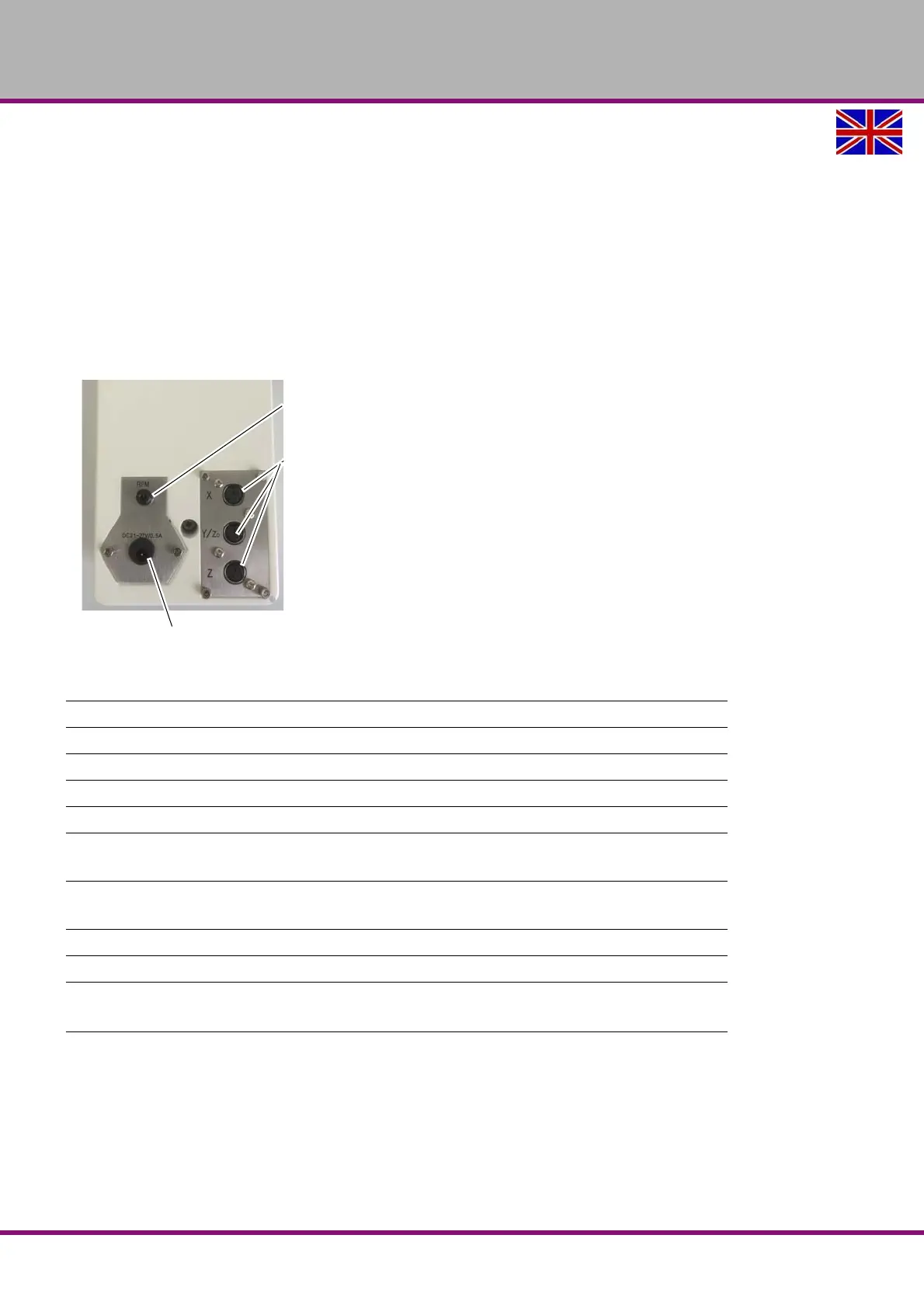
5.5 Connections
Connection
Speed measurement
Connections
Magnetic sensors
Plug type MINI-DIN
(6-pins)
Connection power supply
21V ~ 27V DC / 0.5 amps
Working temperature 0 °C ... +50 °C
Storage temperature -10 °C ... +60 °C
Humidity max. 80 %rF
Protection type IP50
Electrical data
Power supply
Mains connection
21 V to 27 V DC
Current consumption
Mains connection
~ 500 mA
System data, resolution and accuracy:
Magnetic sensors MS100, MS200, MS500
Resolution [mm]
0.001
ǀ 0.002 ǀ 0.005 ǀ 0.01
0.05
Travel speed max. 5 m/s















 To Next Page