Version 4.0.2 dated 2019-4-3Page 34 Translation of the original instructions
BF20V | BF20L | BF20LDGB
BF20V_BF20L_BF20LD_GB_4.fm
OPTIMUM
MASCHINEN - GERMANY
®
Enter the offset value of a quill mechanism, based on your experience with the keys (3) or
(4).
Stop the operation mode "S" by pressing the button (6) again.
INFORMATION
Before inserting the new battery, wait about 30 seconds. Please make sure, that the contacts
are metallically bright and free from coverings which result from bleeding or gassing batteries.
Grip the new batteries only with plastic forceps, if possible not with the hand due to the forma-
tion of oxide and never with metal forceps in order to avoid a short circuit. In most cases the
round cell will be inserted into the digital display with the marking upside. After inserting the
round cell, the battery compartment has to be closed again.
4.10.1 Malfunctions
4.11 Manual spindle sleeve feed with the spindle sleeve lever
ATTENTION!
The clutch of the fine feed has to be disengaged before the spindle sleeve lever can be
used. Activating the spindle sleeve lever when the fine feed is engaged may damage the
clutch.
Loosen the handle screw Img.4-7: “Fine feed“ on page 32.
The spindle sleeve lever moves away from the drill-mill head and disengages the clutch of
the fine feed.
4.12 Swivelling the drill-mill head
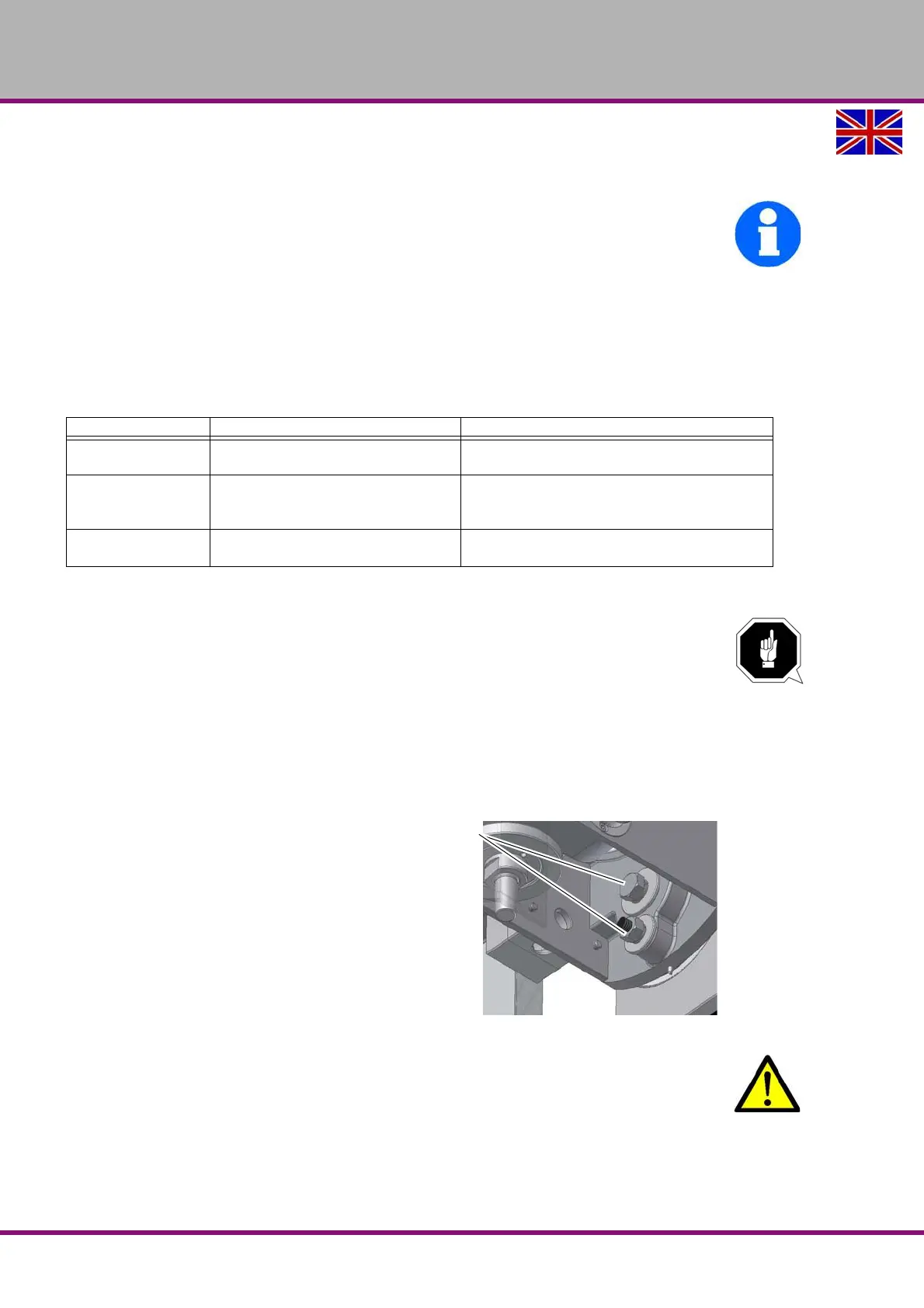
The milling head may be swivelled to the
right and to the left. Two screwings need
to be loosened.
Img.4-8: Clamping screws
CAUTION!
If the screws are completely unfastened, the drilling-milling head might fall down.
When slewing the working head, only unfasten the screws as far as necessary to be able
to perform the settings. After having set the slewing angle, retighten the fixing screws.
4.12.1 Shifting the drill-mill head
The column of the drill-mill head can be shifted each to the left or to the right.
Malfunction Cause / possible effects Solution
Flashing of the dis-
play
• Voltage too low • Change battery
Screen doesn’t
refresh
• Operation mode "S" is active
• Disturbance in the circuit
• Disable the operation mode "S".
• Remove the battery, wait 30 seconds and
reinsert the battery.
No data visible • No power supply
• Battery voltage less than 3V
• Clean battery contacts
• Replace battery















 To Next Page