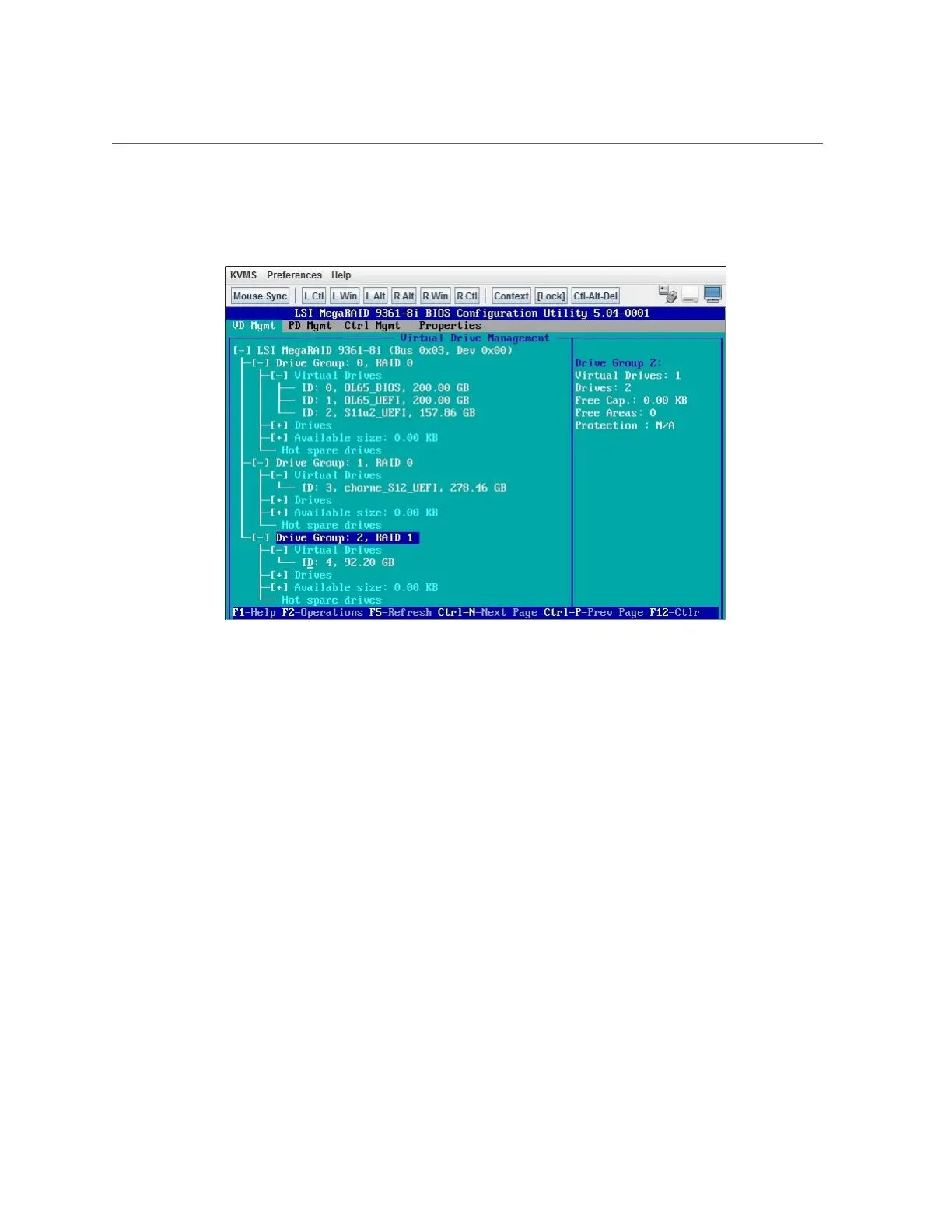
Configure RAID in Legacy Boot Mode
In this example, Drive Group 2, RAID 1 is created.
12.
Use the following steps to make a drive bootable.
This places a boot sector on the drive so that you can install an operating system on it.
a.
Select Ctrl Mgmt to open the Control Management page.
b.
From the Ctrl Mgmt page, use the arrow keys to navigate to the Boot device
field, and press Enter.
Configuring Storage Drives for Operating System Installation 119







 To Next Page