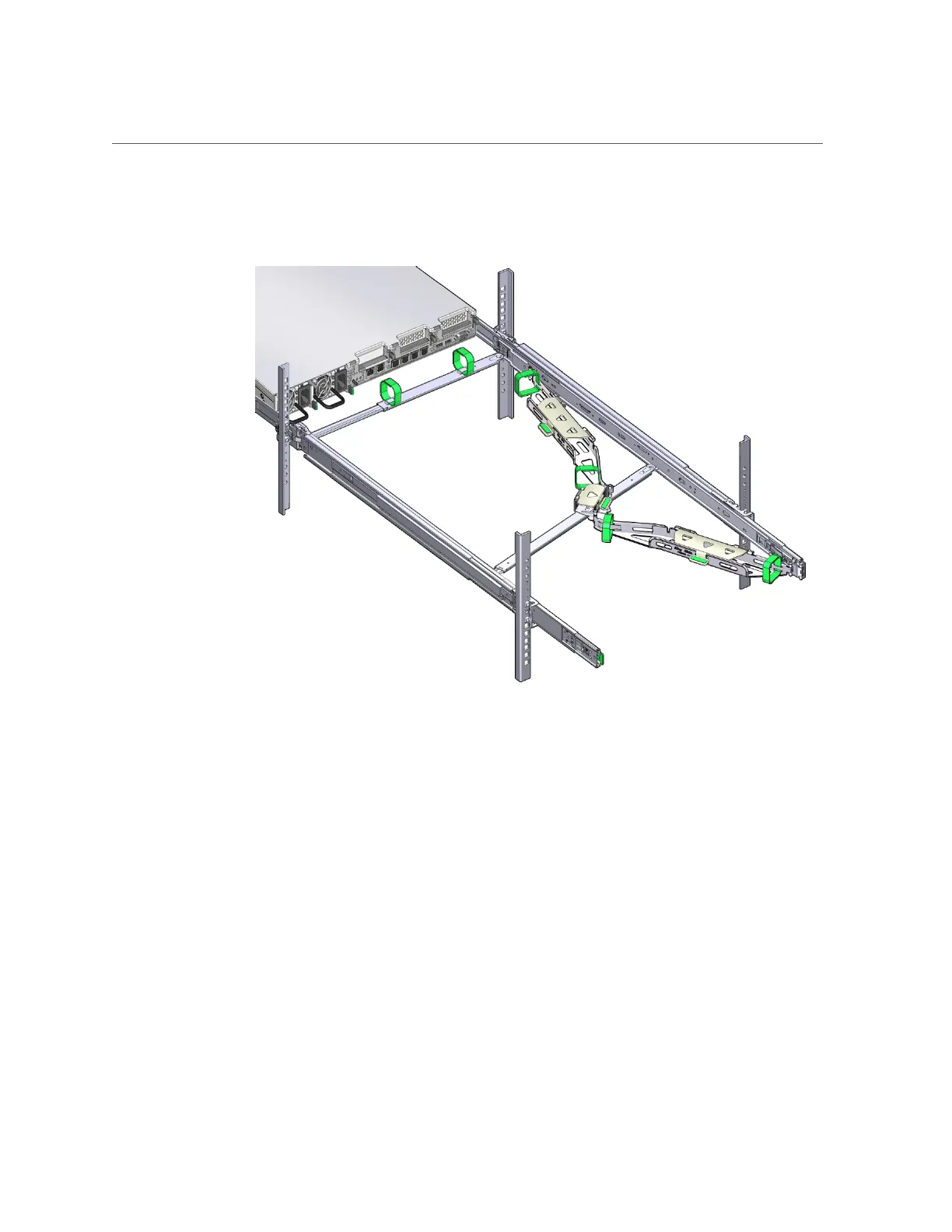
Install the Cable Management Arm
d.
Verify that the CMA extends fully with the slide-rails.
13.
To return the server to the rack:
a.
Simultaneously pull and hold the two green release tabs (one on each side
of the server) toward the front of the server while you push the server into
the rack. As you push the server into the rack, verify that the CMA retracts
without binding.
Installing the Server Into a Rack 63







 To Next Page