11
Adjusting the side panel depth
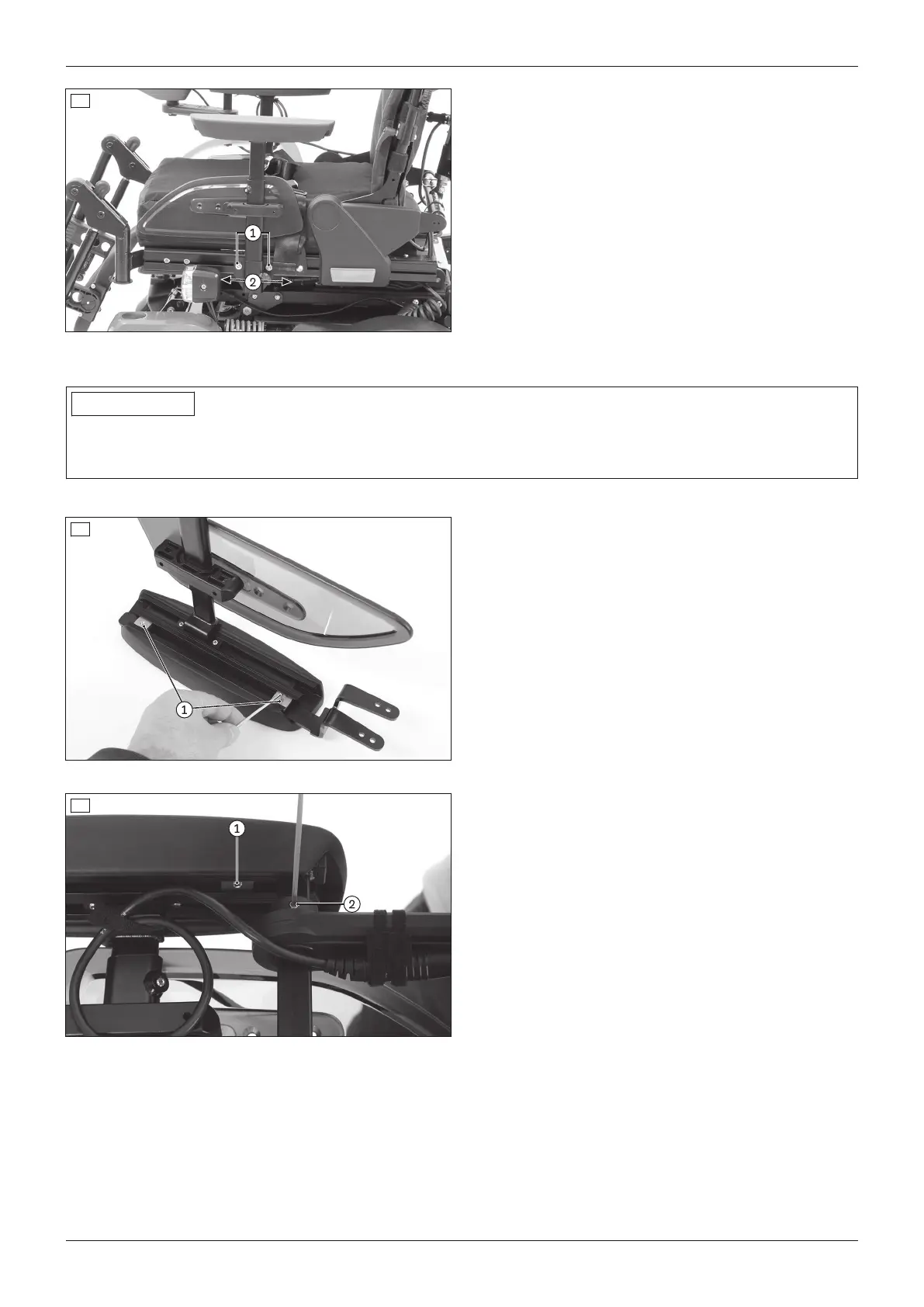
1) Loosen the 2 Allen head screws on the side panel
mounting (see fig.11, item1).
2) Slide the side panels on the seat profiles as needed
(see fig.11, item2).
3) Firmly re-tighten the 2 Allen head screws to 6Nm.
6.2.3 Adjusting the control panel position
INFORMATION
By default, the control panel is mounted on the side specified in the order. It can also be mounted on the other
side of the power wheelchair later on if the user so desires. Please contact the qualified personnel who delivered
the product to you.
The depth and height of the control panel position is subsequently adjustable.
12
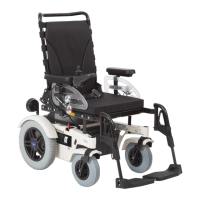
Adjusting the depth of the control panel position
1) Loosen the set screws on the bottom of the armrest
(see fig.12, item1).
2) Slide the rail with the control panel forwards or
backwards.
INFORMATION: If the control panel rail is too
long it can be shortened. Please contact the
qualified personnel who adjusted your product.
3) Tighten the set screws on the bottom of the arm
rest.
13
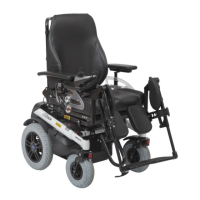
Adjusting the depth of the control panel position
1) Loosen the set screws on the bottom of the armrest
(see fig.13, item1).
2) Slide the rail with the control panel forwards or
backwards.
INFORMATION: If the control panel rail is too
long it can be shortened. Please contact the
qualified personnel who adjusted your product.
3) Tighten the set screws on the bottom of the arm
rest.
Adjusting the height of the control panel position
1) Loosen the set screw on the height adjustment (see
fig.13, item2).
2) Adjust the height.
3) Tighten the set screw on the height adjustment.
21Juvo
Use



 To Next Page