33
5) Move the joystick forwards for approx. 10seconds
until an acoustic signal sounds.
6) Move the joystick back for approx. 10seconds until
an acoustic signal sounds.
→ The Bluetooth symbol at the top of the control
panel display (next to the time) should flash. The
TEN° control panel is ready to establish a con
nection.
7) Wait until the device name selected in step 4 is dis
played on the iOS device.
INFORMATION: If additional Bluetooth devices
are nearby, these are also displayed.
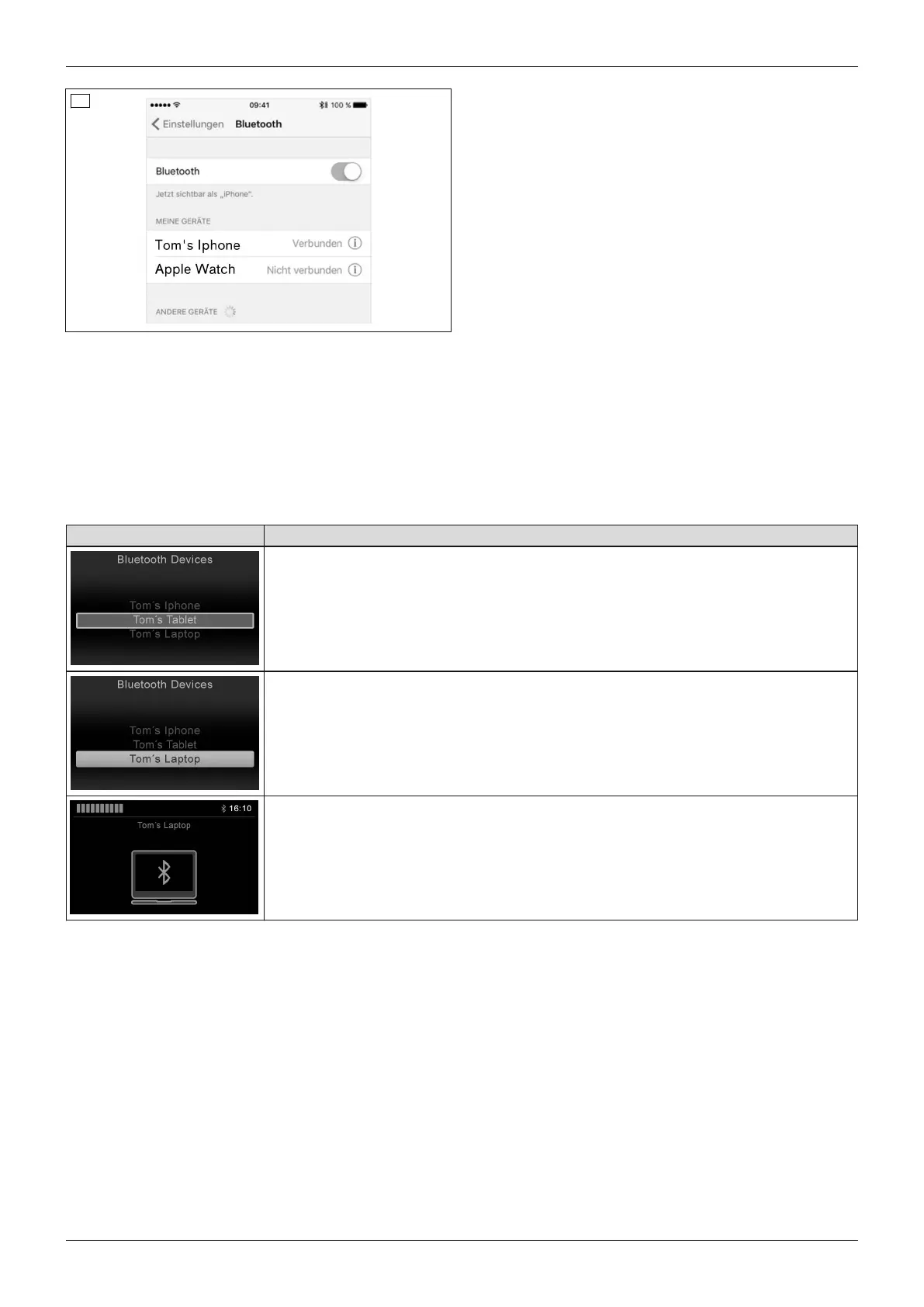
8) Tap the device name displayed on the iOS device to
establish the pairing (see illustration to the left).
9) After the device has been successfully added, the
Bluetooth symbol is continually displayed in blue on
the TEN° control panel and the iOS device can be
operated using the joystick on the control panel or
via the connected special control.
6.6.2.4.3 Selecting the connected devices
LCD display in Bluetooth mode – TEN° control panel
Display Information
The pairing is maintained as soon as the Bluetooth connection to the devices has
been established.
The device can be selected by scrolling (joystick front/back).
The selection is confirmed by moving the joystick to the right or left.
After a few seconds, a Bluetooth symbol is continually displayed in blue on the TEN°
screen.
The device can now be operated using the control elements of the wheelchair control
unit (e.g. joystick, special control).
The ID of the devices to which a Bluetooth pairing has been established is retained in the control panel. This
means that the connection can also be reestablished automatically:
• if the wheelchair control unit is switched on again after being switched off,
• if the external device was switched off and on again,
• if the wheelchair has been outside the Bluetooth visibility of the external device and then returns to the visible
range again.
6.6.2.4.4 Deactivating devices
1) Select the "Settings" menu by pressing and holding the warning flashers button on the TEN° control panel and
choose the [Bluetooth] item within the menu.
2) Select the device you wish to deactivate from the list of available devices by scrolling (joystick front/back) and
confirm your selection by moving the joystick to the right.
→ The device registration is now displayed with the additional information <Off>. The device can be activated
again in the same manner. A new pairing is not required.
39Juvo
Use















 To Next Page