6.15.2 General
6.15.2.1 Switching on
Depending on the configuration, the special control can be switched on or off using the following methods:
• On/off switch on control panel (TEN°)
• On/off switch on LCD monitor (Omni)
• External on/off switch.
A switch-off time can be set by the qualified personnel. This can automatically switch off the control unit after a
specified period of time. The switch-off time can be deactivated.
6.15.2.2 LCD monitor (Omni module)
The supplied joystick control was connected to the LCD monitor (Omni module). For further information on the
Omni module, see the section "Control device accessories" > "Separate LCD monitor" (see Page71).
The supplied button control was connected to the LCD monitor (Omni module). For further information on the
Omni module, see the section "Control device accessories" > "Separate LCD monitor" (see Page71).
The supplied sip and puff control was connected to the LCD monitor (Omni module). For further information on the
Omni module, see the section "Control device accessories" > "Separate LCD monitor" (see Page71).
6.15.3 Joystick controls
6.15.3.1 Product description
The joystick control enables users who do not have sufficient hand motor skills to move the standard joystick on the
control panel to control the power wheelchair.
The installed special joystick can be operated with individually adapted movement ranges and forces.
The joystick was connected to the LCD monitor (Omni module) (see Page71).
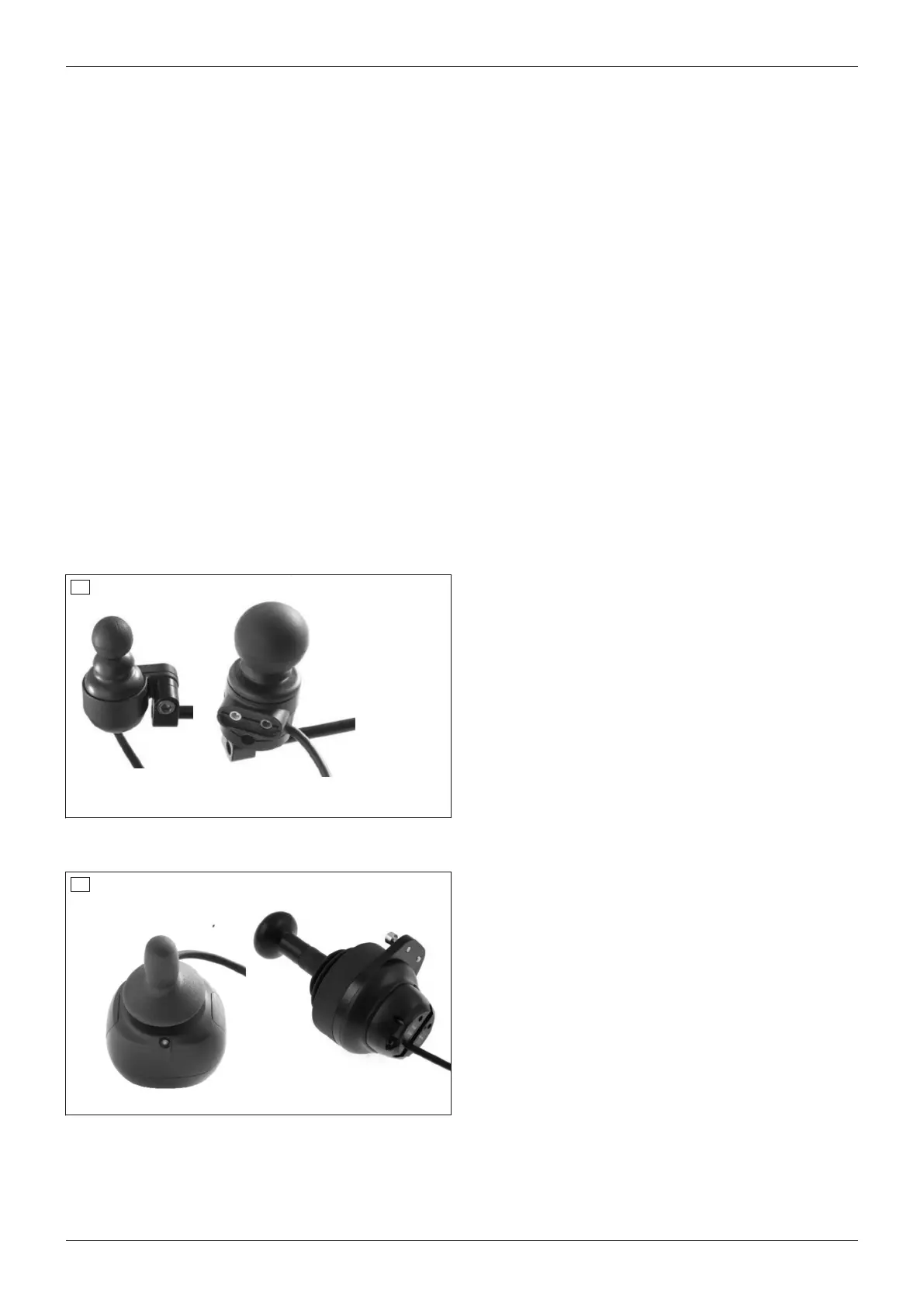
The power wheelchair was equipped with one of the following joysticks for special control functions:
71
• mo-Vis Micro joystick: very small joystick, minimal
force required (approx. 10g), operated using
e.g.fingers, chin, tongue, lip (on the left in the illus
tration).
• mo-Vis Multi joystick: smaller joystick, limited
force required (approx. 50g), operated using
e.g.fingers, chin, lip (on the right in the illustration).
The power wheelchair was equipped with one of the following joysticks for special control functions:
72
• mo-Vis Allround light: standard sized joystick,
moderate force required (approx. 120g, on the left
in the illustration)
• mo-Vis Allround: standard sized joystick, normal
force required (approx. 250g). Developed for com
prehensive use, this joystick is suitable for most
wheelchair users. It can be used as a standard joy
stick, chin-operated joystick or joystick for attend
ants (on the left in the illustration).
• mo-Vis Heavy Duty: large joystick, very high force
required (approx. 650g). Operated by hand or foot.
Developed for users who operate their joystick with
a high level of force (on the right in the illustration).
The joystick has been mounted on a chin swivel arm. This allows the power wheelchair to be controlled using the
chin.
The qualified personnel programmed the movement ranges according to the specific abilities of the user.
78
Use
Juvo















 To Next Page