• The joystick is used to navigate within "IR Menu" mode (see below).
• Pressing the [Profile/mode] button again allows you to switch to further operating modes and back to the driv
ing profiles again (dependent on programming).
Operating devices
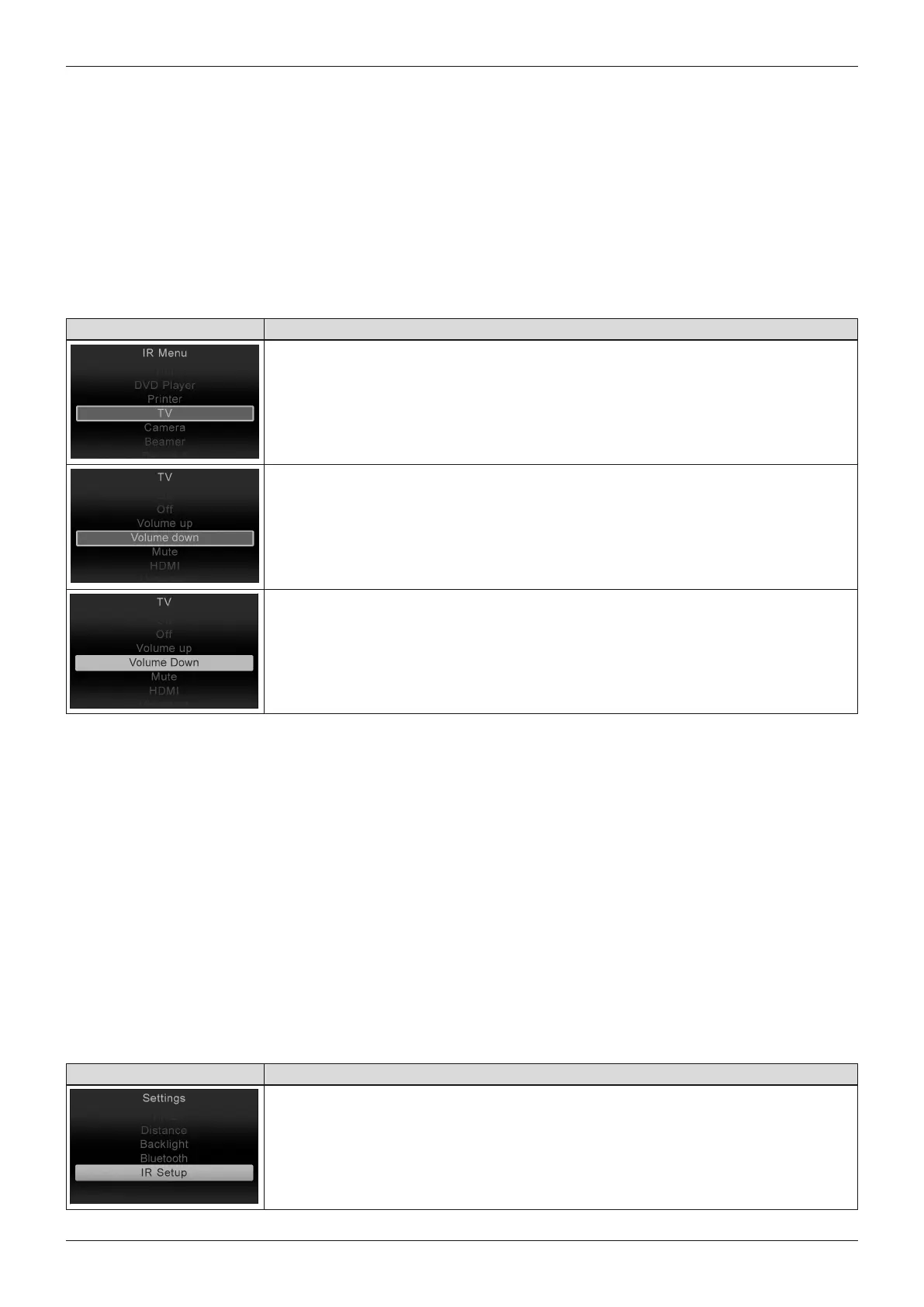
The following commands are provided for navigating within the "IR Menu" using a joystick:
• Moving the joystick forwards moves the selection in the list of controllable devices up.
• Moving the joystick backwards moves the selection in the list of controllable devices down.
• Moving the joystick to the right or left displays the submenu for the corresponding device registration.
• Moving the joystick to the right or left once more triggers the selected control command.
LCD display in "IR Menu" mode – TEN° control panel
Display Information
When "IR Menu" mode is selected on the control panel, a list of the devices which
can be operated using environmental control is displayed.
A list of assigned control commands (IR codes) is stored for each device. Using the
example of a television set (TV), the following commands are available: [On], [Off],
[Volume up], [Volume down], [Mute], [HDMI].
When the selected command is issued by the control panel, the entry is highlighted
red in the list.
6.6.2.5.2 Learning and assigning IR codes
Programming devices
The "IR Menu" mode is only available if commands for controlling devices (IR codes) have been saved in the
wheelchair control device. There are two methods for storing IR codes:
• "Learning" the IR code with the help of the corresponding remote control (see below),
• Programming with the PC-based IR configurator (only by qualified personnel).
Learning prerequisites
To allow an optimal learning procedure the following recommendations should be followed:
• Put new batteries in the remote control to ensure the IR signal is of good quality.
• Avoid directly exposing the IR sensor to daylight or lamps when signals are being transferred.
• Position the remote control in front of the control panel during the learning process. When pressing a button on
the remote control, make sure that the remote control remains still (do not move it back and forth during learn
ing). The ideal distance between the remote control and control panel is in the range between 40 to 100mm
(1.57" to 3.94").
LCD display in "Settings" menu – TEN° control panel
Display Information
Retrieve the "Settings" menu by pressing and holding the [Warning flashers on/off]
button on the TEN° control panel.
Then select the [IR Setup] menu item within the menu.
41Juvo
Use















 To Next Page