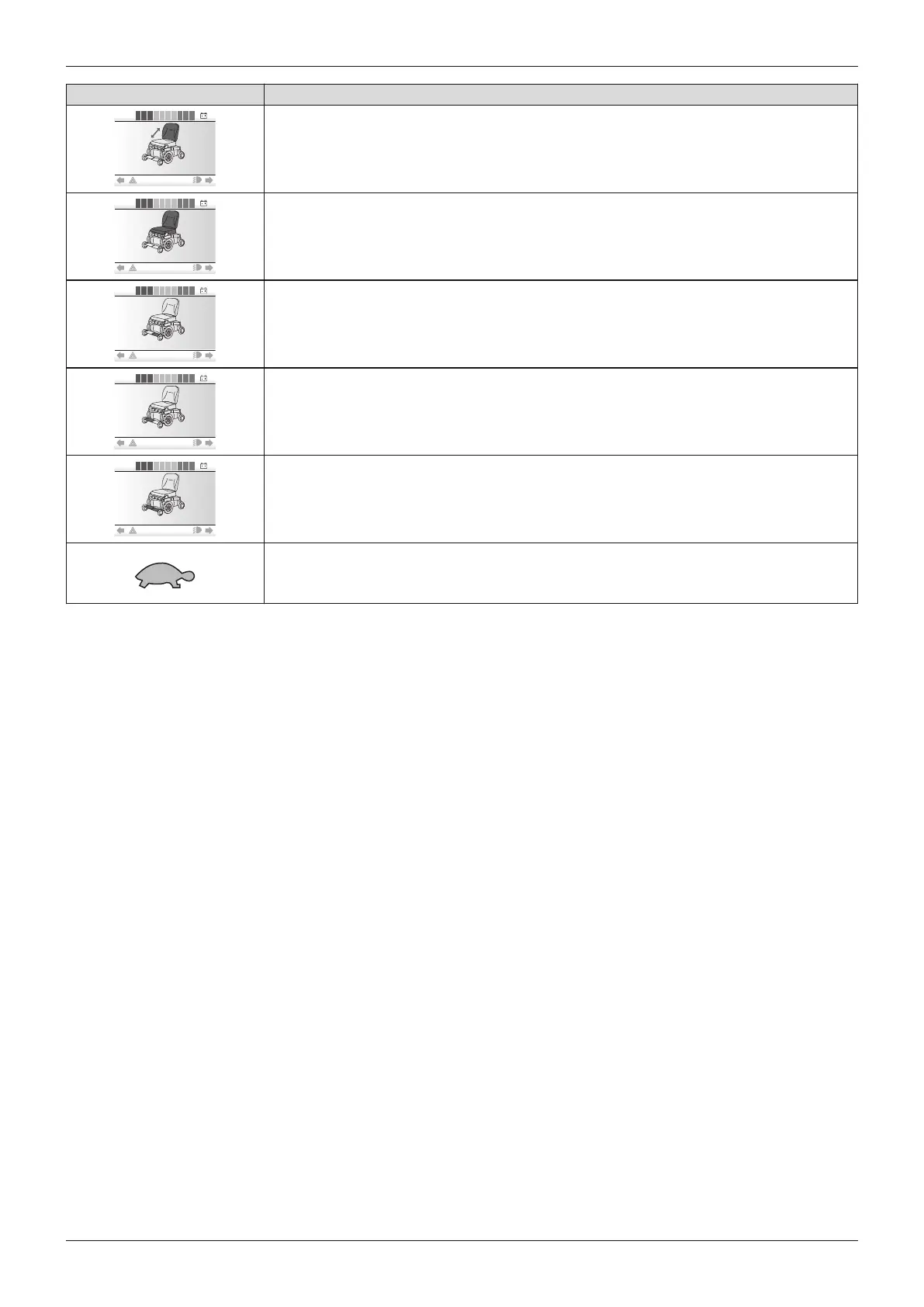
Display Information
Power back angle adjustment (optional)
Special functions (optional; here combined seat height adjustment and seat tilt)
Power legrest left (optional)
Power legrest right (optional)
Power legrests coupled (optional)
Creep speed: When adjusting the seat height and when the seat is tilted at a large
angle, the control unit switches to creep speed
Further LCD screen functions
Further information on the LCD monitor is covered in the following sections:
• Section "Use" > "Control device" > "Control panel": see Page30
• Section "Use" > "Power seat functions": see Page67
• Section "Maintenance/repair" > "Troubleshooting": see Page104
6.14.2 Control panel for attendant
If the power wheelchair control panel is mounted behind the seat, the attendant instead of the user can carry out all
control functions (see Page25).
6.14.3 Attendant control
6.14.3.1 VR2 attendant control
The power wheelchair has been equipped with a separate control panel for attendant operation. The separate con
trol panel is height-adjustable and removable.
Functional overview
The attendant uses the attendant control to operate the driving function and the power seat functions.
The module is connected in conjunction with the control panel or as a separate input device.
72
Use
Juvo















 To Next Page