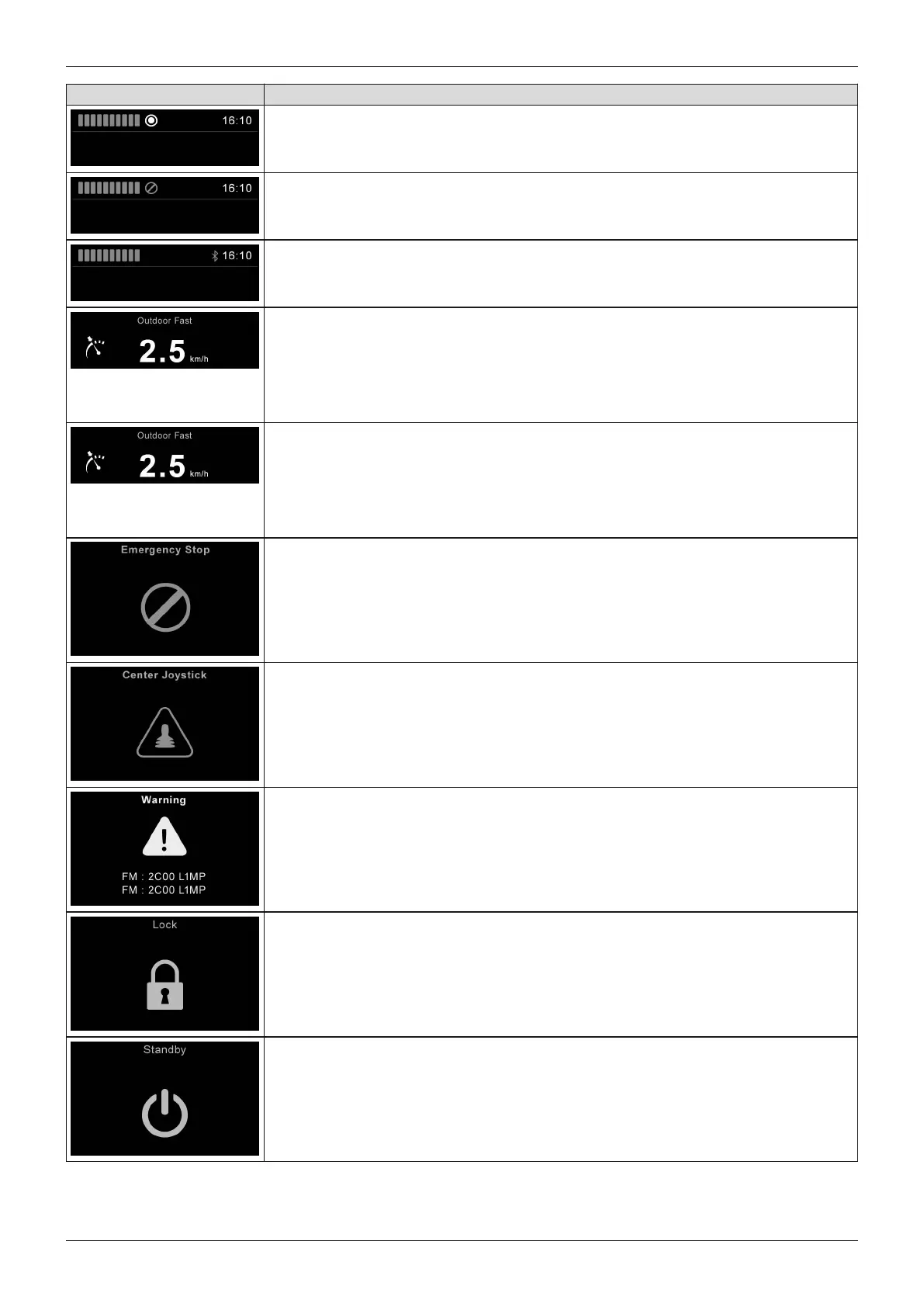
Display Information
Connected additional input device (if any)
Symbol next to the battery indicator lights up green: TEN° control panel is active
Connected additional input device (if any)
Symbol next to the battery indicator lights up red: additional input device is act
ive
Bluetooth device nearby
Bluetooth symbol next to the clock lights up blue: a programmed Bluetooth
device is nearby and can be operated with the control panel (see Page36)
Constant speed forward/reverse (optional programming)
"Latched speed" symbol active: the power wheelchair accelerates up to the
desired speed with a forward joystick movement and holds it (like cruise control); the
wheelchair brakes when a brief joystick command is executed in the opposite direc
tion; the wheelchair stops when the joystick is moved more than 50%in the opposite
direction
Constant speed forward/reverse (optional programming)
Alternative meaning: "Stepped" parameter = with each brief forward joystick move
ment, the power wheelchair speeds up by one level (e.g.33%, 66%, 100%) up to
the maximum speed level; the wheelchair slows by one level (e.g.from 66% to 33%)
when a brief joystick movement is executed in the opposite direction; the wheelchair
stops when the joystick is held in the opposite direction
Emergency stop: severe controller / handheld control unit and/or drive motor mal
function (see Page105)
Joystick not in home position when the unit is turned on (see Page105)
Error message with various information notices (see Page105)
Drive-away lock (see Page48)
The control unit has to be restarted (symbol flashing)
33Juvo
Use















 To Next Page