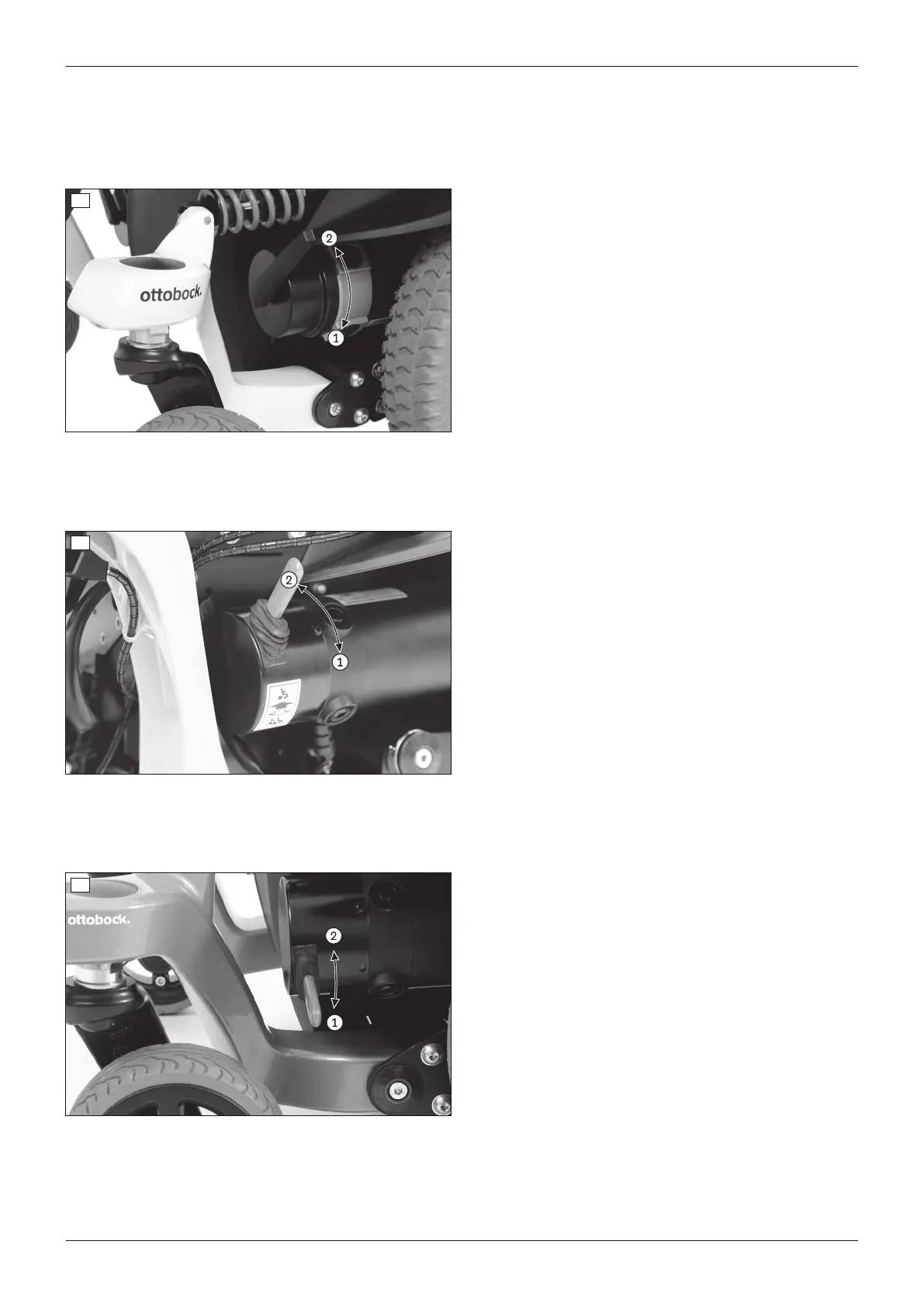
2) Push the brake release lever up (see fig.37,
item2).
3) Switch on the control device.
→ The driving function is activated.
38
Releasing/deactivating the brake
1) If needed: Turn the control device off.
2) Push the brake release levers down (see fig.38,
item1).
→ The drive motors are released and the power wheel
chair has no braking function.
→ After switching the control device on: The control
device recognises that the brake has been released
and deactivates the driving function.
→ A warning appears on the control panel.
Enabling/activating the brake
1) If needed: Turn the control device off.
2) Push the brake release lever up (see fig.38,
item2).
3) Switch on the control device.
→ The driving function is activated.
39
Releasing/deactivating the brake
1) If needed: Turn the control device off.
2) Push the brake release levers down (see fig.39,
item1).
→ The drive motors are released and the power wheel
chair has no braking function.
→ After switching the control device on: The control
device recognises that the brake has been released
and deactivates the driving function.
→ A warning appears on the control panel.
Enabling/activating the brake
1) If needed: Turn the control device off.
2) Push the brake release lever up (see fig.39,
item2).
3) Switch on the control device.
→ The driving function is activated.
40
Releasing/deactivating the brake
1) If needed: Turn the control device off.
2) Push the brake release levers down (see fig.40,
item1).
→ The drive motors are released and the power wheel
chair has no braking function.
→ After switching the control device on: The control
device recognises that the brake has been released
and deactivates the driving function.
→ A warning appears on the control panel.
Enabling/activating the brake
1) If needed: Turn the control device off.
2) Push the brake release lever up (see fig.40,
item2).
3) Switch on the control device.
→ The driving function is activated.
51Juvo
Use




 To Next Page