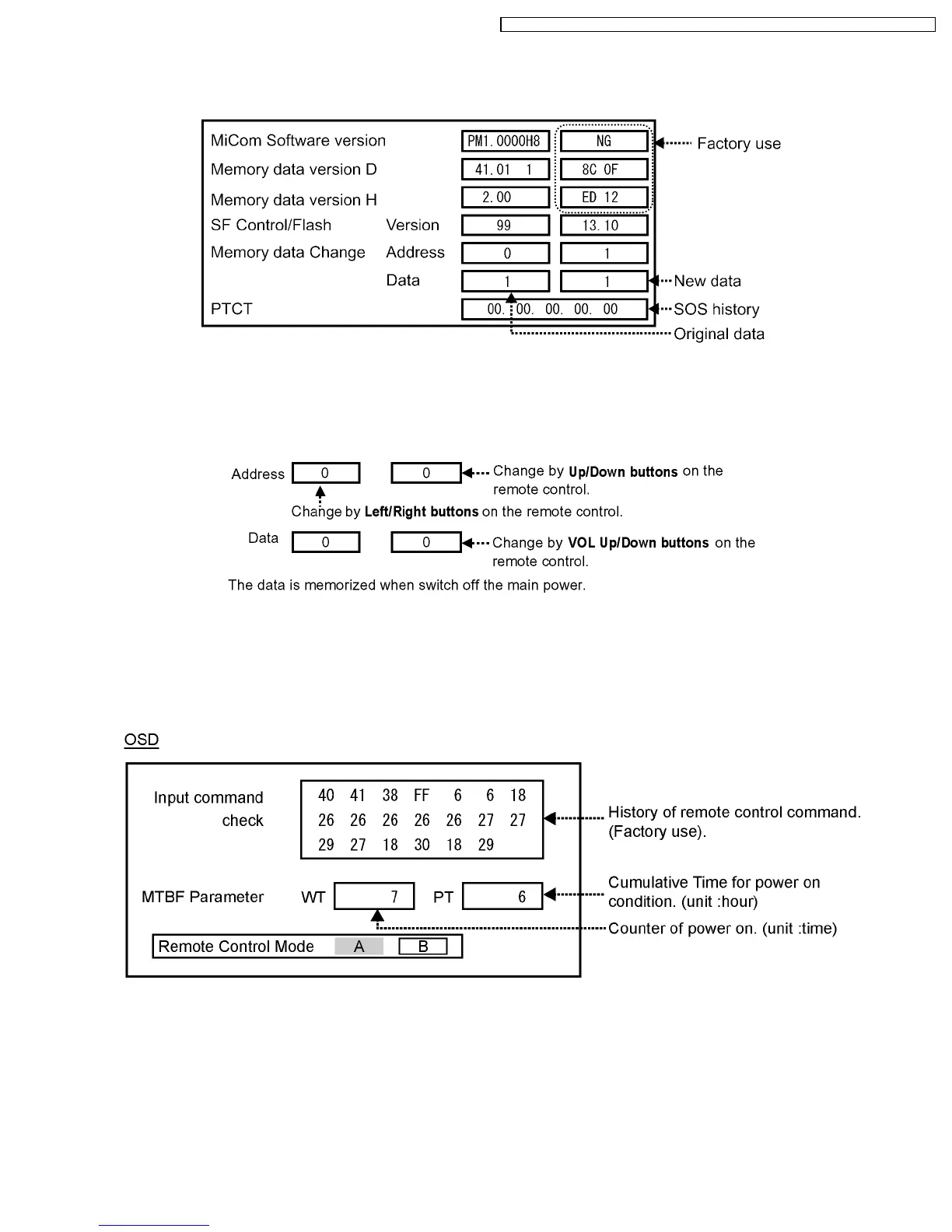
11.1.2. CD mode
Select the CD mode by Up/Down button on the remote control at the front page of CAT mode and then press the Mute button
on the remote control more than 5 seconds.
Micom software version (IC9702), this version can be upgrade by
1. replace of new version IC
2. Loading the new version software from loader tool, TZSC07036.
Memory data change
To exit the CD mode, press the R button on the remote control.
11.1.3. SD mode
Select the SD mode by Up/Down button on the remote control at the front page of CAT mode and then press the Action button
on the remote control.
To exit the SD mode, press the R button on the remote control.
43
TH-37PHD8GK / TH-37PHD8GS / TH-37PHD8UK / TH-42PHD8GK / TH-42PHD8GS / TH-42PHD8UK













 To Next Page