8 Adjustment Procedure
8.1. Driver Set-up
8.1.1. Item / Preparation
1. Input a white signal to plasma video input.
Aging pattern : 0
2. Set the picture adjustment items as follows.
·
Picture menu : Standard
·
Color temperature : Normal
·
Picture : 25
·
Aspect : Full
8.1.2. Adjustments
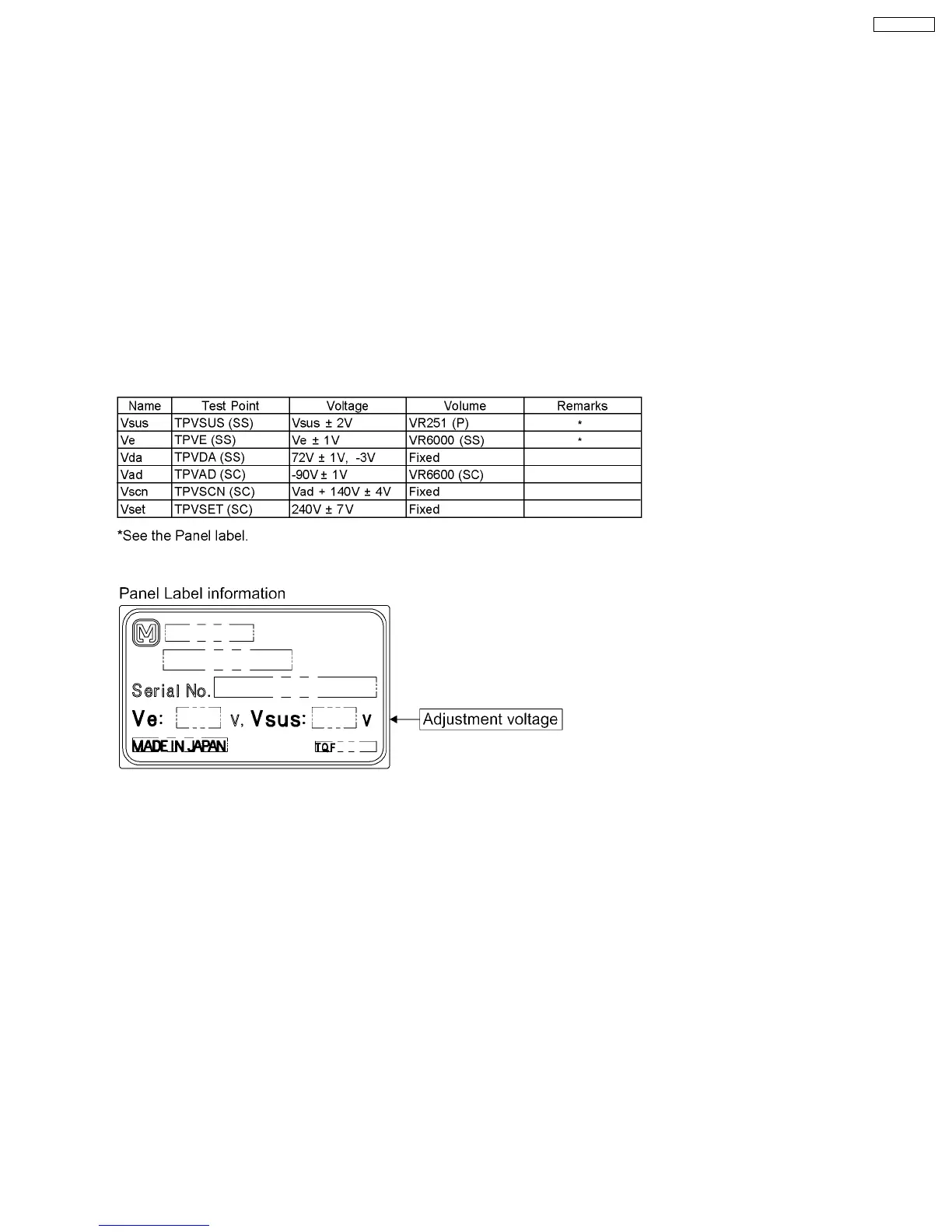
Adjust driver section voltages referring the panel data on the panel data label.
Caution
1. First perform Vsus voltage adjustment.
2. Confirmation of Vscn voltage should be performed after confirmation of Vad voltage adjustment.
When Vad = -90V, Voltage of Vscn is 50V ± 4V.
25
TH-65PF9UK







 To Next Page