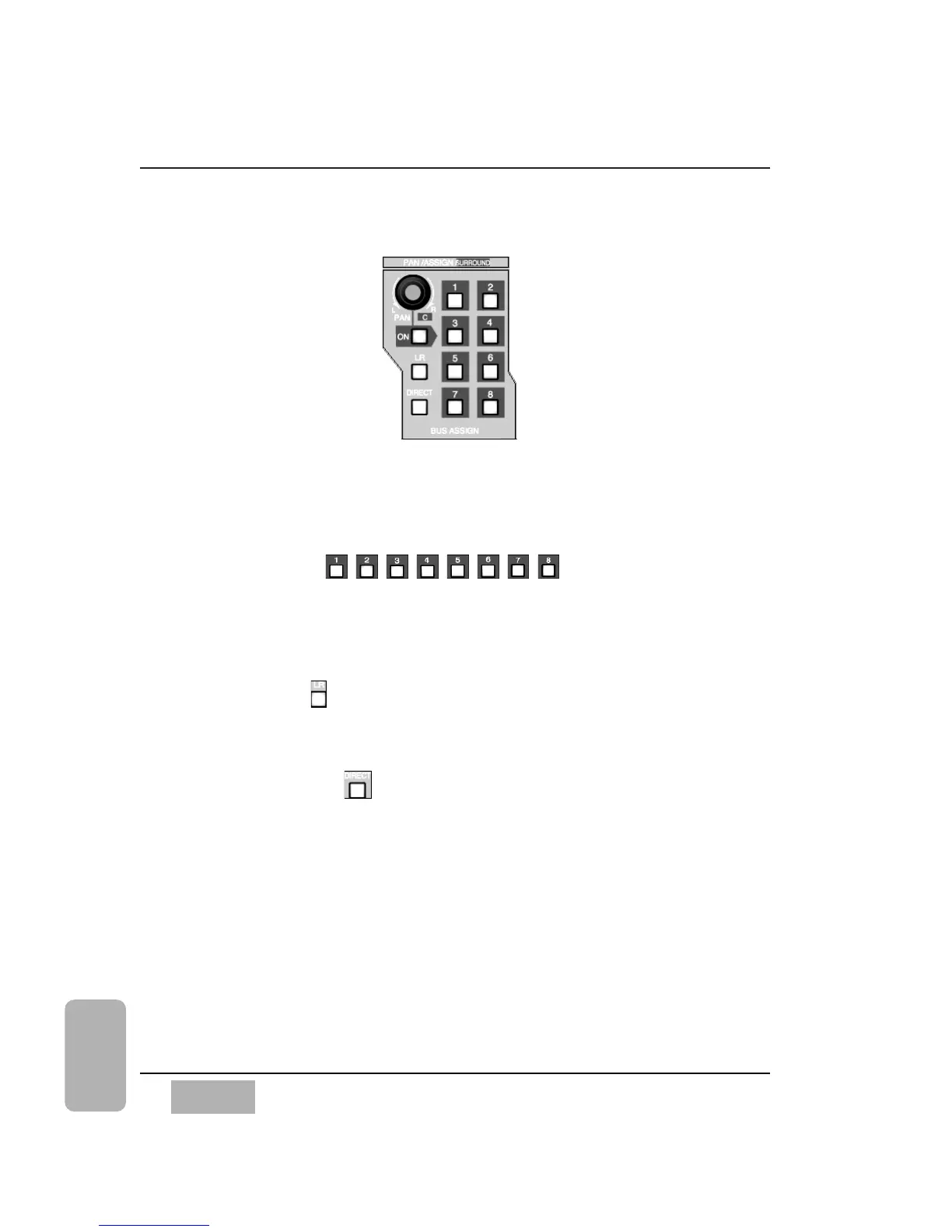
BUS ASSIGN Controls
Use the BUS ASSIGN section to assign a channel to an output. Once a
channel is selected, select either MASTER L/R, DIRECT, or BUS 1, 2, 3, 4,
5, 6, 7, or 8 by pressing the corresponding LED button.
BUS LED Buttons
These buttons switch the indicated assignment on (green) or off to that bus
for the selected channel. Press the LED button to turn it on from the Top
Panel, or cursor to the [ASSIGN] area of the [CHANNEL] window, and press
the ENTER button.
L/R LED Button
This button switches the selected channel on (flashing green) or off to the
MASTER L/R OUTPUT of the DA7.
DIRECT LED Button
This button is a shortcut to display the
[D-I/O > TO SLOT]
window. Pressing
this button a second time recalls the previous window.
See Chapter 12, D-I/O for additional information.
Chapter 8
DA7 Users’ Guide
8
-
2
8
Pan/Assign
Surround
BUS ASSIGN Control Area













 To Next Page