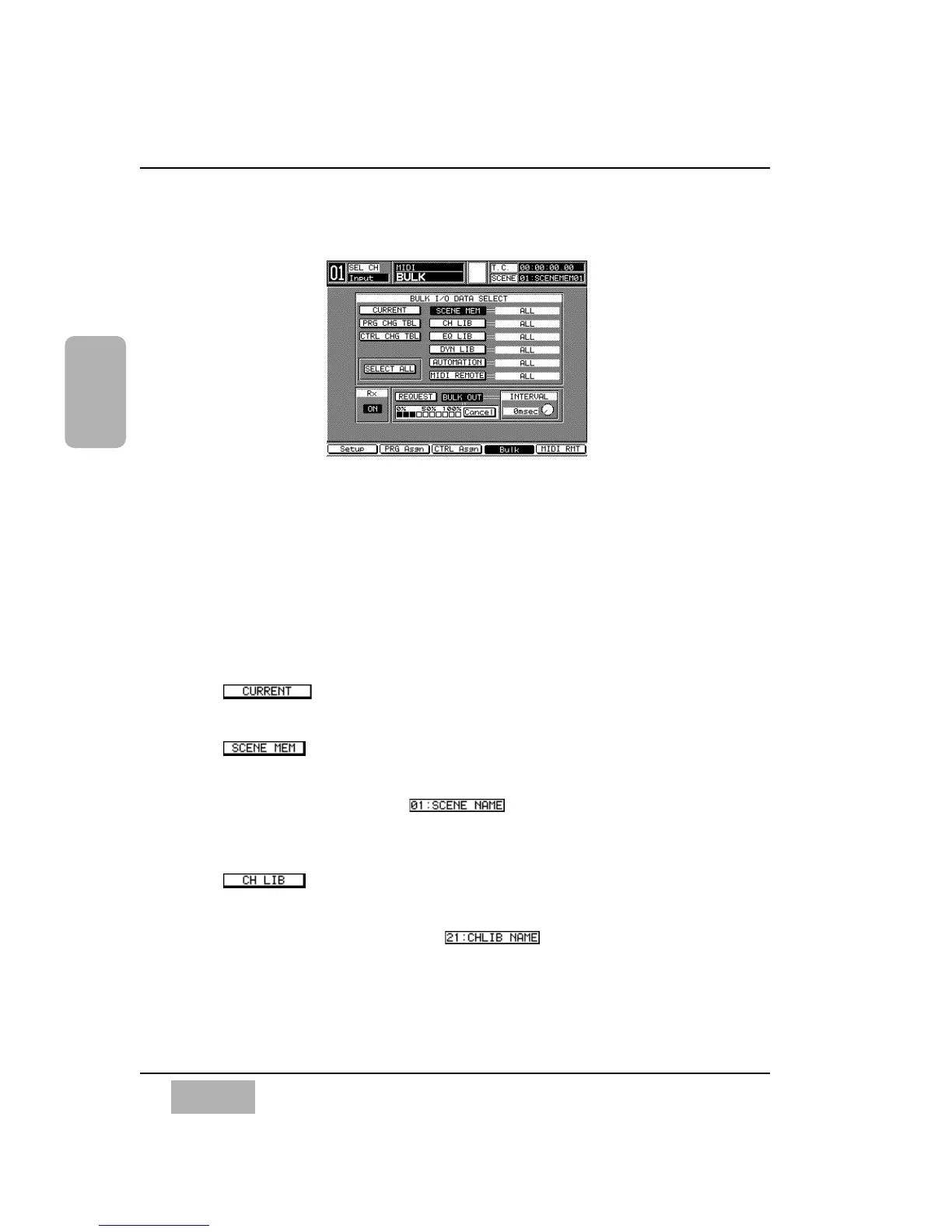
11-4 MIDI, BULK (Bulk Out) Window
Data can be sent and received between two DA7s, or between the DA7 and a
MIDI datafiler, or a personal computer. [MIDI>BULK] may be used to save
and read DA7 settings and library data from/to other devices as backup data,
or to exchange data between two DA7s to create common settings and
library data. It takes about 7 minutes to transmit all 720 kB of data through
the TO PC port at a rate of 125 kbps.
[BULK I/O DATA SELECT] Area
Button
Select setup data of the current device by pressing the ENTER button.
Button
Select a scene memory by pressing the ENTER button.
[Scene memory number ]
Select a scene memory number by rotating the JogDial. Choose ALL or
1-50. The initial setting is ALL.
Button
Select a channel library by pressing the ENTER button.
[Channel library number/title ]
Select a channel library number by rotating the JogDial. Choose ALL or
1-50. The initial setting is ALL.
Chapter 11
DA7 Users’ Guide
11
-
10
11
MIDI
BULK Window













 To Next Page