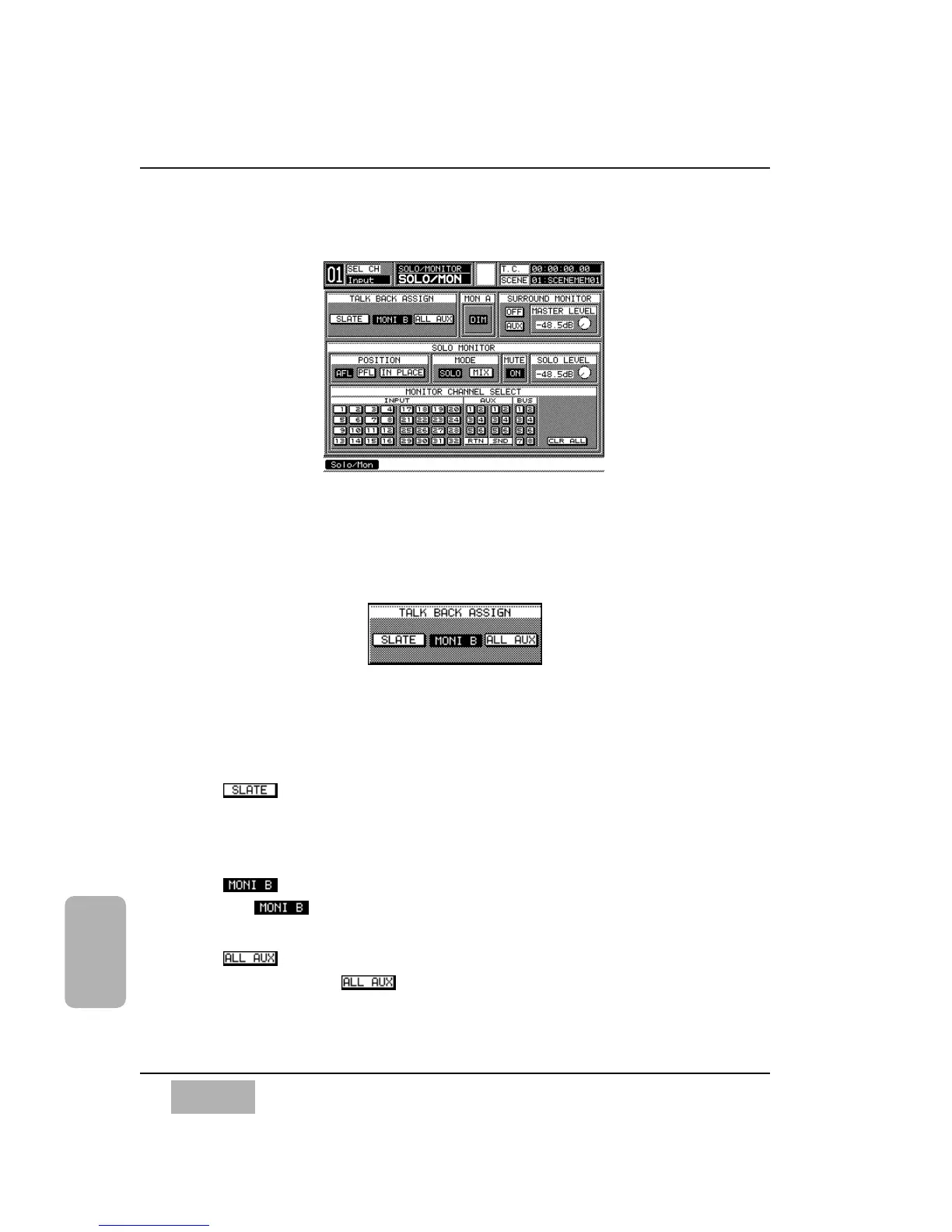
16-1 Utility, Solo/Monitor (SOLO/MON) Window
The [SOLO/MONITOR] window provides controls for the monitoring
functions of the DA7.
[TALK BACK ASSIGN] Area
Selects the areas that will hear the Talk Back signal assigned in this area. See
Section 16-3, Utility, Configuration (CONFIG) Window for information
on momentary and locking features of the Talk Back button. You may assign
Talk Back to any or all of the following buttons:
Button
When you select this button, it will appear in inverse video. Talk Back
will go out to the MASTER L/R and BUSES to be recorded on the tape
tracks.
Button
The button routes the Talk Back to the MONITOR B (studio)
outputs.
Button
When you select , all of the outgoing AUX channels will receive
a signal from the Talk Back.
Chapter 16
DA7 Users’ Guide
16
-
2
16
Utility
TALK BACK ASSIGN Area
●
●
●
SOLO / MONITOR Window













 To Next Page