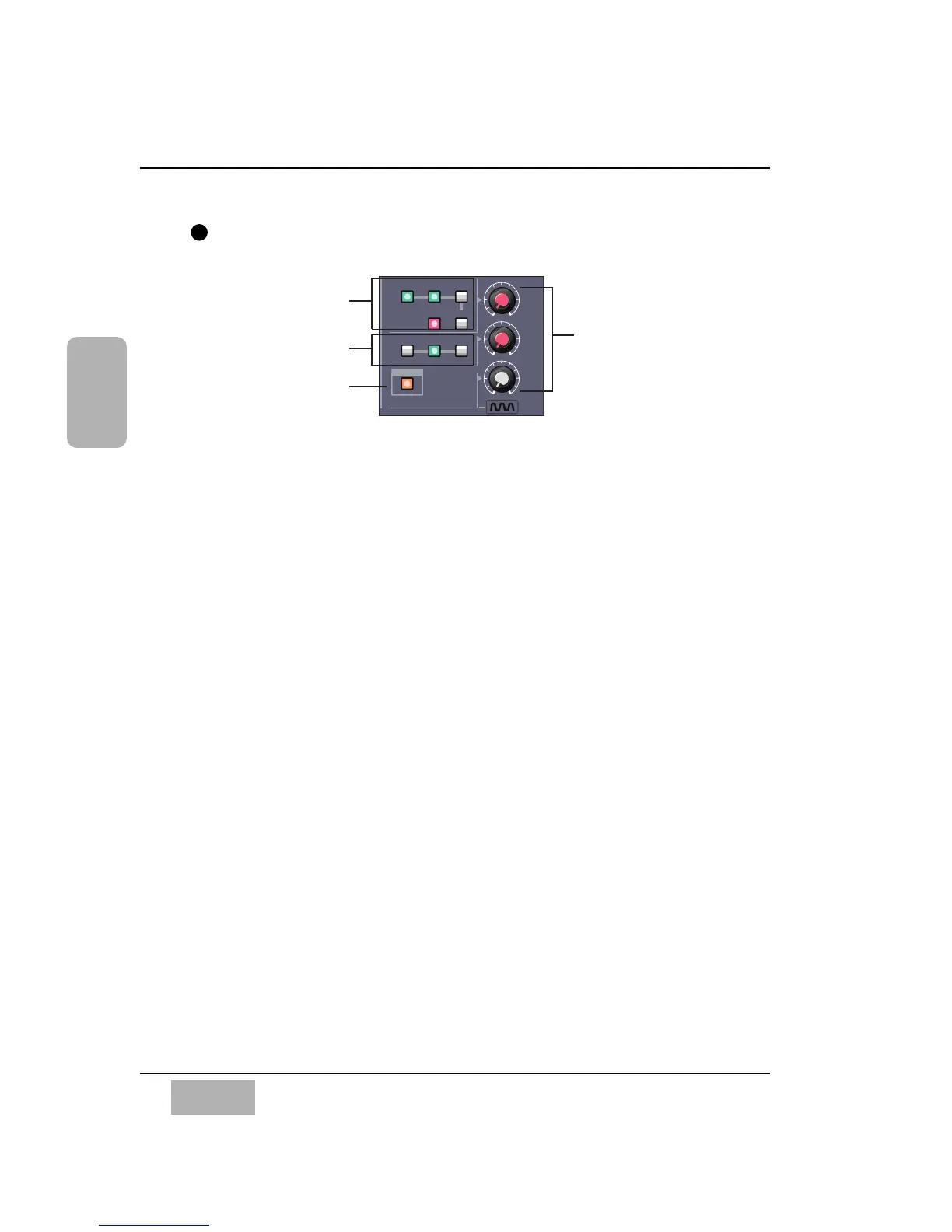
MONITOR Section
The DA7 provides controls for two monitor outputs and a talkback circuit.
There are source selection LED buttons for the MONITOR A and MONITOR
B outputs, and LEVEL knobs for both of the monitor outputs and the
talkback circuit.
MONITOR A Controls
The MONITOR A selection LED buttons route the input selected (green) to
the MONITOR A OUTPUT (CR) (Control Room) connections on the Rear
Panel of the mixer and to the headphones. The selections are:
L/R routes the MASTER L/R output to the monitors.
2TR A routes the device that is connected to 2TR A IN on the Rear
Panel to the monitors.
2TR B routes the device that is connected to 2TR B IN on the Rear
Panel to the monitors.
AUX routes the AUX SEND outputs to the monitors. Press the AUX
LED button to monitor the selections, beginning with AUX SEND 1/2,
followed by AUX SEND 3/4, and AUX SEND 5/6. The MEMORY
numeric readout on the Display Bridge will momentarily display the
AUX SEND selections.
The MONO button, when on (red), sums the selected input and sends a
monaural signal to the monitors. This will not affect the 2TR B output
stereo signal.
Chapter 2
DA7 Users’ Guide
2
-
15
2
DA7 Tour
T. B.













 To Next Page