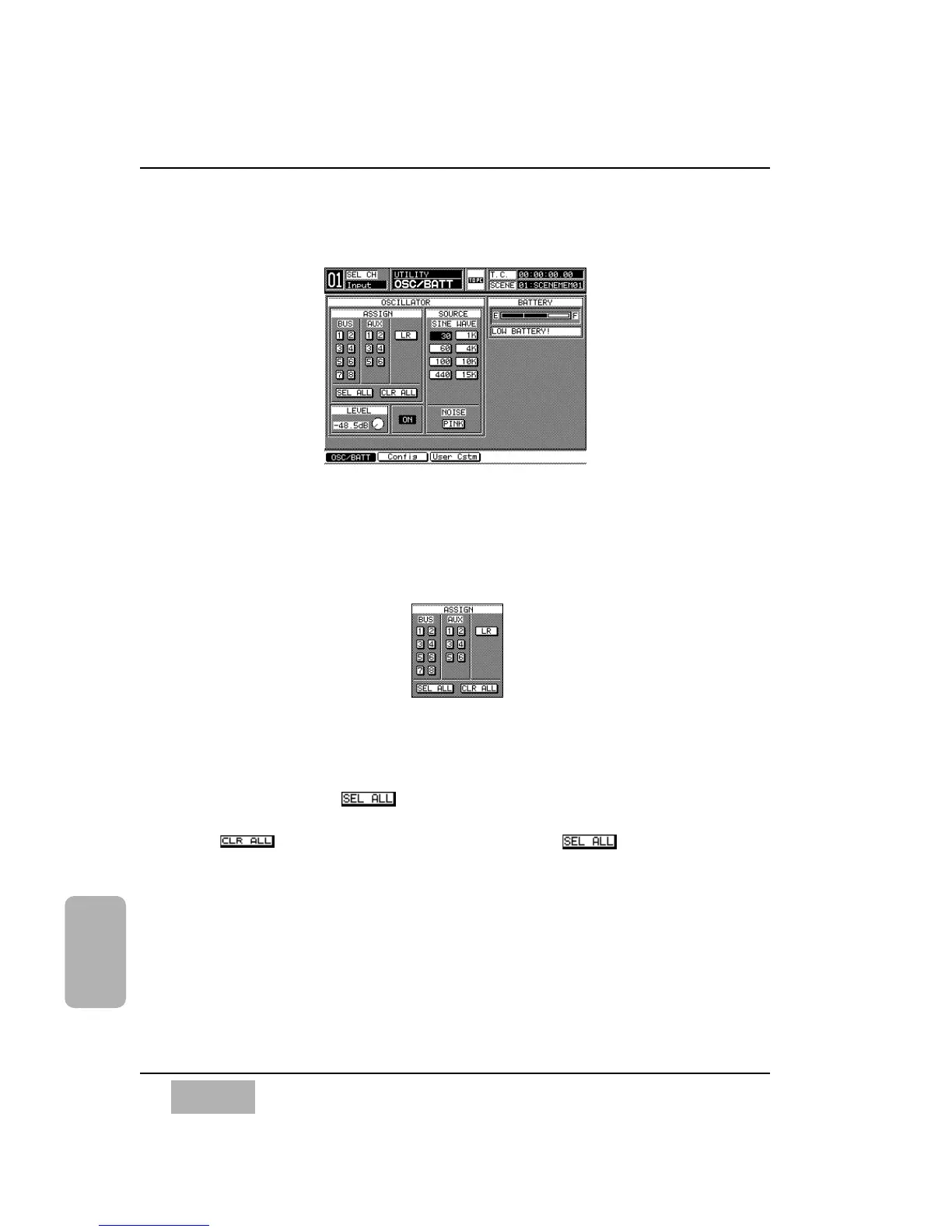
16-2 Utility, Oscillator/Battery (OSC/BATT) Window
There is an on board oscillator in the DA7. A reference [SINE WAVE] or
[NOISE] generator can be assigned to the BUS, AUX, and L/R outputs of the
mixer.
[ASSIGN] Area
The Oscillator can be assigned to any one or all of the [BUS 1-8], [AUX 1-6],
and [L/R] outputs. Cursor to the output selection button, and press the
ENTER button. The selected button will appear as inverse video.
When you enable the button, it will appear as inverse video and
apply the Oscillator to all of the BUS, AUX, and L/R outputs.
The button performs the inverse function of . When it is
selected, the Oscillator is no longer assigned to any of the outputs.
Chapter 16
DA7 Users’ Guide
16
-
6
16
Utility
ASSIGN Area
OSC/BATT Window













 To Next Page