DA7 Users’ Guide
15
-
1
15
Scene
Memory
15-1 RD/WR (Read/Write) Window
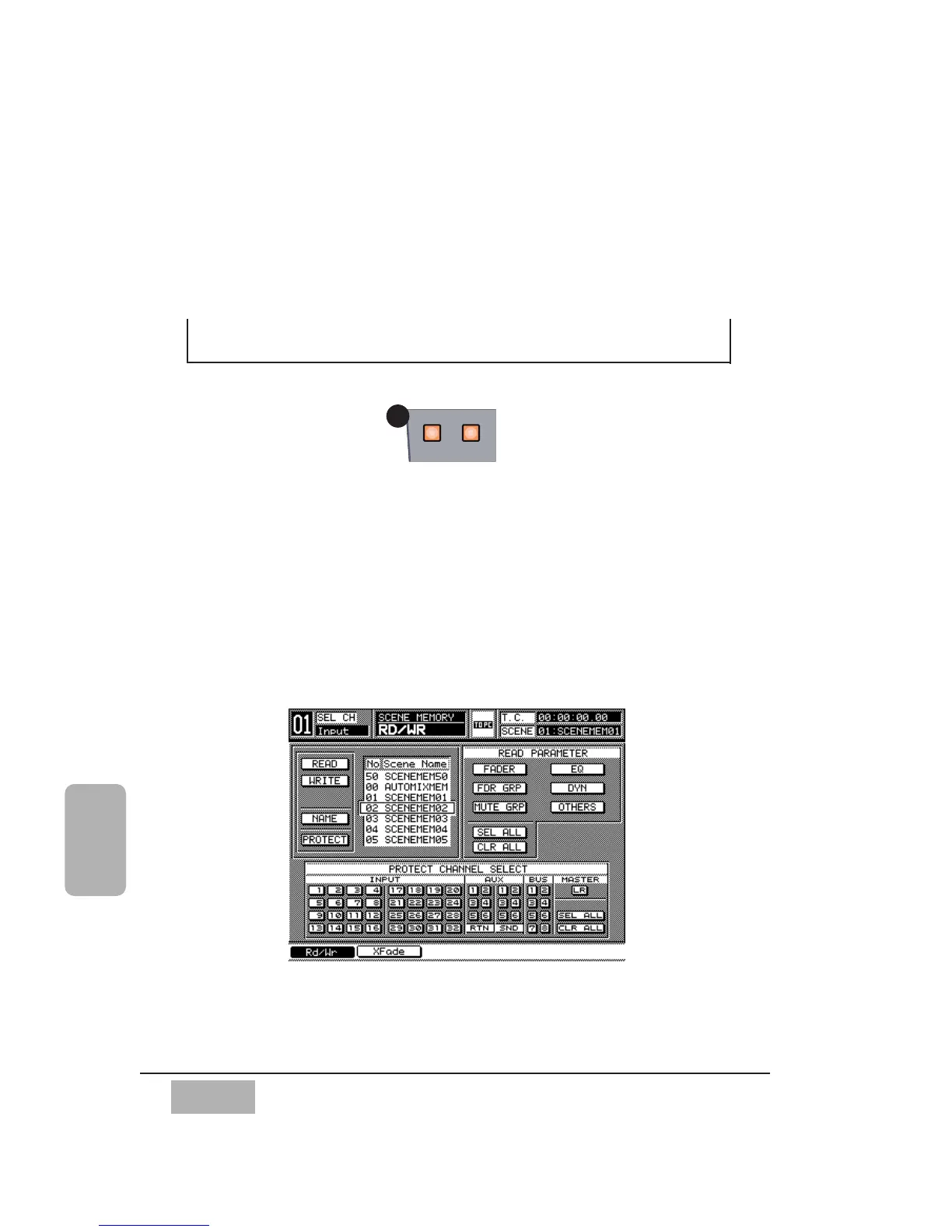
The SCENE MEMORY section of the DA7 is accessed from the Top Panel by
pressing either the READ or WRITE LED buttons. When either function is
on, its button will illuminate (orange). Press either button to display the
[SCENE MEMORY>RD/WR] window. Press either of these buttons again to
display the [SCENE MEMORY>XFADE TIME] window.
Scene Memory records all parameters globally for the DA7. When a scene is
recalled, the fader, fader group, mute group, EQ, and dynamics settings that
were recorded to a specific Scene Memory file, will be recalled.
Chapter 15
Scene Memory
SCENE MEMORY Window













 To Next Page