Receive Indicator
The window has receive indicators in the [taskbar]. A indicator blinks
when data is received at the MIDI IN connection, an indicator blinks
when data is received at the RS 422/485 terminal, and a indicator
blinks when data is received at the TO PC terminal.
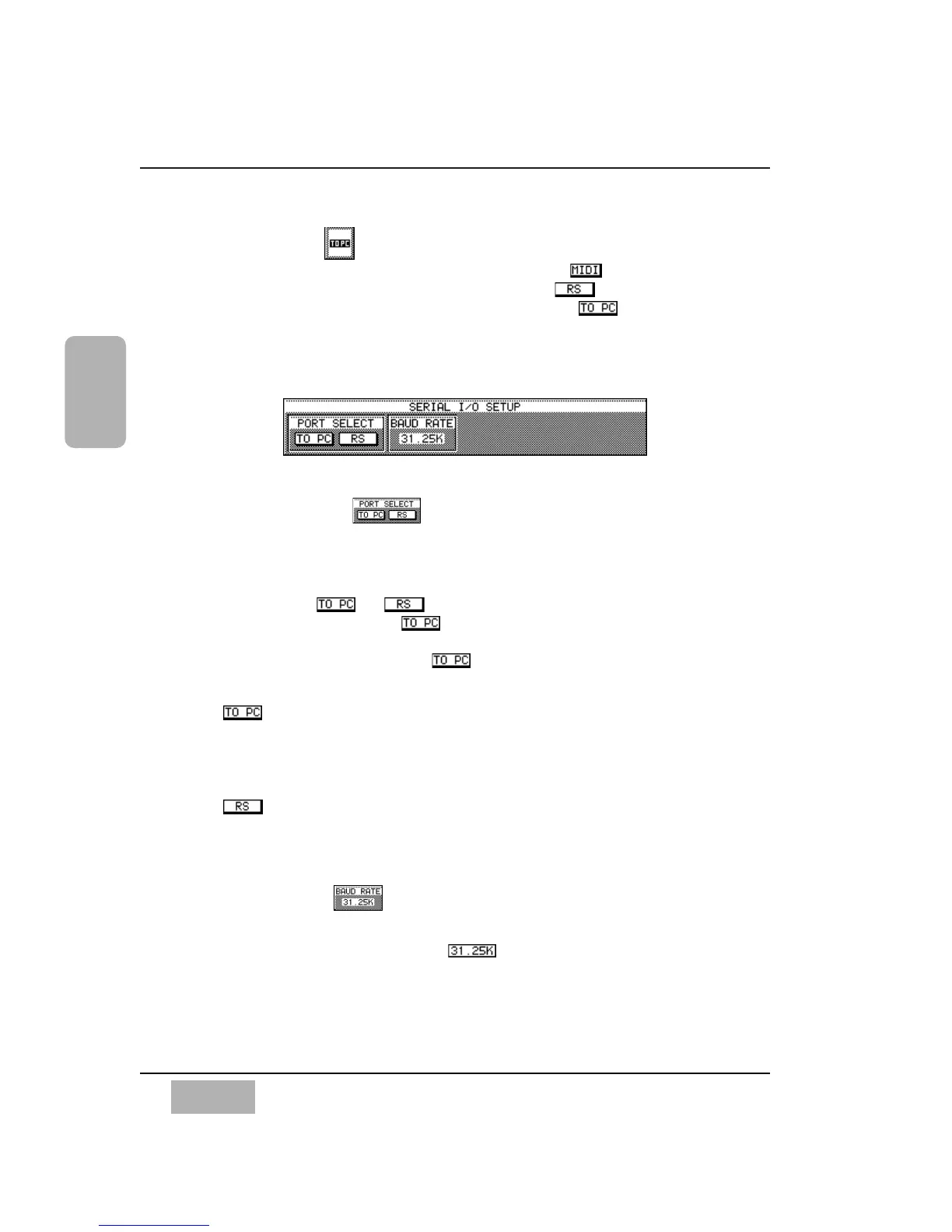
[SERIAL I/O SETUP] Area
[PORT SELECT] Area
The DA7 has a TO PC connector port and an RS422/485 serial port on the
Rear Panel. These ports are used for attaching a Mac O/S or Windows O/S
computer platform to the DA7. Only one port can be used at a time. You
must select either or in the [PORT SELECT] area of the
window. The default setting is . The [MIDI SETUP] area reflects back
to this selection(See [MIDI SETUP] on page 11-3). When using one of the
serial ports you need to assign the to at least one column of the port
settings in the [MIDI SETUP] area.
Button
This button selects TO PC on the Rear Panel for the serial I/O port.
Cursor to the button, and press the ENTER button. The Mac HSKO 1Mhz
clock is active for this selection.
Button
This button selects RS485 for the serial I/O port. Cursor to the button,
and press ENTER.
[BAUD RATE] Area
This area offers baud rates for the serial I/O port. To set a baud rate, cursor to
the [BAUD RATE] area, select either , [9.6k], [19.2k], [38.4k],
[62.5k] or [125k] using the JogDial, and press the ENTER button. The
initial setting is [31.25k]. When [31.25k], [62.5k] or [125k] is selected, a
clock is transmitted. Transmission of the 2Mhz clock turns the serial port off
or on. For RS485, [31.25k] cannot be set; the initial setting for RS485 is
[38.4k].
Chapter 11
DA7 Users’ Guide
11
-
2
11
MIDI
SERIAL I/O SETUP Area













 To Next Page