Chapter 2
DA7 Users’ Guide
2
-
22
2
DA7 Tour
Timecode Field
This field displays the most recent time code value received by the
mixer, as defined by the settings in the [AUTOMATION>EXECUTE]
window.
SCENE Field
This field displays the most recently read SCENE MEMORY number
and name.
Function Area
The [function] area of a window contains the various controls, buttons,
settings, and values for the current window.
Window Selection Buttons Area
This area of a window contains the buttons for the windows that comprise
the current window group. The button for the current window will be
highlighted.
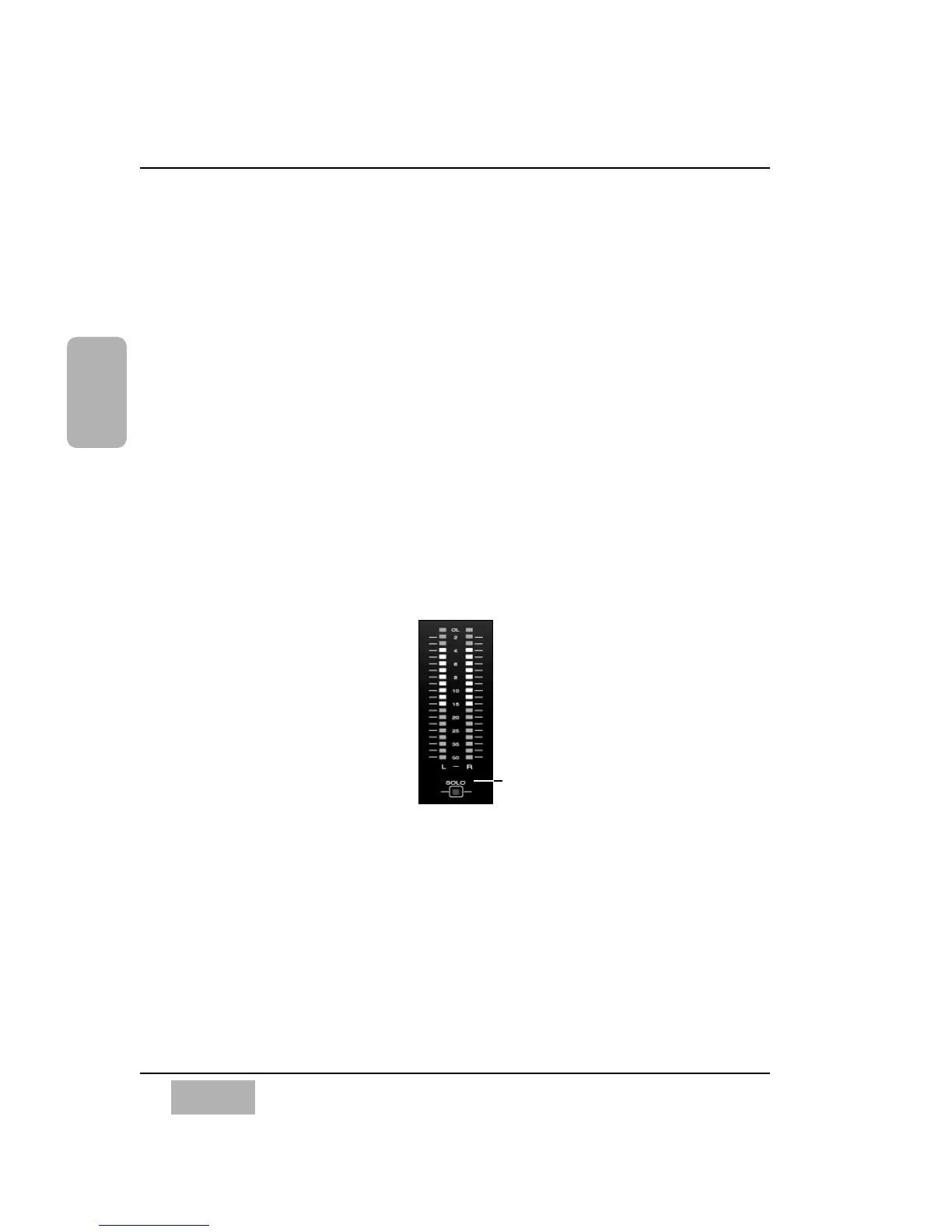
L/R Meter Display
This meter reflects the current MASTER L/R (left/right) output of the DA7,
unless SOLO has been activated for a channel. If a SOLO LED button is
selected on the mixer, the meter reflects the level of the solo’d channel(s)
only.
In the [METER>SLOT] window, the [RESPONSE] area lets you select
between [VU] (Volume Units) and [PPM] (Peak Program Meter). When [VU]
is selected, the L/R Meter Display will show the mixer output in Volume
Units, and when [PPM] is selected, the Meter reflects the mixer output as
Peak Program Meter.
L/R Meter Display
SOLO LED status indicator













 To Next Page