K3.1.141e Manual NitroFlow HP_EN.doc - 31 -
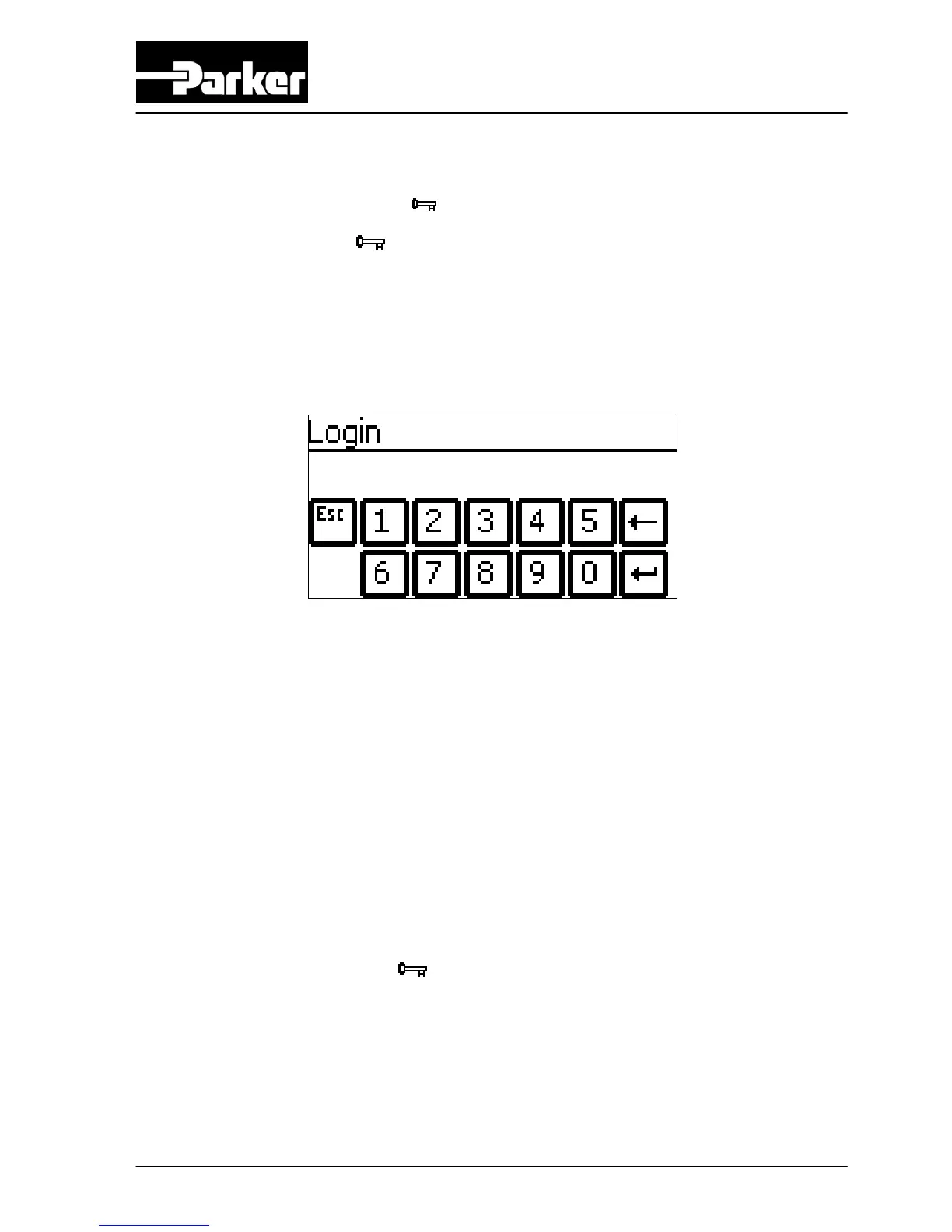
6.2.3 Log-on menu
Access: Touch log on button in settings screen
ATTENTION: The PIN CODE is default off. Therefore you do not need to enter a
PIN CODE when you start-up the system for the first time.
Function: Protect the settings in the system with a (personal) pin code.
In the log on menu:
• To activate the pin code go to options menu (refer to §6.2.6)
• After selecting PINCODE YES the default pin code = 1234.
• Select PIN CODE CHANGE if you want to enter your personal pin code.
• In case you forgot your personal pin code enter pin code 7833 to return to
factory settings (refer to §4.1).
Caution:
When returning to factory settings by using pin code 7833, the
alarms, P-switch, options and settings are set to default (refer to
§4.1). Also the login pin code is back to default value 1234.
If pin code is activated and the
button in the settings screen is crossed out (see
below), all menus are free accessible (so correct pin code was entered).



 To Next Page