K3.1.141e Manual NitroFlow HP_EN.doc - 41 -
6.2.9 Data logging menu
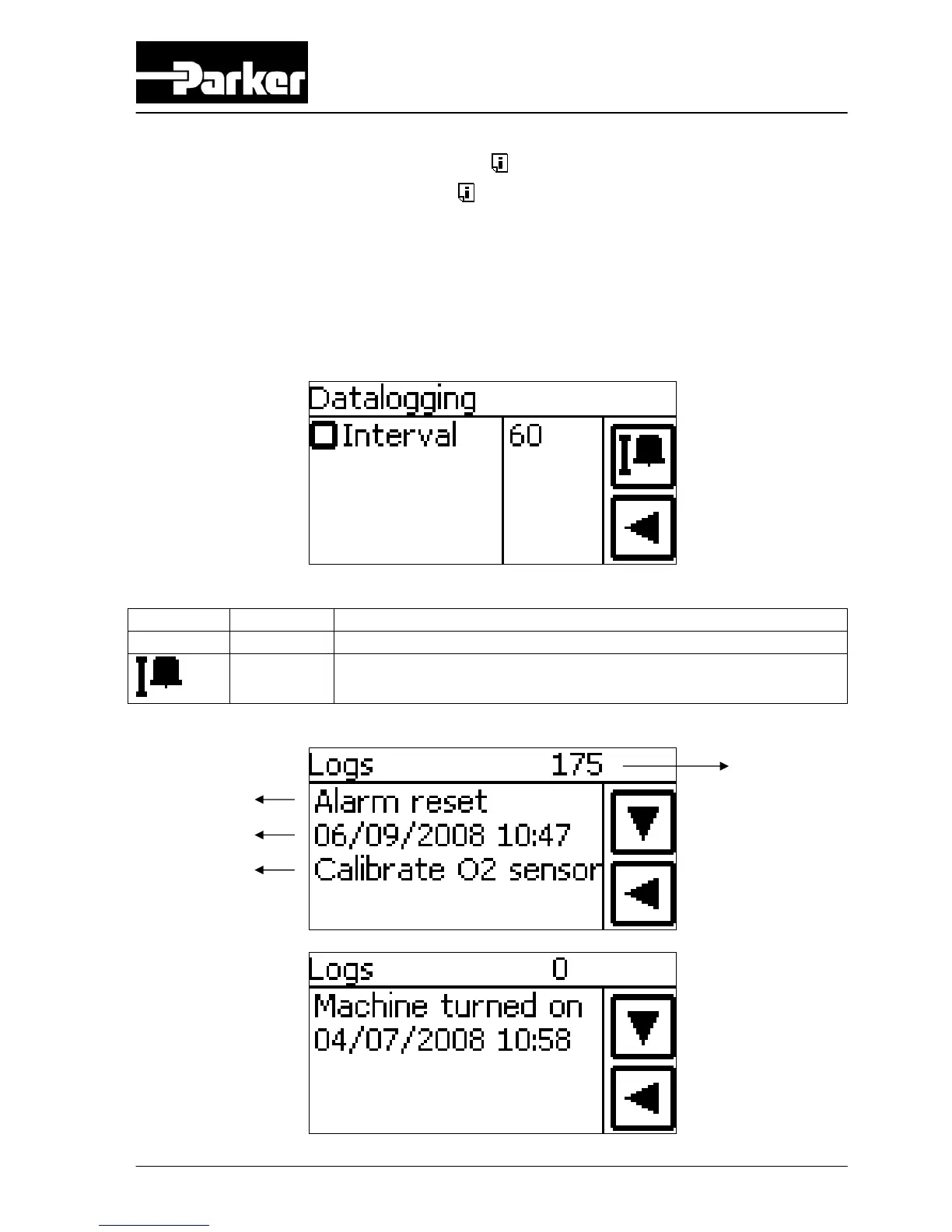
Access: Press data logging menu button in the settings screen
Function: Read the logged process data (only alarms)
Alarms as well as status of the sensors (temperature, pressure, O
2
, flow and
maintenance) are saved on the SD-card. The time between the logging (saving) of
this data on the memory card can be chosen in the data logging menu (default 60
minutes).
Button Selection Result
Interval 5-120 Time in minutes between the saving of (alarm) data
Shows all alarm logs
B
C
D
A



 To Next Page