K3.1.141e Manual NitroFlow HP_EN.doc - 50 -
9.5 Calibrate oxygen sensor
1. Stop the unit by touching the
button in the main screen (refer to §6.2.1).
2. Let the system depressurize
Warning:
Do not touch live wires!
3. Remove the sensor cap (E) and expose the sensor to ambient air.
4. Enter the maintenance menu
screen 3/5 and wait until the oxygen level has
stabilized (this will take approx. 60 seconds).
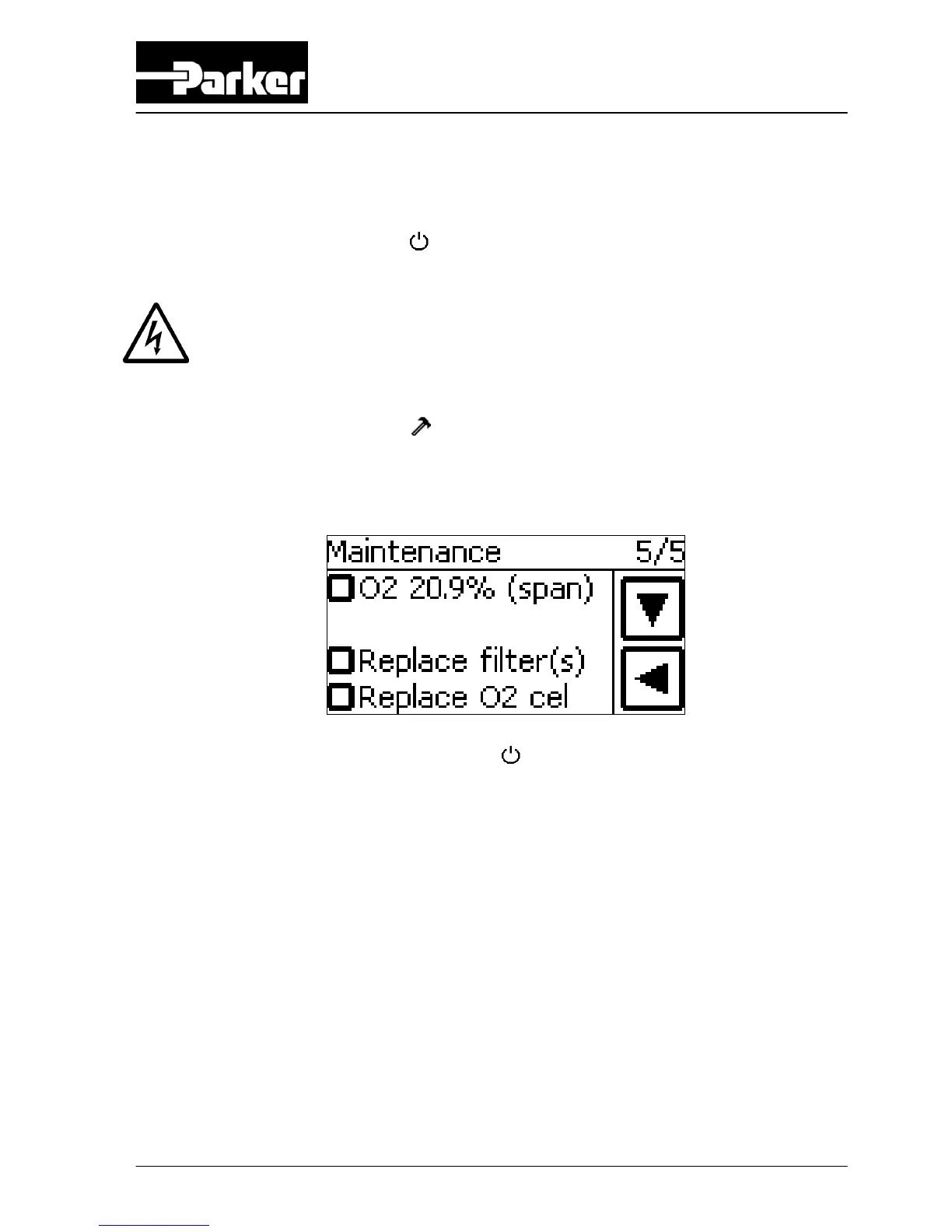
5. Go to screen 5/5 and touch O2 20.9% (span) button. The system will ask for
confirmation: select YES.
6. Start the NitroFlow
®
HP by touching the button in the main screen (refer to
§6.2.1).
7. Check the sample flow of the sensor (0.3 l/min.) coming out of the tube (F) that is
connected to the sensor cap (E). As an indication the sample flow is only just felt
when flown against a wet skin.
8. Reconnect the tube (F) and the sensor cap (E) with the sensor (C).



 To Next Page