K3.1.141e Manual NitroFlow HP_EN.doc - 28 -
6 Controller
6.1 Menu structure
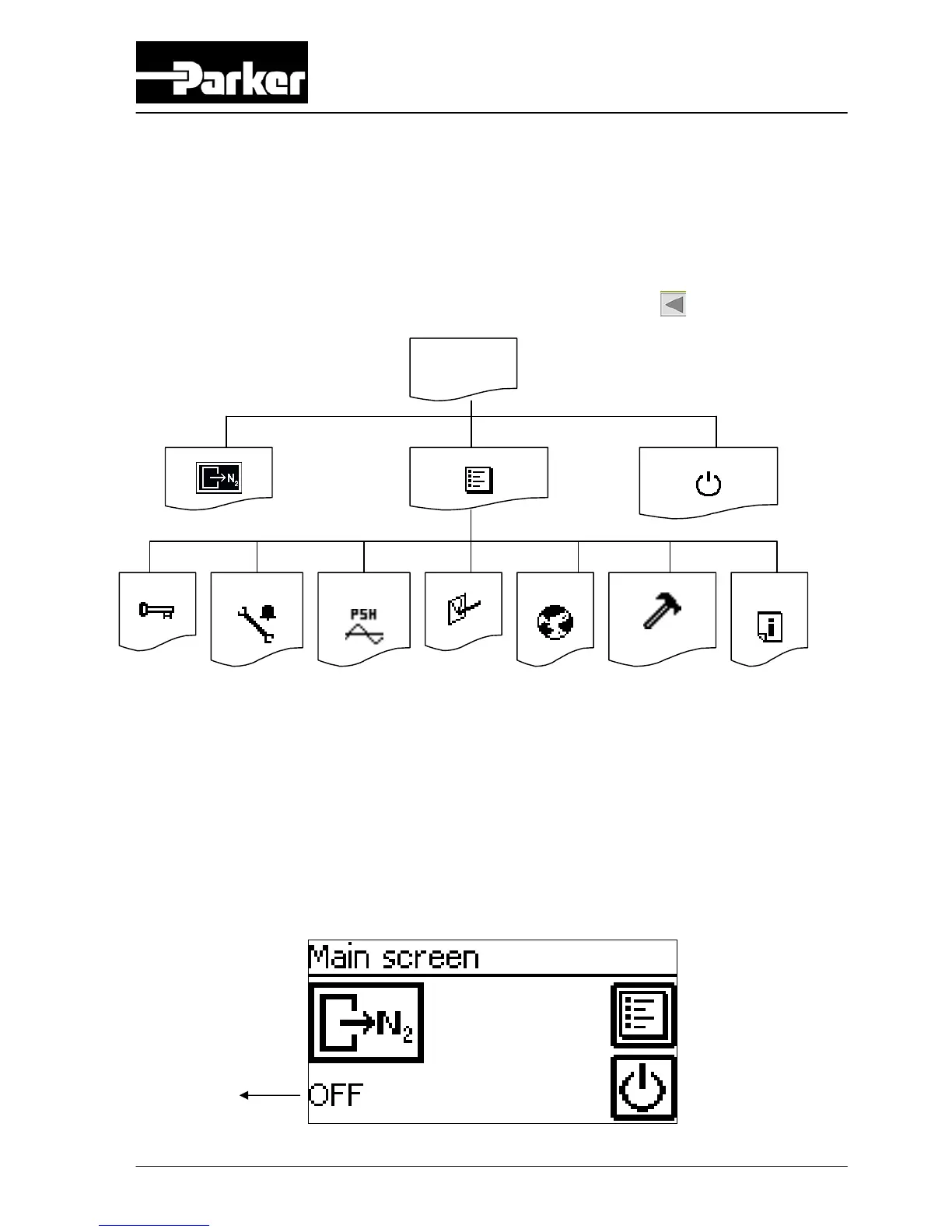
The menu structure of the control system is as shown below. Return to a previous
screen in the menu by pushing the “return to previous screen”
-button.
6.2 Configure software parameters
6.2.1 Main screen
Access: This is the start-up screen that automatically appears when the
generator is switched on.
Function: Access to the various menus.
A
Mainscreen
Alarm display
Settings Switch on/off unit
Data
logging
Log on
Set alarms
Pressure
switch
Options
Local
settings
Maintenance



 To Next Page