K3.1.141e Manual NitroFlow HP_EN.doc - 34 -
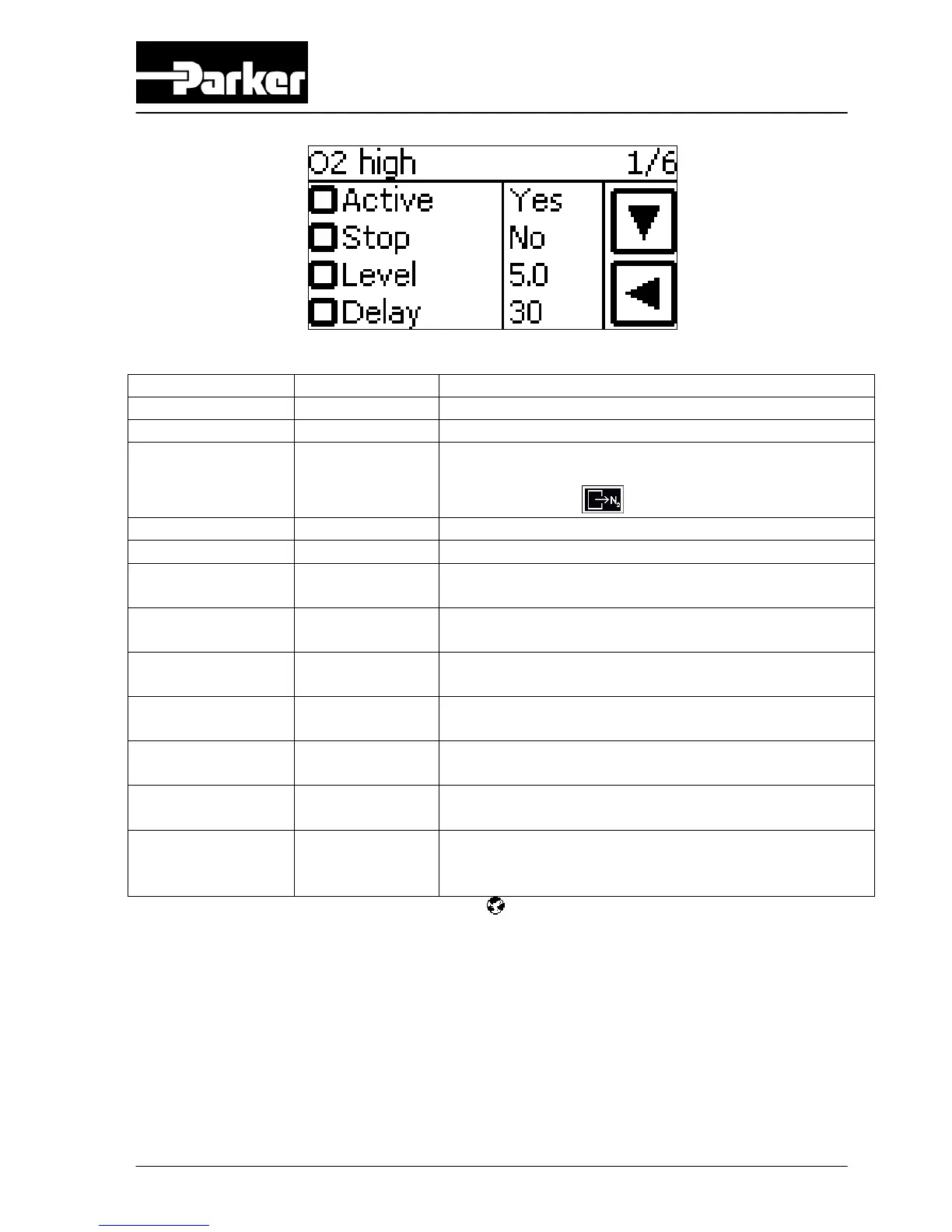
Button Selection Result
Active NO Alarm is switched off
Active YES Alarm is switched on
Active AUTO RESET
(only if
Stop=NO)
If actual fault is resolved before alarm is reset
manually, the alarm will disappear from the alarm
message menu
automatically.
Stop YES Generator will stop when alarm occurs.
Stop NO Generator continues running when alarm occurs.
Level
(screen 1/6 + 2/6)
0-16% O
2
Percentage of oxygen* at which the alarm will
appear.
Level
(screen 1/6 + 2/6)
100 – 84% N
2
Percentage of nitrogen* (100-O
2
%) at which the
alarm will appear.
Level
(screen 3/6 + 4/6)
0-13 BAR(G)* Inlet pressure level at which the alarm will
appear.
Level
(screen 3/6 + 4/6)
0-189 PSIG* Inlet pressure level at which the alarm will
appear.
Level
(screen 5/6 + 6/6)
0-11 BAR(G)* Outlet pressure level at which the alarm will
appear.
Level
(screen 5/6 + 6/6)
0-160 PSIG* Outlet pressure level at which the alarm will
appear.
Delay 0-300 sec Minimum duration of an alarm before the alarm is
shown on the display, a sound is given and the
alarm relay is activated.
* Setting can be selected in local settings menu (refer to §6.2.7)
ATTENTION:
When changing the settings in screen 1/6+2/6 or 3/6+4/6 or 5/6+6/6
remember that low level can never exceed high level. Therefore if
levels must be increased first change high level settings before
changing low level settings. If levels must be decreased first change
low level settings before changing high level settings.



 To Next Page