24
GB/IE/NI/CY/MT
Overlap welds
The most common preparation is that with the straight weld edges. The weld can be released using a
standard angle weld seam. Both workpieces must be brought as close to each other as possible, as
shown in Fig. AB.
AB
z MMA welding
Make sure that the main switch
5
is set to position “O” (“OFF”) or that the power plug
3
is not
plugged into the socket.
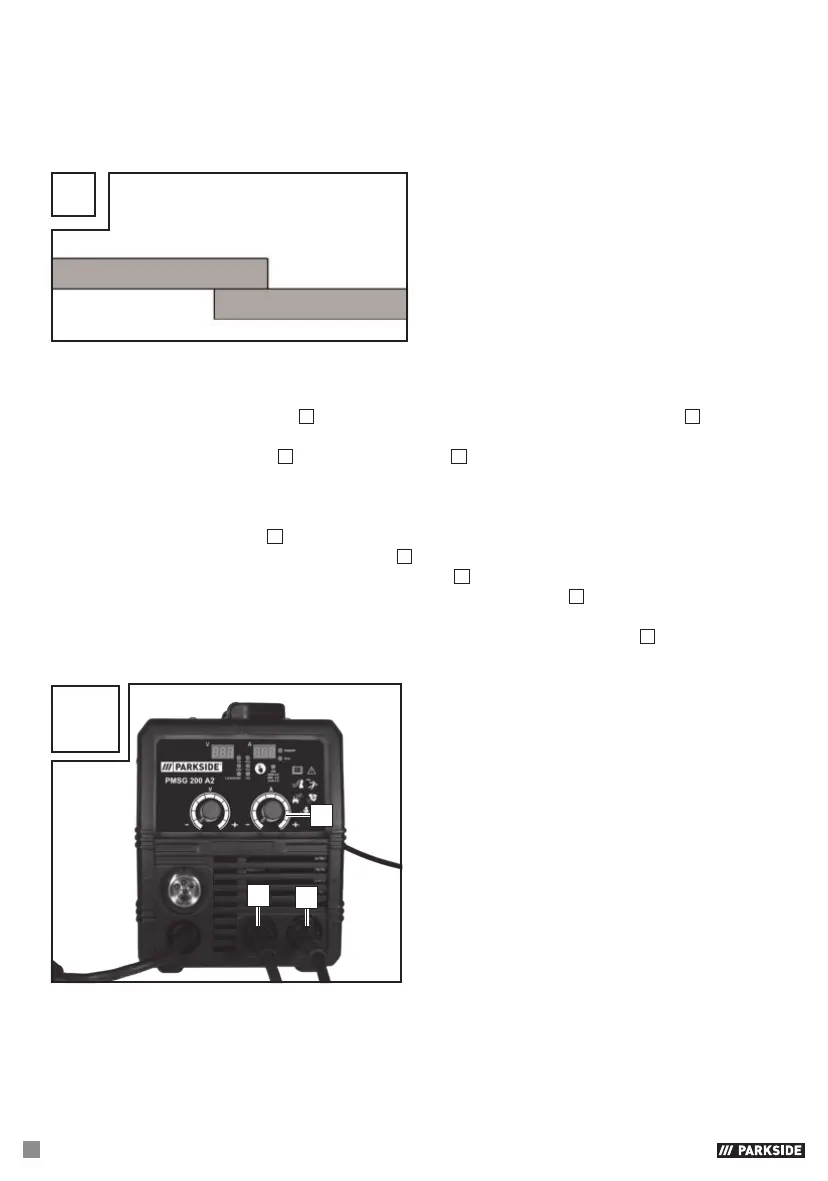
Connect the electrode holder
34
and the earth terminal
4
to the welding device, as shown in Fig. AC).
Also refer to the information from the electrode manufacturer.
Put on appropriate protective clothing in accordance with the specifications and prepare your
workspace.
Connect the earth terminal
4
to the workpiece.
Clamp the electrode into the electrode holder
34
.
Switch the device on by setting the main switch to the
5
“I” (“ON”) position.
Select “MMA” mode by pressing the selector switch for welding mode
35
, until the small indicator
lamp next to “MMA” lights up.
Adjust the welding current using the rotary switch for welding current adjustment
6
depending on
the electrode you are using.
AC
34
4
6


 To Next Page
 Loading...