P350 Operation Manual 30
QUALITY
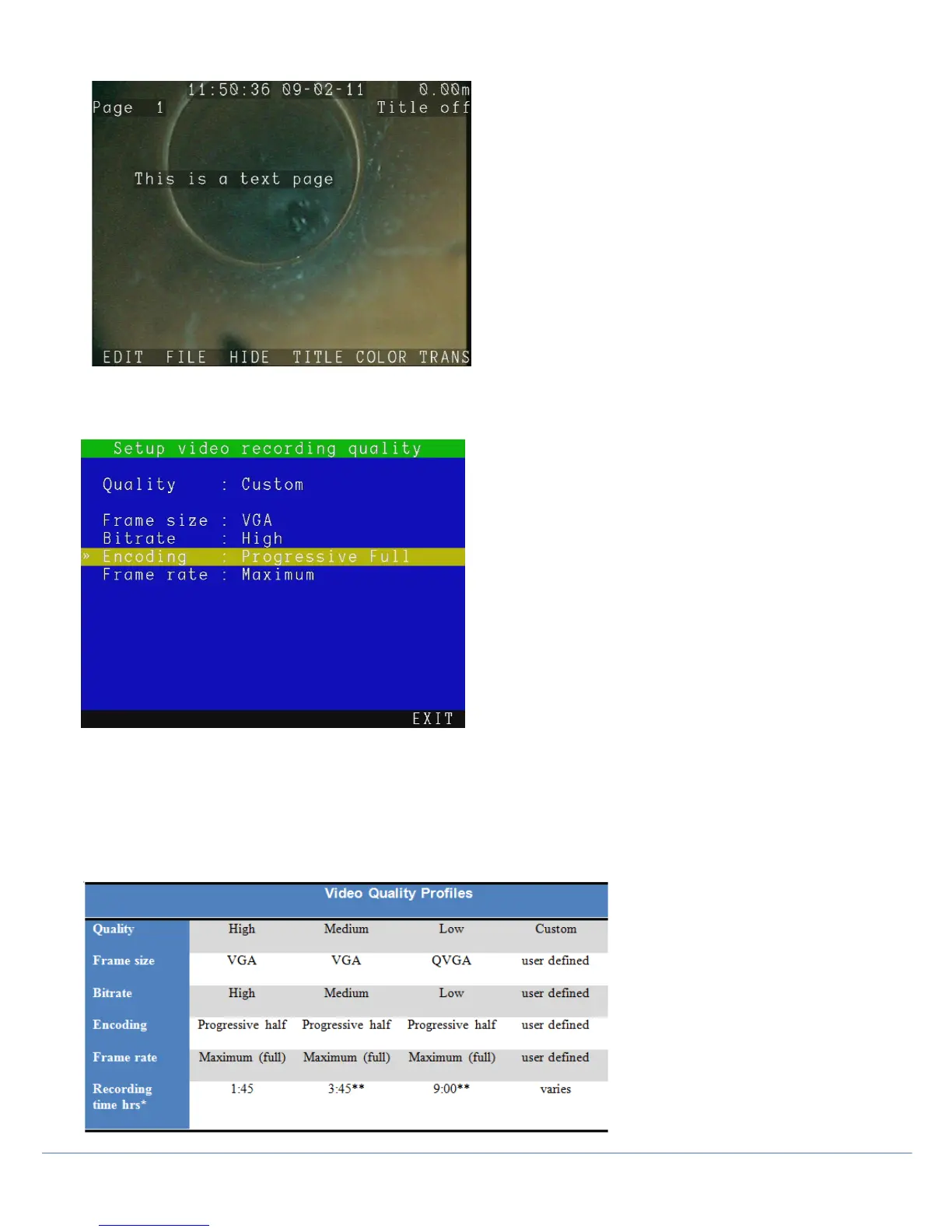
The P350 controller can record video using several quality options, advanced users can customize these.
There are three pre-defined video quality profiles. High, Medium and Low. High uses up more memory but generally
provides a better video quality, whereas the other options trade lower video quality for longer recording time on the
memory drive.
NOTE: “Full” frame size cannot be set with “Progressive Half” encoding.
The table below provides an overview of the predefined video quality settings.
Figure 3.13: Video Quality profiles



 To Next Page