69
Basic Operations
3
2
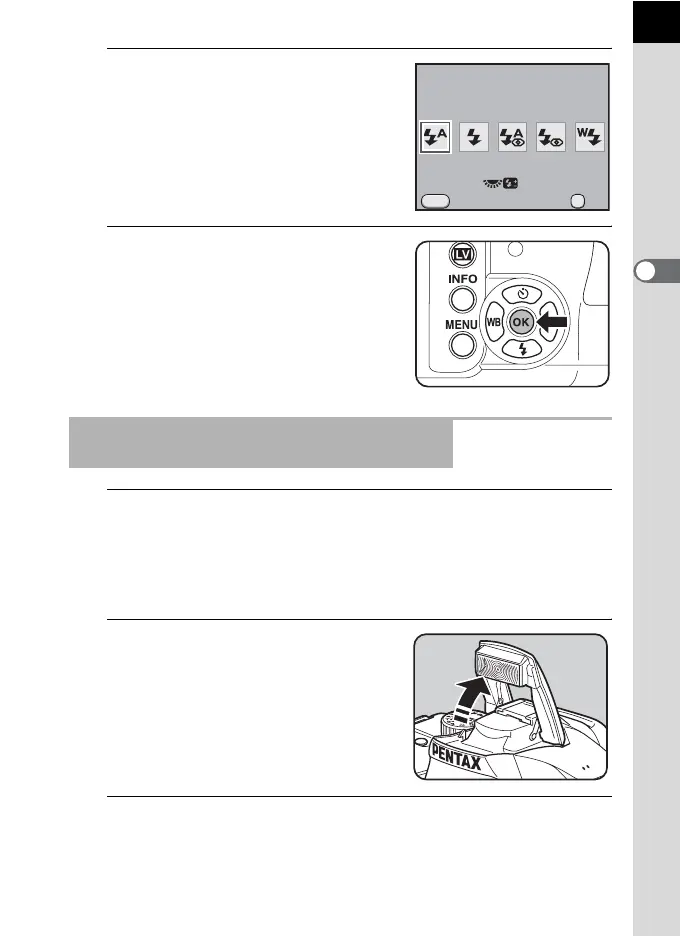
Use the four-way controller (45)
to select a flash mode.
Turn the e-dial to perform the flash
exposure compensation. (p.72)
3
Press the 4 button.
The camera is ready to take a picture.
1
Set the mode dial to I, =, q, . or H.
The flash is deactivated when A (Night Scene), K (Sunset), n (Stage
Lighting), U (Candlelight) or E (Museum) is selected in H (Scene)
mode. The built-in flash does not pop up when set to l (Night Snap) in
H (Scene) mode.
2
Press the shutter release button
halfway.
The built-in flash pops up if necessary
and begins charging. When the flash is
fully charged, b appears in the
viewfinder. (p.30)
3
Press the shutter release button fully.
The picture is taken.
Using Auto Flash Discharge Mode C,
i
(Automatic Flash Pop-up)
OK
MENU
0.0
Flash Mode
Cancel OK
Auto Flash Discharge



 To Next Page