● Target:Thecanonicalhostnameofthemachineprovidingtheservice.
● Port:EntertheTCPorUDPportnumberonwhichtheserviceistobefound.
ReverseLookupZones
ReverselookupzonescanbeconfiguredinNetwork>InboundAccess>DNSSettings.
ReverselookupreferstoperformingaDNSquerytofindoneormoreDNSnames
associatedwithagivenIPaddress.
TheDNSstoresIPaddressesintheformofspeciallyformattednamesaspointer(PTR)
recordsusingspecialdomains/zones.Thezoneisinaddr.arpa.
ToenableDNSclientstoperformareverselookupforahost,performtwosteps:
● Createareverselookupzonethatcorrespondstothesubnetnetworkaddressof
thehost.
Inthereverselookupzone,addapointer(PTR)resourcerecordthatmapsthe
hostIPaddresstothehostname.
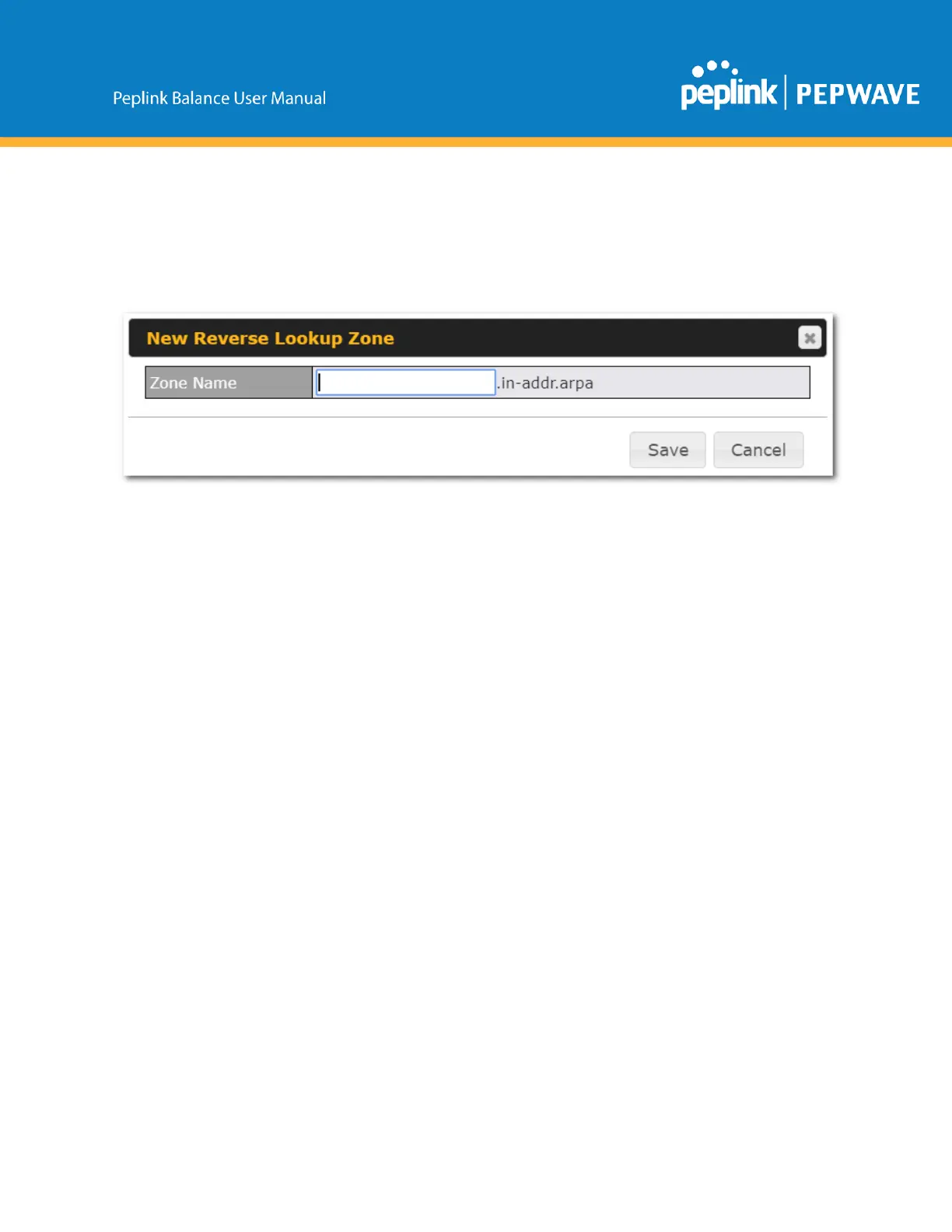
● ClicktheNewReverseLookupZonebuttonandenterareverselookupzone
name.Ifyouaredelegatedthesubnet11.22.33.0/24,theZoneNameshouldbe
33.22.11.inarpa.addr.PTRrecordsfor11.22.33.1,11.22.33.2,...11.22.33.254
shouldbedefinedinthiszonewherethehostIPnumbersare1,2,...254,
respectively.


 To Next Page