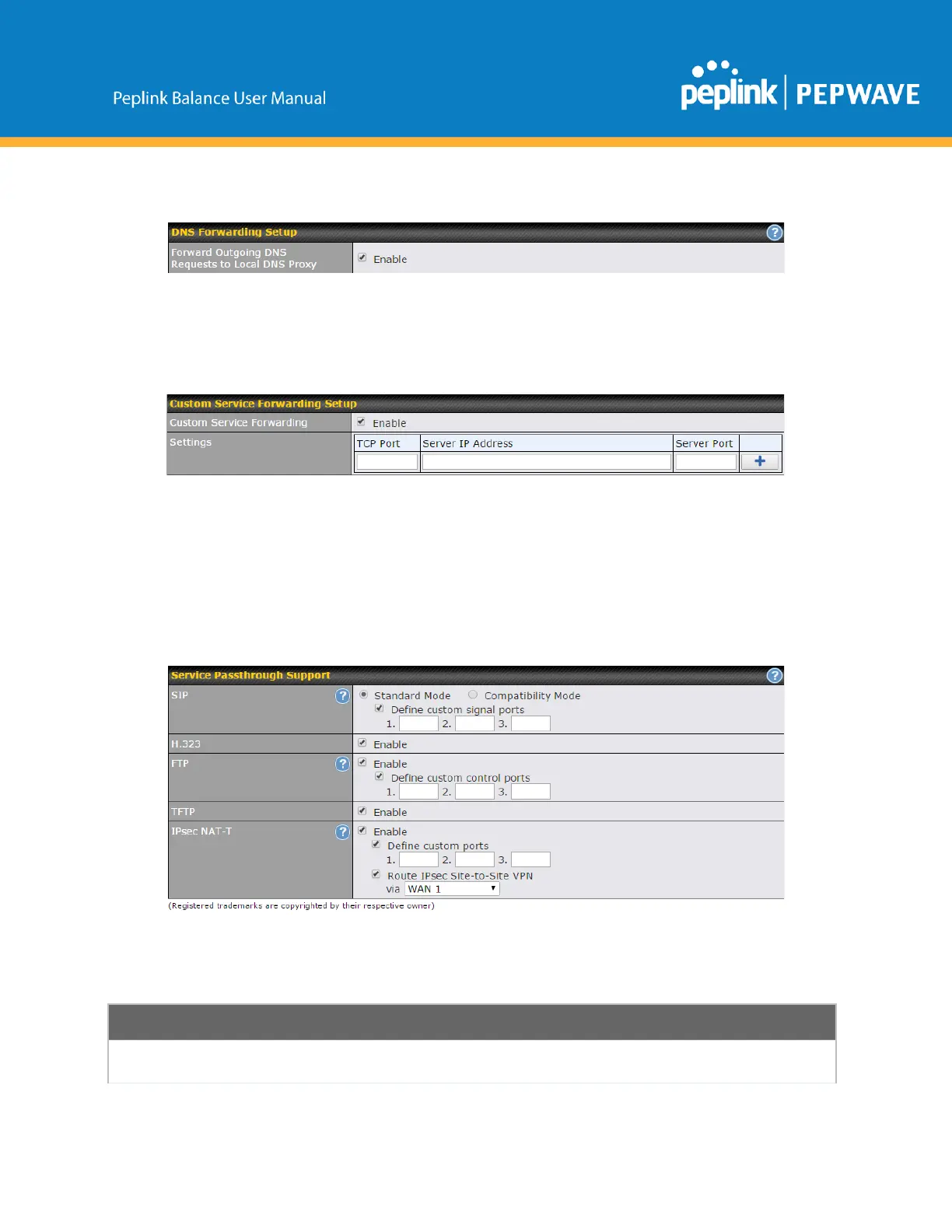
DNSForwarding
WhenDNSforwardingisenabled,allclients’outgoingDNSrequestswillalsobeinterceptedand
forwardedtothebuiltinDNSproxyserver.
CustomServiceForwarding
After clicking the enable checkbox, enter your TCP port for traffic heading to the router, and then specify
theIPAddressandPortoftheserveryouwishtoforwardtotheserviceto.
14.2.4 ServicePassthrough
ServicepassthroughsettingscanbefoundatNetwork>Misc.Settings>ServicePassthrough.
SomeInternetservicesneedtobespeciallyhandledinamultiWANenvironment.ThePeplinkBalance
canhandletheseservicessuchthatInternetapplicationsdonotnoticeitisbehindamultiWANrouter.
Settingsforservicepassthroughsupportareavailablehere.
Sessioninitiationprotocol,akaSIP,isavoiceoverIPprotocol.ThePeplinkBalancecan
actasaSIPapplicationlayergateway(ALG)whichbindsconnectionsforthesameSIP



 To Next Page