EasyManua.ls Logo

peplink ONE One - Mediafast; Setting up Mediafast Content Caching

peplink ONE One
249 pages
Print Icon
To Next Page IconTo Next Page
To Previous Page IconTo Previous Page
Loading...
12.7 MediaFast
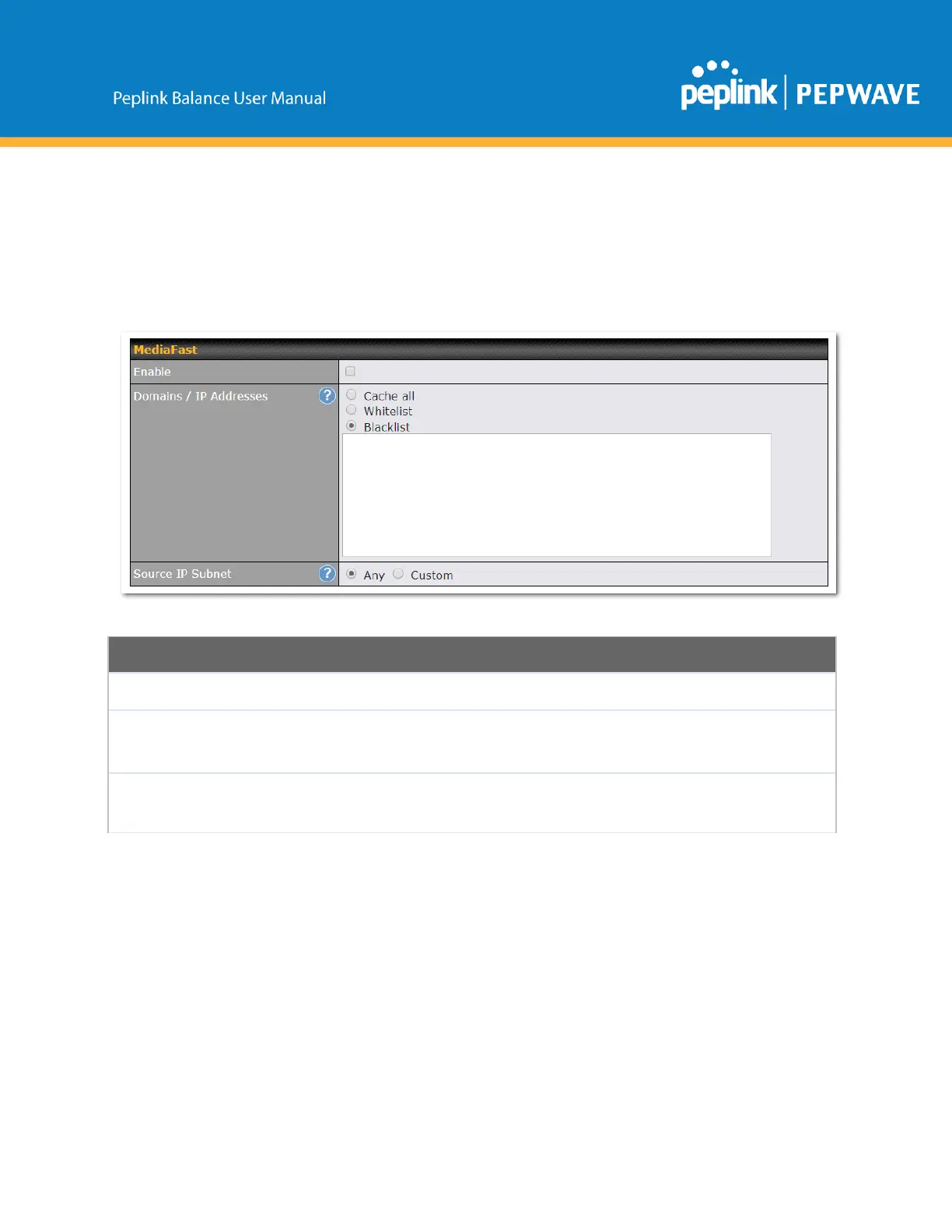
MediaFastsettingscanbeconfiguredbynavigatingtoNetwork>MediaFast.
SettingUpMediaFastContentCaching
ToaccessMediaFastcontentcachingsettings,selectNetwork>MediaFast.
MediaFast
Enable
ClickthecheckboxtoenableMediaFastcontentcaching.
Domains/IP
Addresses
ChoosetoCacheonalldomains,orenterdomainnamesandthenchooseeither
Whitelist(cachethespecifieddomainsonly)orBlacklist(donotcachethespecified
domains).
SourceIP
Subnet
Thissettingallowscachingtobeenabledoncustomsubnetsonly.
If"Any"isselected,thencachingwillapplytoallsubnets.
https://www.peplink.com
126
Copyright@2019Peplink

Table of Contents

Related product manuals