12.4 OutboundPolicy
Outboundpoliciesformanagingandloadbalancingoutboundtrafficarelocatedat
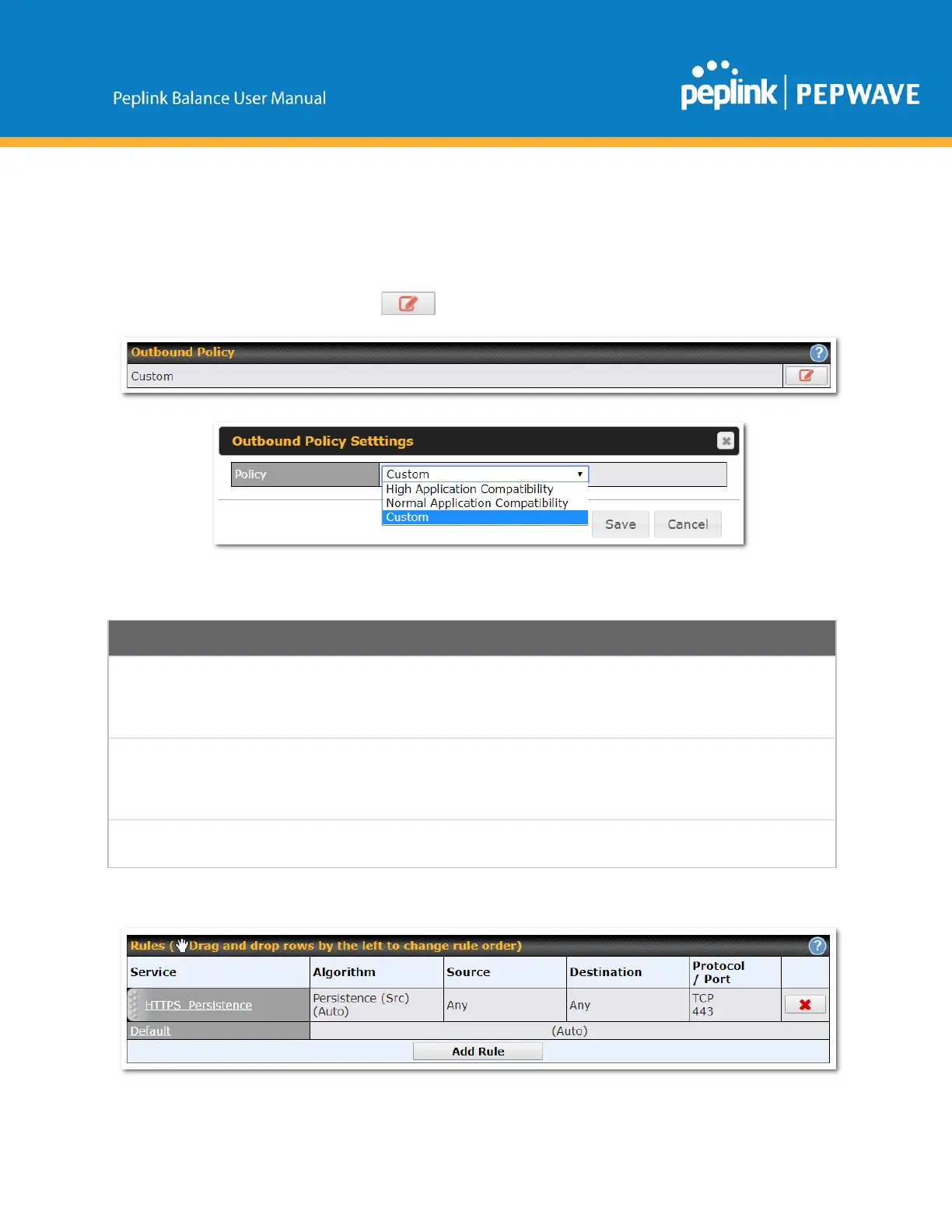
Network>OutboundPolicy.Clickthe buttonbesidetheOutboundPolicybox:
Aselectionmenuwillappear,givingyouthechoicebetweenthreedifferentOutboundPolicySettings:
OutboundPolicySettings
High
Application
Compatibility
OutboundtrafficfromasourceLANdeviceisroutedthroughthesameWANconnection
regardlessofthedestinationInternetIPaddressandprotocol.Thisoptionprovidesthe
highestapplicationcompatibility.
Normal
Application
Compatibility
OutboundtrafficfromasourceLANdevicetothesamedestinationInternetIPaddresswill
beroutedthroughthesameWANconnectionpersistently,regardlessofprotocol.This
optionprovideshighcompatibilitytomostapplications,andusersstillbenefitfromWANlink
loadbalancingwhenmultipleInternetserversareaccessed.
Outboundtrafficbehaviorcanbemanagedbydefiningrulesinacustomruletable.A
defaultrulecanbedefinedforconnectionsthatcannotbematchedwithanyoftherules.
ThemenuunderneathenablesyoutodefineOutboundpolicyrules:
Copyright@2019Peplink



 To Next Page