URLLogging
Clickenable,andtheentertheipaddressandport(ifapplicable)whereyourremotesyslogserveris
located.
12.12 OSPF&RIPv2
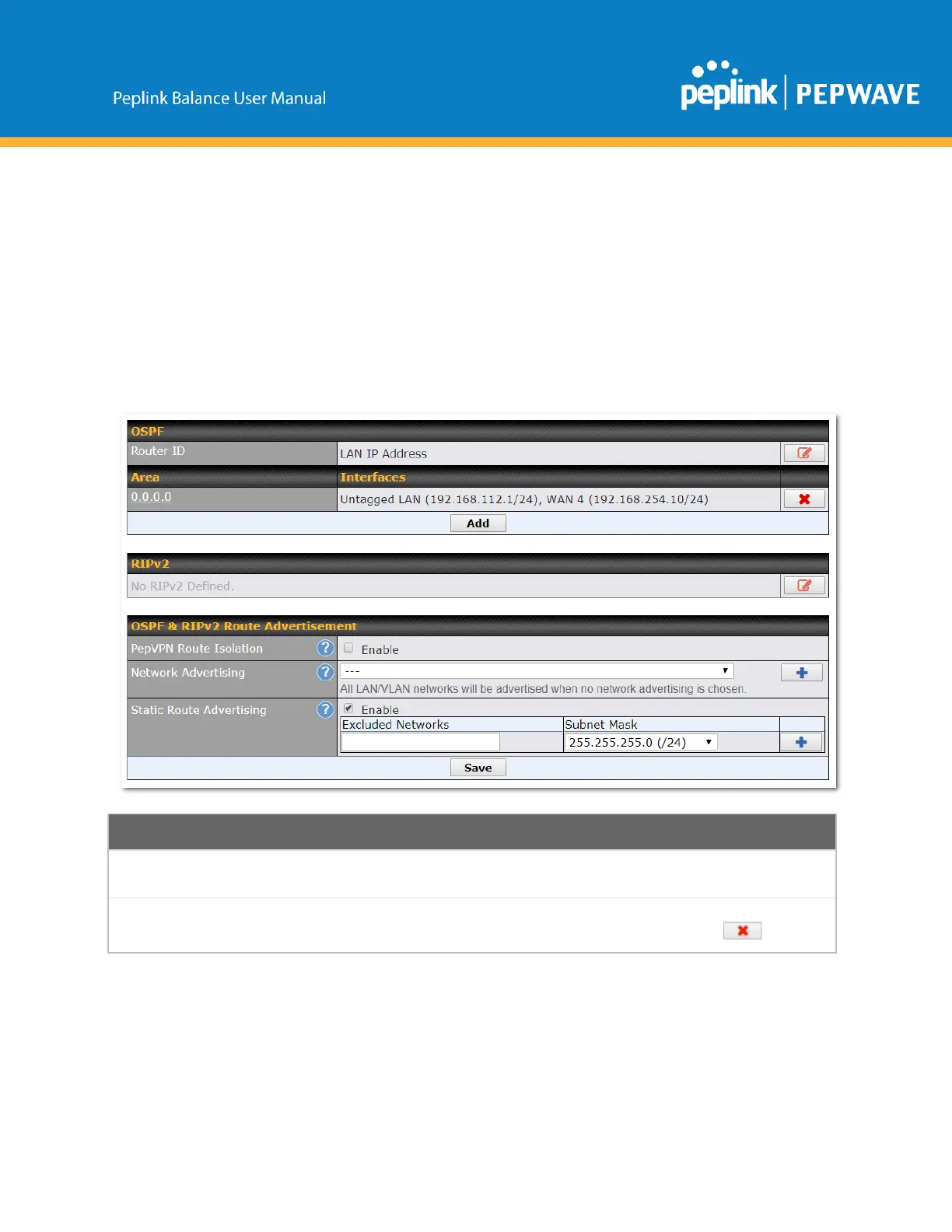
The Peplink Balance supports OSPF and RIPv2 dynamic routing protocols. Click the Network tab from
the top bar, and then click the Routing Protocols > OSPF & RIPv2 item on the sidebar to reach the
followingmenu:
ThisfielddeterminestheIDoftherouter.Bydefault,thisisspecifiedastheLANIP
address.IfyouwanttospecifyyourownID,enteritintheCustomfield.
ThisisanoverviewoftheOSPFv2areasyouhavedefined.Clickontheareanameto
configureit.Tosetanewarea,clickAdd.Todeleteanexistingarea,click .
Copyright@2019Peplink



 To Next Page