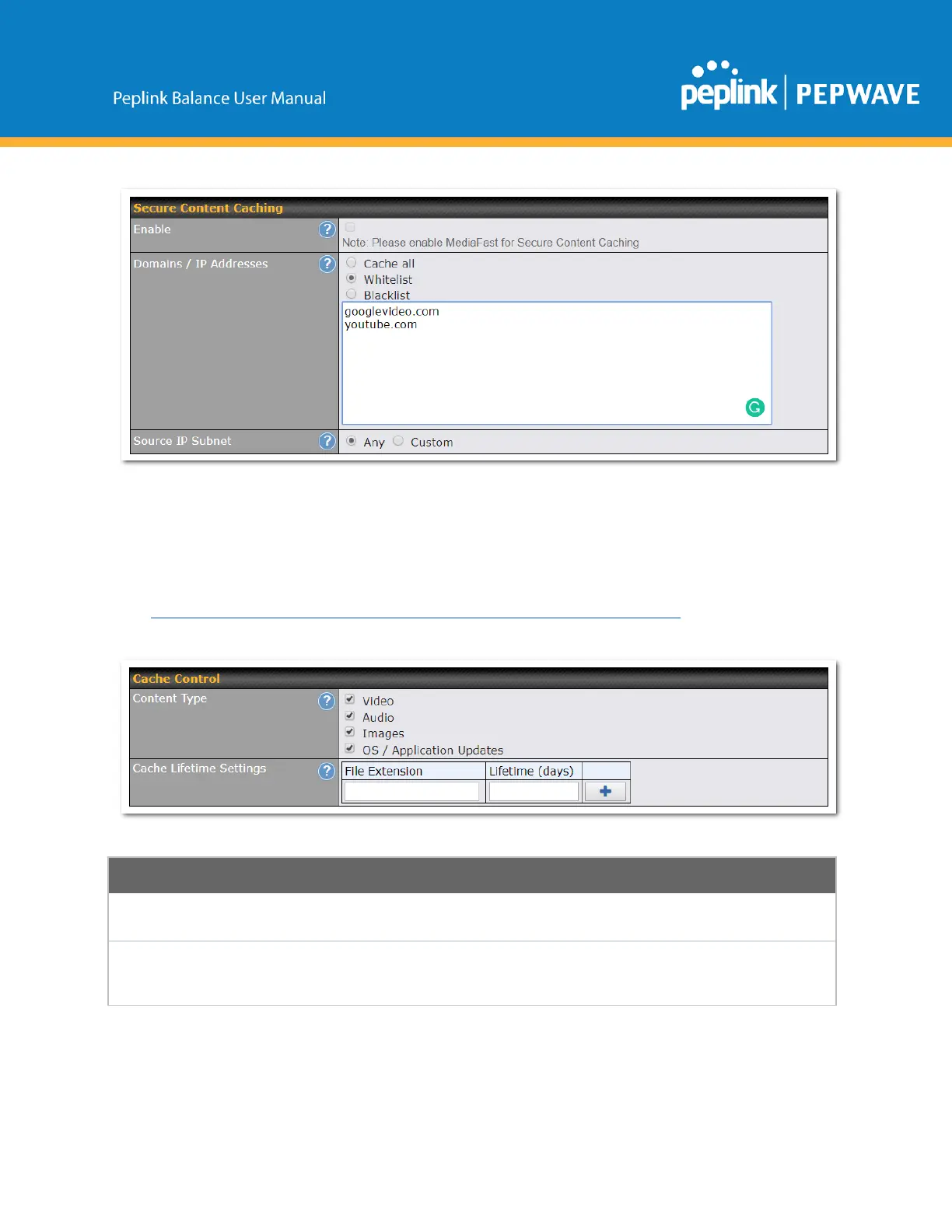
The Secure Content Caching menu operates identically to the MediaFast menu, except it is for secure
contentcachtingaccessiblethroughhttps://.
In order for Mediafast devices to cache and deliver HTTPS content, every client needs to have the
necessarycertificatesinstalled*.
*Seehttps://forum.peplink.com/t/certificateinstallationformediafasthttpscaching/
Checktheseboxestocachethelistedcontenttypesorleaveboxesuncheckedtodisable
cachingforthelistedtypes.
Enterafileextension,suchasJPGorDOC.Thenenteralifetimeindaystospecifyhow
longfileswiththatextensionwillbecached.Addordeleteentriesusingthecontrolsonthe
right.



 To Next Page