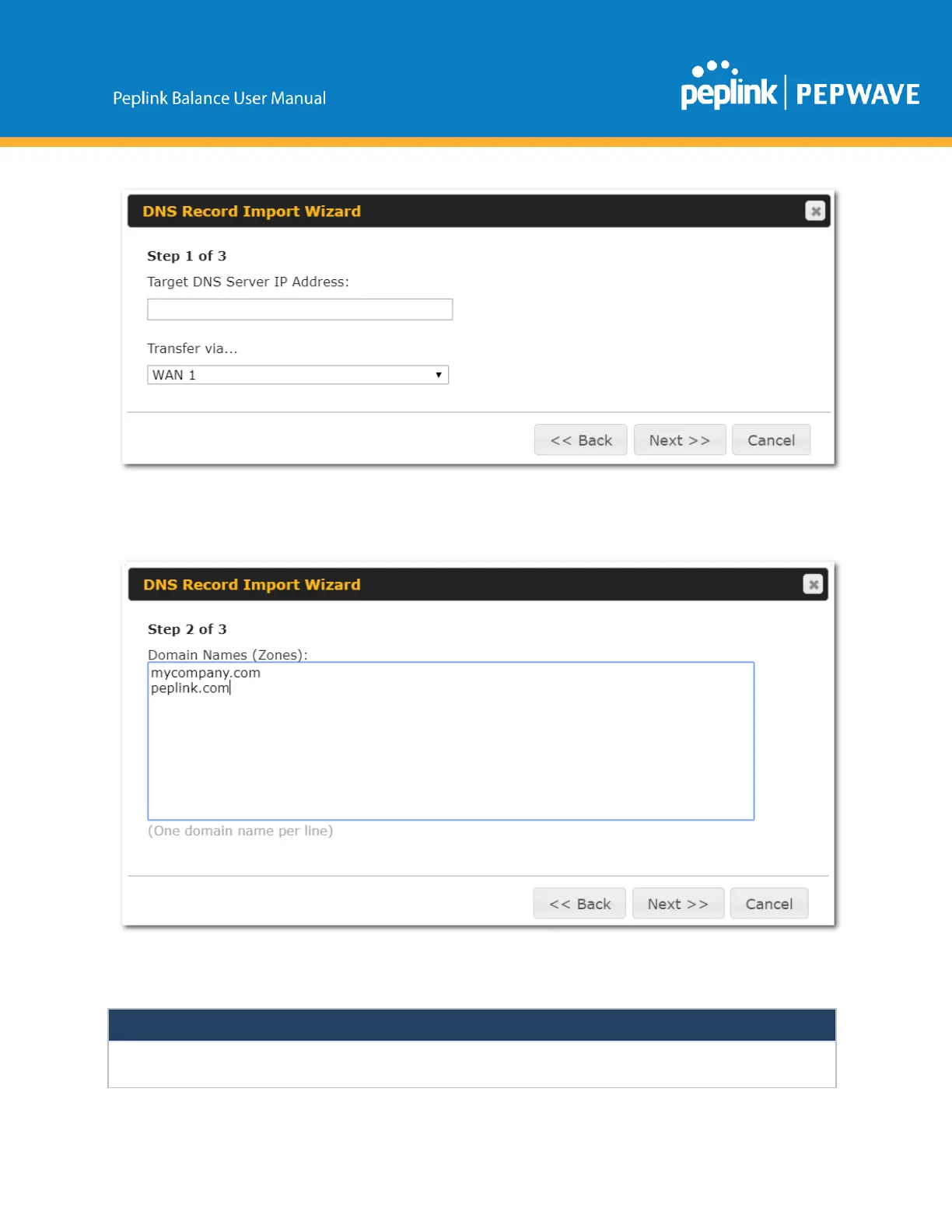
● IntheTargetDNSServerIPAddressfield,entertheIPaddressoftheDNSserver.
● IntheTransfervia…field,choosetheconnectionwhichyouwouldliketotransferthrough.
● SelectNext>>tocontinue.
● In the blank space, enter the Domain Names (Zones) which you would like to assign the IP
addressenteredinthepreviousstep.Enteronedomainnameperline.
● SelectNext>>tocontinue.
Ifyouhaveentereddomain(s)whichalreadyexistinyoursettings,awarningmessagewillappear.SelectNext>>
tooverwritetheexistingrecordor<<Backtogobacktothepreviousstep.


 To Next Page