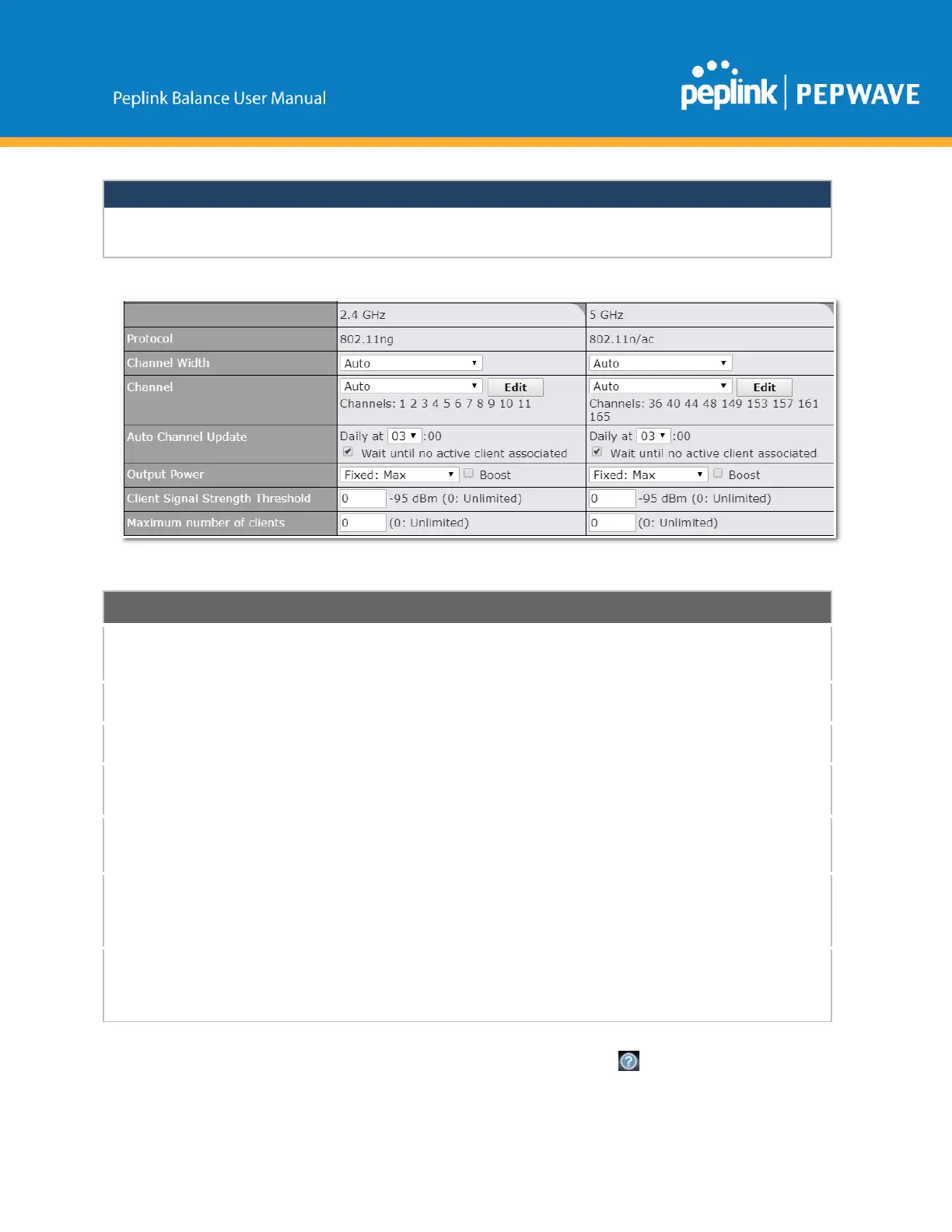
PerFCCregulation,thecountryselectionisnotavailableonallmodelsmarketedin
theUS.AllUSmodelsarefixedtoUSchannelsonly.
Thisoptionallowsyoutospecifywhether802.11band/or802.11gclientassociation
requestswillbeaccepted.Availableoptionsare802.11ngand802.11na.Bydefault,
802.11ngisselected.
Availableoptionsare20MHz,40MHz,andAuto(20/40MHz).DefaultisAuto(20/40
MHz),whichallowsbothwidthstobeusedsimultaneously.
Thisoptionallowsyoutoselectwhich802.11RFchannelwillbeutilized.Channel1
(2.412GHz)isselectedbydefault.
Indicatethetimeofdayatwhichupdateautomaticchannelselection.
ThisoptionisforspecifyingthetransmissionoutputpowerfortheWiFiAP.Thereare4
relativepowerlevelsavailable–Max,High,Mid,andLow.Theactualoutputpower
willbeboundbytheregulatorylimitsoftheselectedcountry.
ClientSignal
Strength
Threshold
ThissettingdeterminesthemaximumstrengthatwhichtheWiFiAPcanbroadcast
Maximum
numberof
clients
ThissettingdeterminesthemaximumnumberofclientsthatcanconnecttothisWiFi
frequency.
AdvancedWiFiAPsettingscanbedisplayedbyclickingthe onthetoprighthand
Copyright@2019Peplink



 To Next Page