OPC / OPD / OPE
Vision Configurator Software
2015-07
33
Format
Transfer
Buffer
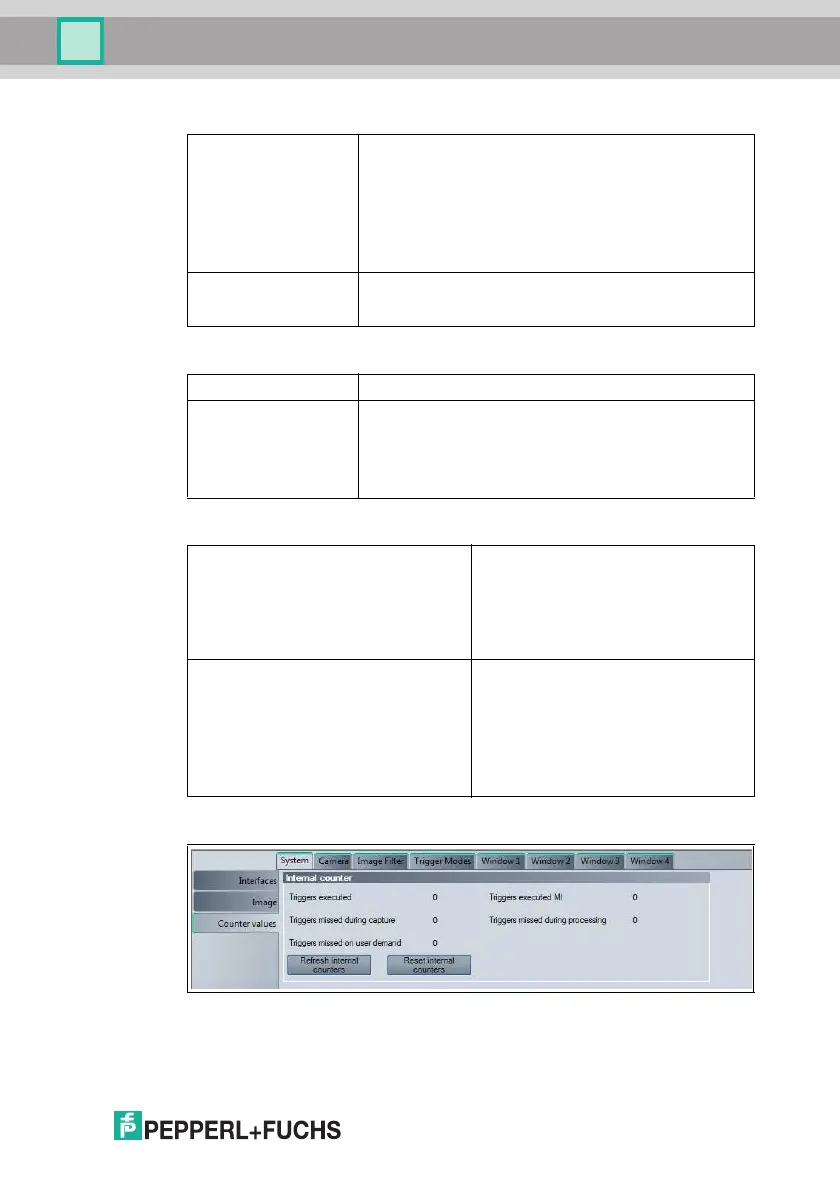
Figure 7.10 System tab, Counter Values menu item
Image format Selects the image size
■ 7 52x480 (full screen)
■ 7 52x240
■ 7 52x160
■ 7 52x120
Selecting a smaller field of view can increase the reading
speed.
Image fine position Moves the field of view up or down (line by line)
The field of view can be moved only if you select a field of
view instead of the full screen under Image format.
Image transfer active Image transfer from the sensor to Vision Configurator
Transfer images Determines which images are to be transferred to Vision
Configurator
■ All images: All images
■ Error images: Images from failed reads
■ Good images: Images from successful reads
Buffer images Specifies which images are to be saved.
The memory holds approx. ten images.
■ All images: All images
■ Error images: Images from failed reads
■ Good images: Images from successful
reads
Overwrite buffer If this is enabled, the image memory is
continuously overwritten with new images.
In other words, if this is enabled, the image
memory contains the last ten images that
correspond to the settings configured
under Buffer images. If it is disabled, the
image memory contains the first ten
images that correspond to the settings
configured under Buffer images.
System Tab, Counter Values Menu Item



 To Next Page