2015-07
44
OPC / OPD / OPE
Vision Configurator Software
Only one input field is active at a time. Depending on the inspection type selected,
the related input field is active.
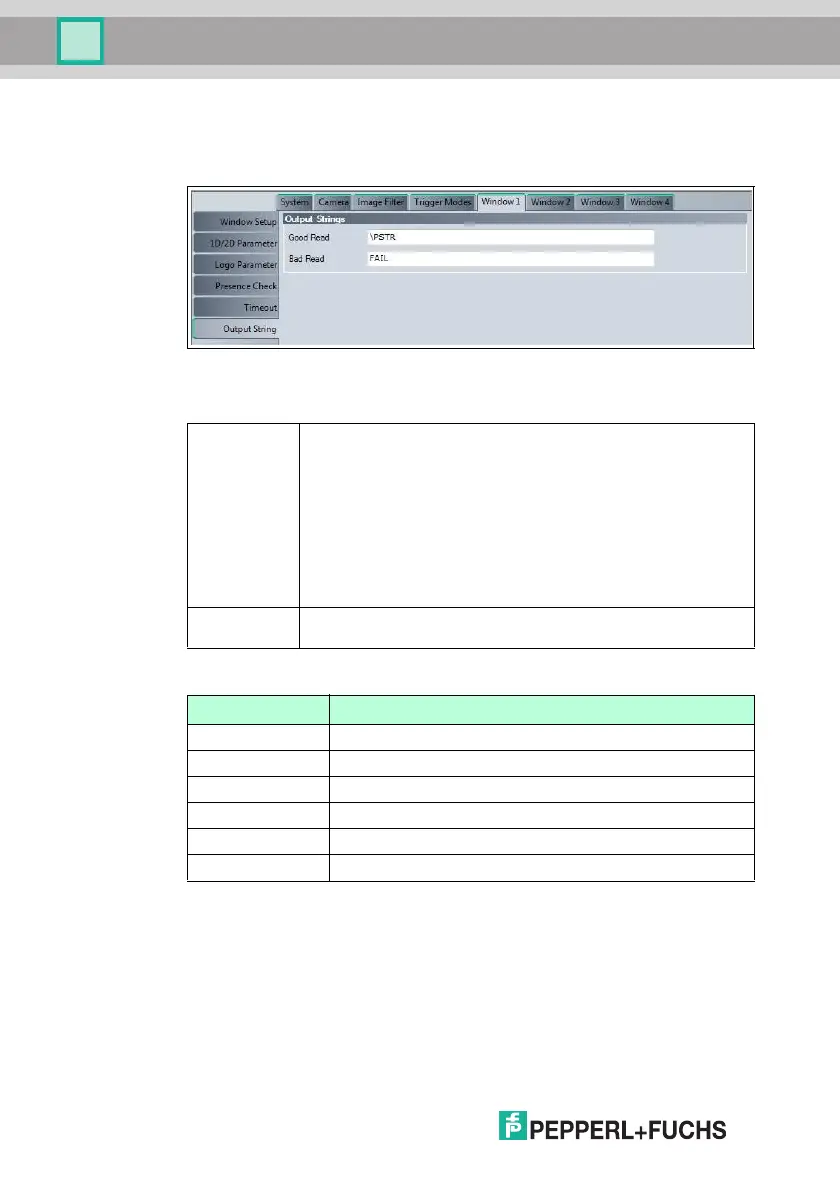
Figure 7.19 Window tab, Output String menu item
Output Strings
Output Strings
Window Tab, Output String Menu Item
Good Read This allows you to specify which data string is output for a successful
read. You can enter both normal characters and predefined parameters
that output a specific data string. You can also output several
parameters in succession.
Examples:
■ \PSTR outputs all content of the read code.
■ \PISO outputs various properties relating to the code quality. If, for
example, the contrast deteriorates continuously, this may indicate
decreasing ink levels in the code printer. If the axial nonuniformity of
the code increases, this may indicate that the paper rolls are running
too fast.
Bad Read This allows you to specify which data string is output if the read was
unsuccessful.
Parameters Description
\PSTR Returns all content of the code if the read was successful.
\PSTR(pos,len) Outputs len characte rs from position pos of the code
\PSTR(E,len ) Outputs the last len characters of the code
\PLEN Outputs the length of the read code (4-digit)
\PTIM Outputs the time required to read the code in ms (4-digit)
\PTST Outputs a timestamp in ms (10-digit)



 To Next Page