2:13
Preparations
How to XSGDWH\RXUPDFKLQH
Be sure to consult the web site at www.pfaff.com
and/or your local authorized PFAFF
®
dealer for
updates and upgrades for your machine and owner's
manual.
Updating instructions
• Go to the PFAFF
®
website at www.pfaff.com and
ÀQG\RXUVHZLQJDQGHPEURLGHU\PDFKLQH+HUH
\RXZLOOÀQGXSGDWHVDYDLODEOHIRU\RXUPDFKLQH
• Download and unzip the update software to
your USB embroidery stick.
• Make sure that your machine is turned off.
Connect the USB embroidery stick loaded with
the new software version to the USB port on your
machine.
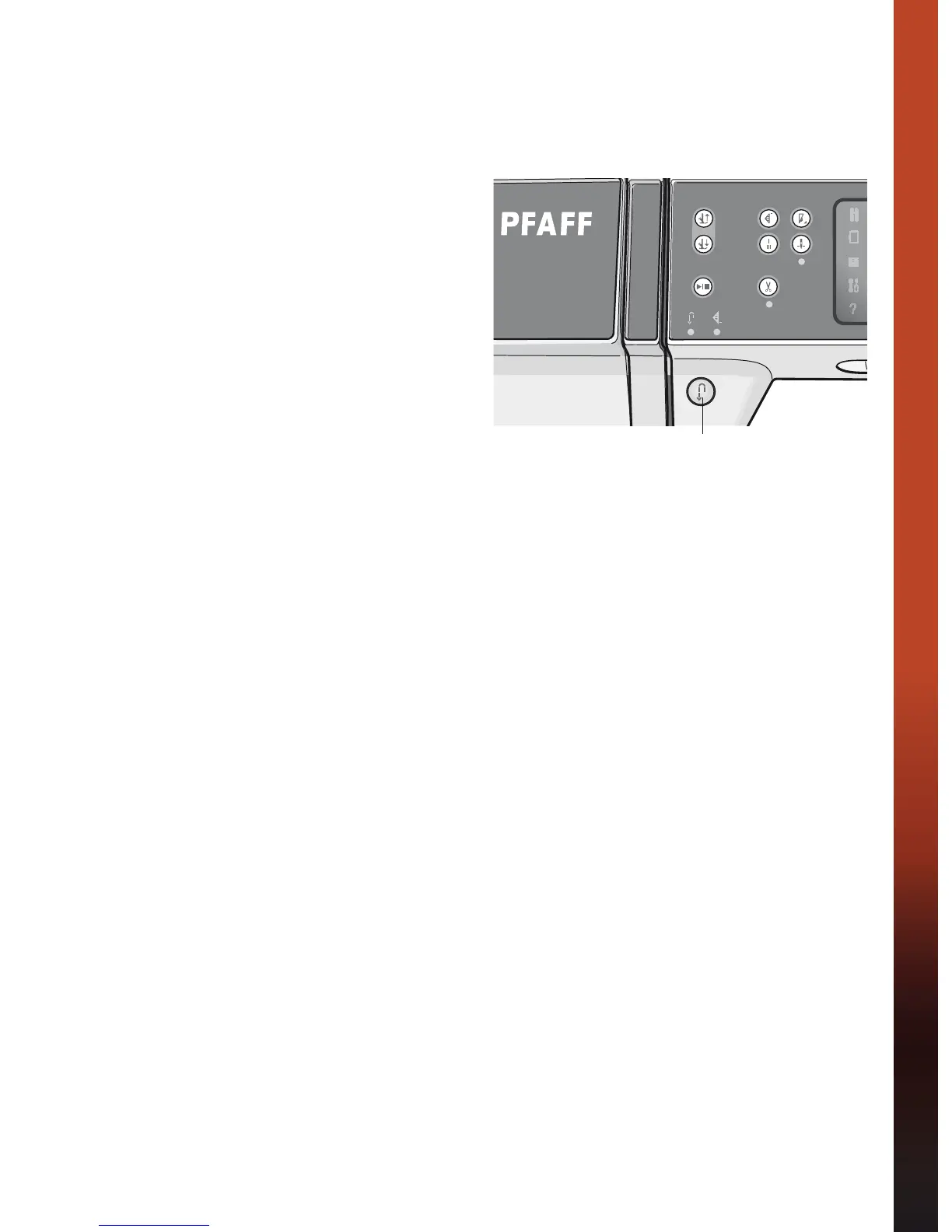
• While pressing and holding the reverse button,
turn your machine on.
• The update starts automatically and you can
release the reverse button when the progress bar
appears.
Note: It might take up to one minute before the
progress bar appears and you can release the reverse
button.
• When the update is complete the machine will
restart automatically. Check the software version
number in the settings menu.
Reverse button









 To Next Page