Chapter 4: Programming the PEC Plus Phason
44 2009-06-15
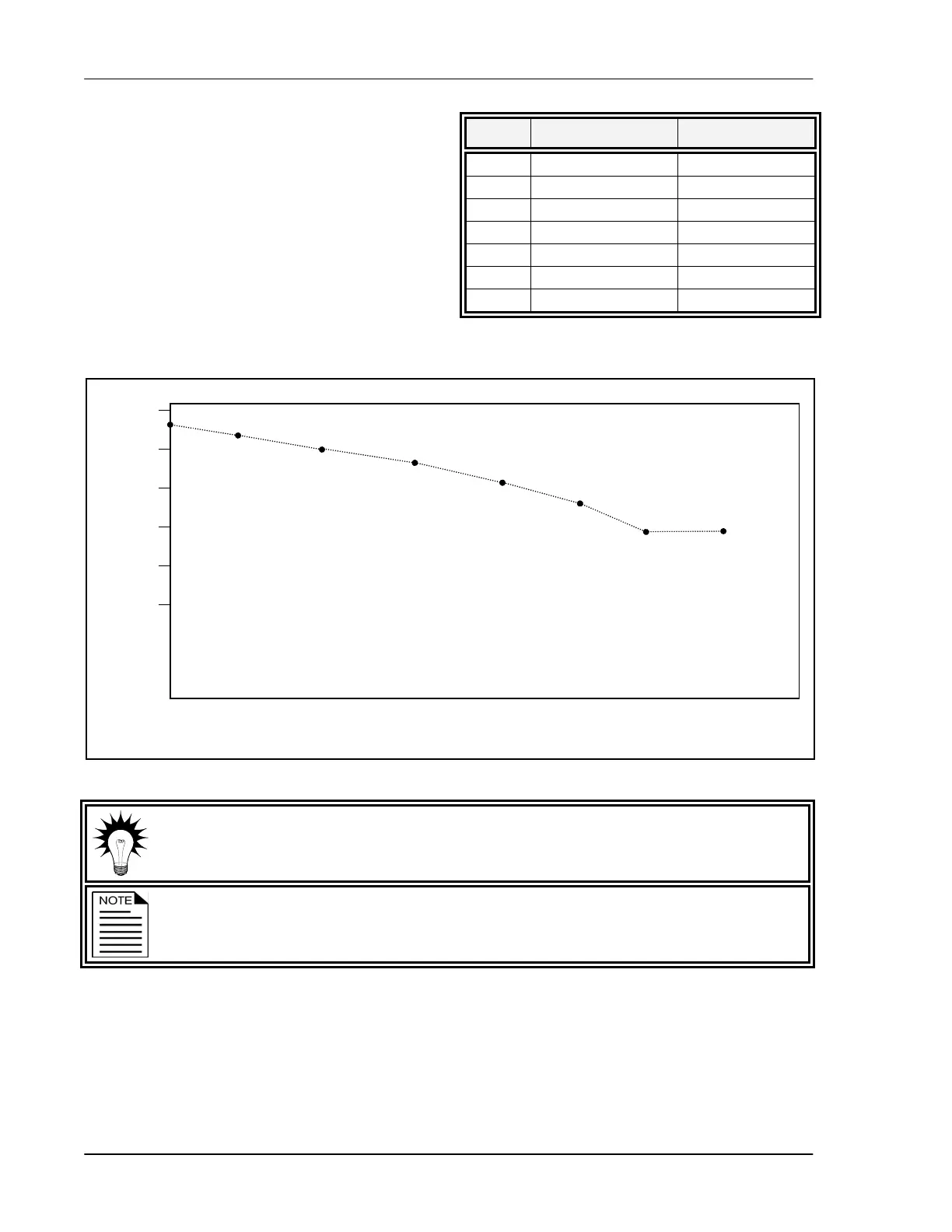
For example, in the table on the right, step 2 has
a duration of 10 days.
The difference between the starting set point
(86.5°F) and the starting set point for the next
step (85°F) is 1.5°F.
The PEC Plus divides the temperature difference
by the duration 1.5 ÷ 10=0.15 and then
automatically adjusts the set point by 0.15°F
each day for 10 days.
Use the
Growth curve worksheet on page 89 when programming the growth curve.
The temperature set point must decrease as the steps increase.
Step Temperature (°F) Duration (days)
1 88.0 5
2 86.5 10
3 85.0 10
4 83.5 10
5 81.0 5
6 78.0 5
7 74.0 10
Step 1
Step 2
Step 3
Step 4
Step 5
Step 6
Step 7
Day 1 Day 5 Day 15 Day 25 Day 35
Day 40
Day 45 Day 55
90°F
85°F
80°F
75°F
70°F
65°F
Temperature



 To Next Page