Review Playing Loops
104 Lumify Ultrasound System
Philips Healthcare 4535 618 58571_A/795 * MAY 2016
• To scroll through the available thumbnails, drag the thumbnails left or right, or up or down,
depending on the screen orientation.
Playing Loops
Loops are identified by the icon located in the bottom right corner of the thumbnail.
1. Touch the loop thumbnail.
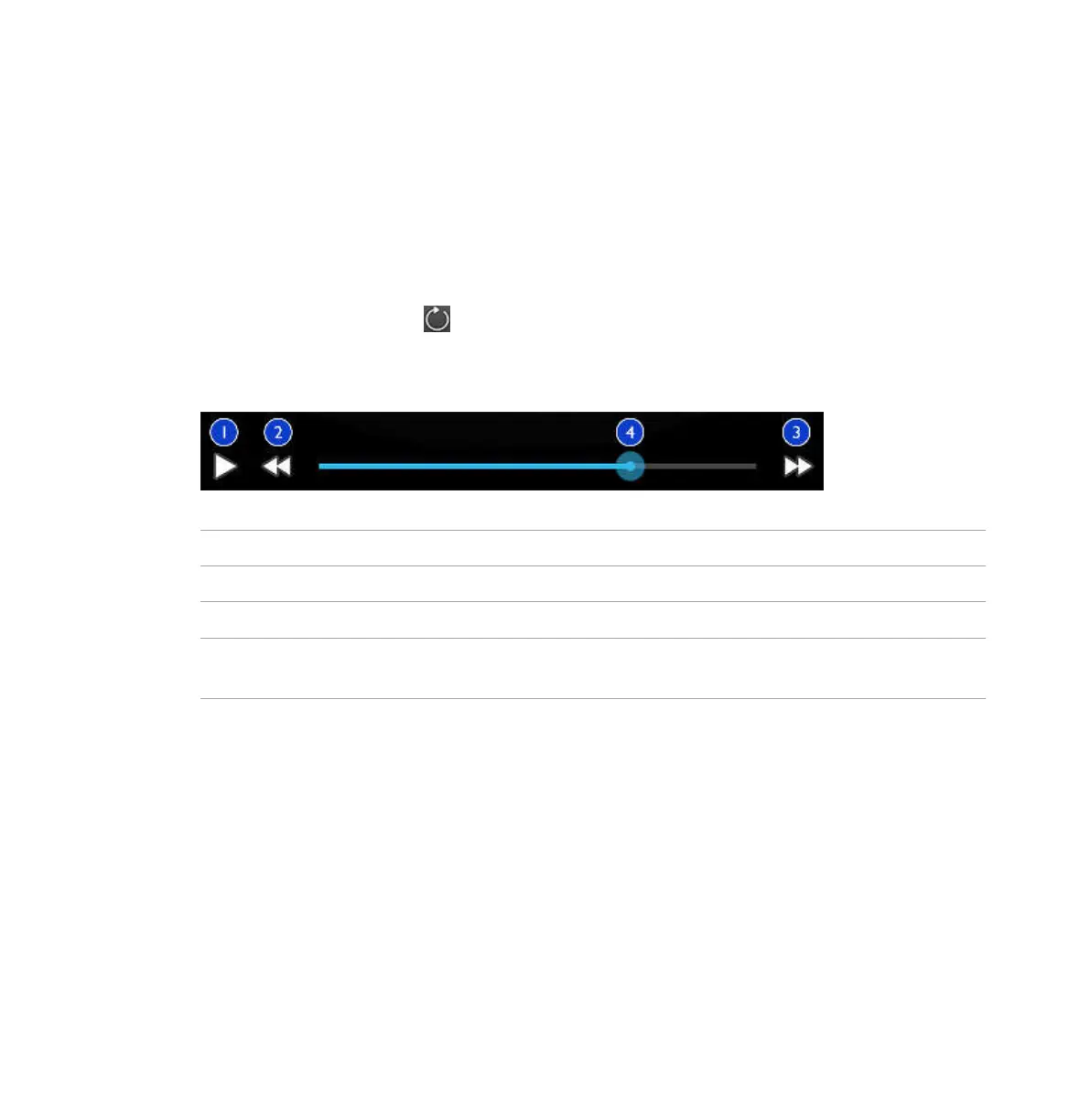
2. Use the loop controls that appear beneath the loop.
Loop Controls
1 Play control. Touch to play the loop at normal speed or to pause the loop.
2 Rewind control. Touch to restart the loop from the beginning.
3 Fast Forward control. Touch to move to the end of the loop.
4 Loop time line. Drag to cycle through the loop at the specified loop speed. When the loop is paused,
you can drag the line to a specific frame.



 To Next Page