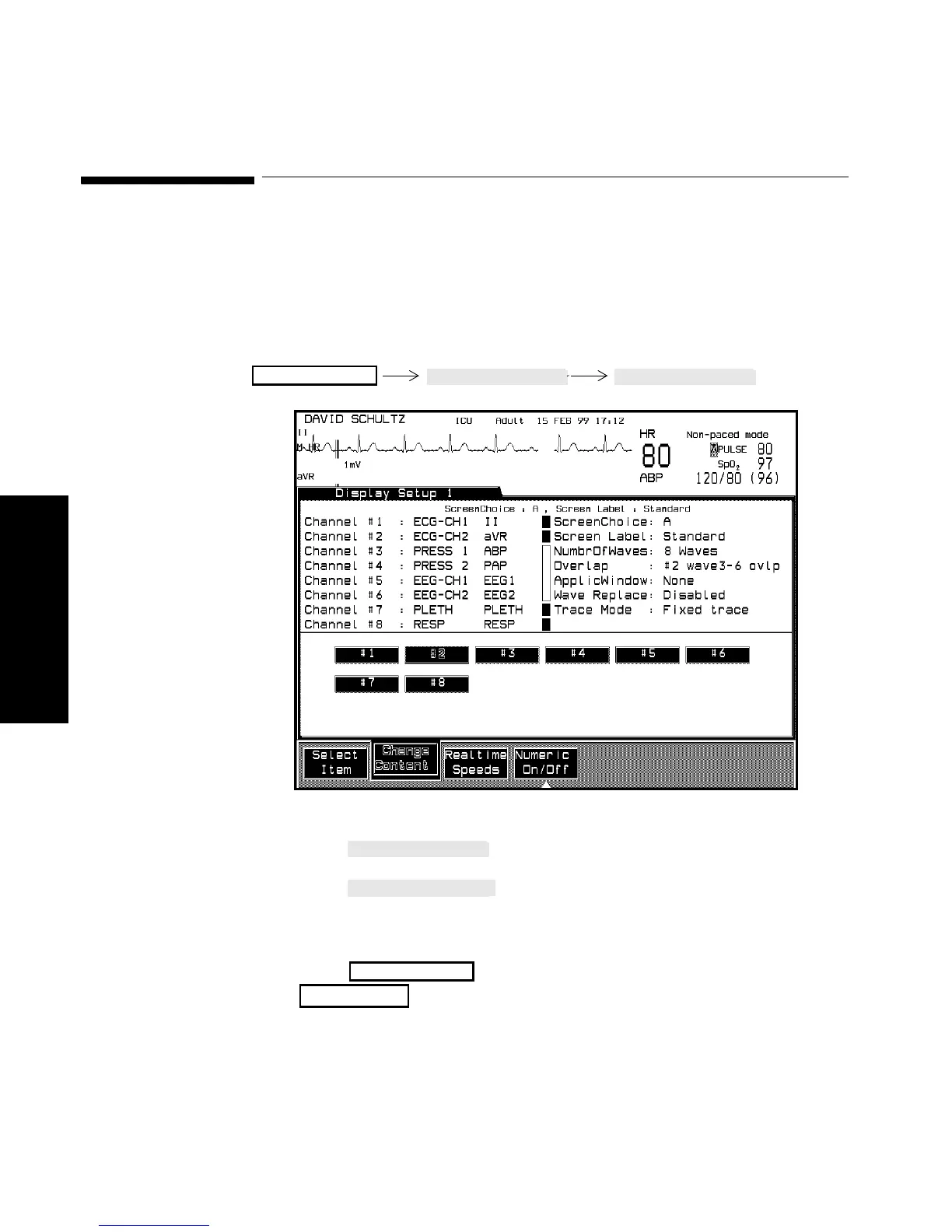
Changing the Wave Overlap
3-14 Setting up your Monitor
Setting up your
Monitor
Changing the Wave Overlap
The wave overlap refers to the position of particular waves on the
screen. You can select to have overlapping and non-overlapping waves.
Overlapping waves allow a larger wave amplitude and you can compare
waveforms of various parameters (i.e. pressure waves).
Procedure 1. Press until “Overlap” is selected on the screen.
2. Press to choose one of the available numbers
(dependent on model). The boxes in the middle of the screen
indicate which waves are overlapping.
3. Press to return to the Selection Window or
to return to the Main Screen.
Monitor Setup
Monitor Setup
Main Screen



 To Next Page