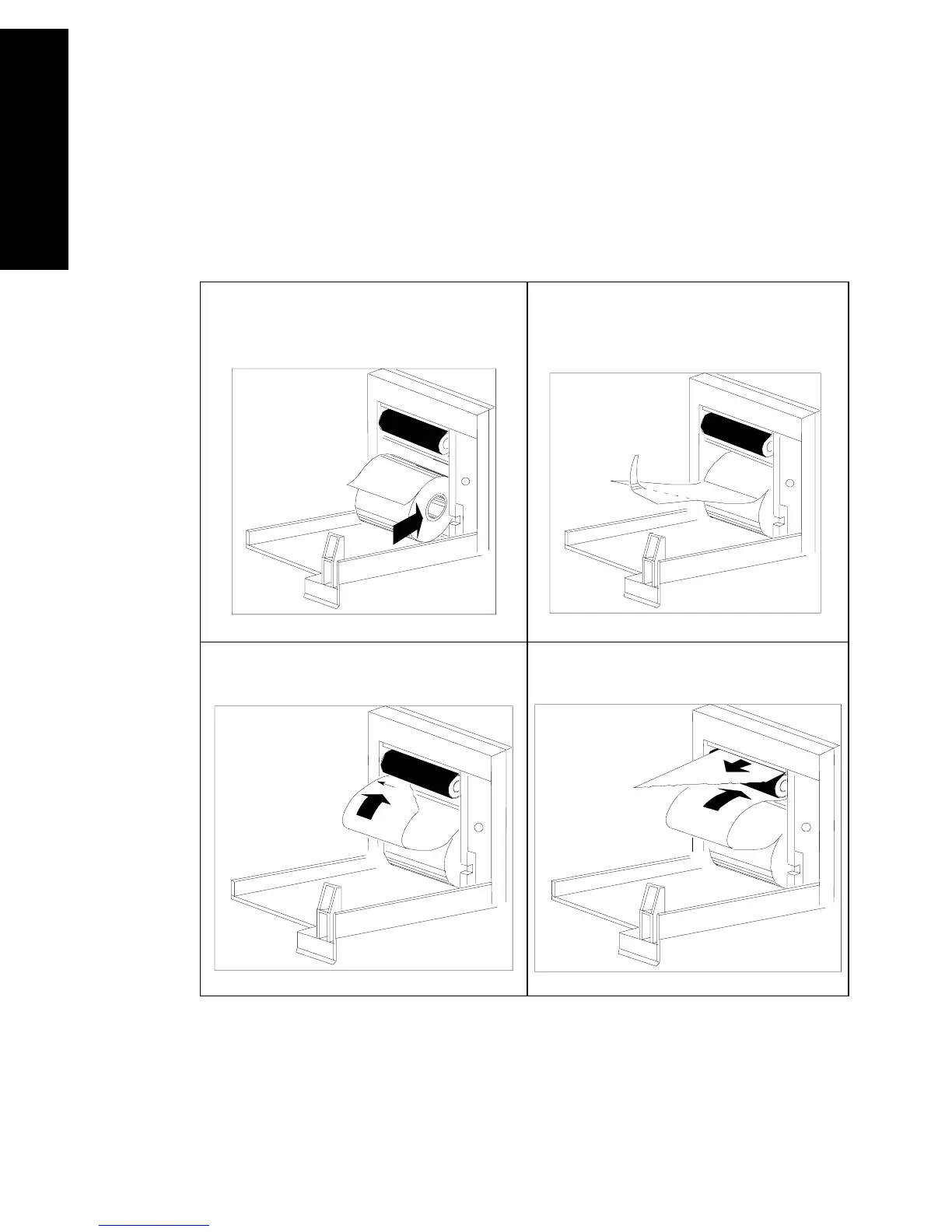
Loading Paper
6-50 Recording Functions
Recording Functions
To Replace
Paper in the
Plug-In
Recorder
Note—To test if paper is loaded correctly, initiate a recording. If no
printing appears, paper is loaded backwards. Remove and reload.
1. Insert new roll with paper feeding
from the TOP. Pull paper out until it
clicks into place.
2. Pull out some paper and discard
first 2 inches; tear or fold front edge
of paper at a 45° angle.
3. Feed paper UNDER roller, using
left edge of paper as a guide.
4. Pull paper out and close door.



 To Next Page