ENALBLE/DISABLE
Warning! You can’t use the USB interface if you want to enable the
Pass/Fail signal output. You must use the GPIB interface for remote
control. Please disconnect the USB cable from you multimeter. The signal
from the USB cable may make the Pass/Fail signal output abnormal.
5.2 Setting Up for Remote Interface
You may use the M3500A application developed by PICOTEST to
remotely control the multimeter through either USB or GBIP interface.
How to set up for USB interface
The USB cord should be connected well between M3500A and your PC.
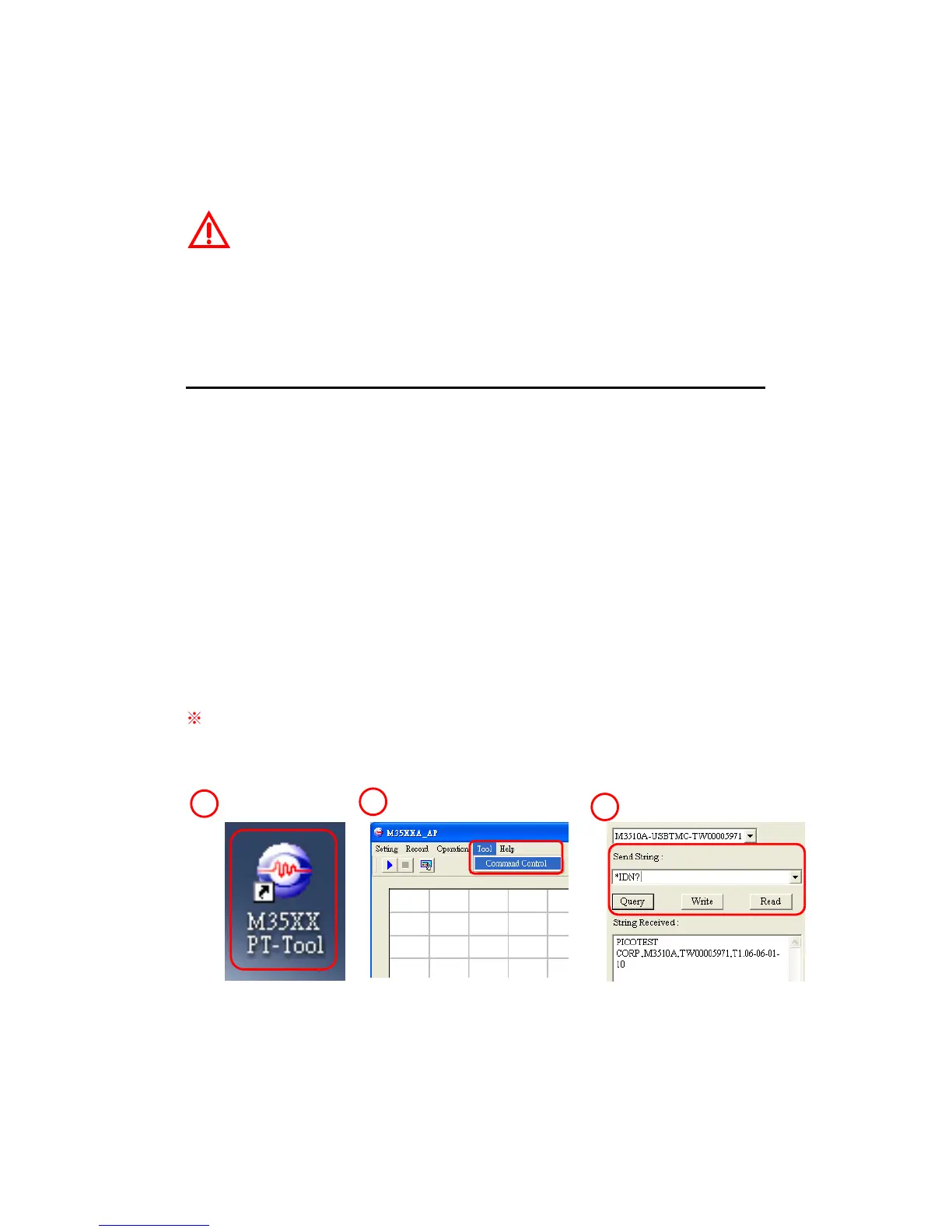
Install the M3500A application in your PC and execute the program. Click
Tool tab for Command Control, then type in your command. The icons
and buttons are shown with red rectangle frames in Figures 5-1, 5-2
and 5-3.
※
Note: These icon, pictures and words will be changed or edited with
different versions without informing.
1



 To Next Page