◁
and
▷
to move through the digits and
△
and
▽
to increase or
decrease the numbers to the desired channel number. Press ENTER to
close the channel. To open all channels, simply press ENTER on “OPEN
ALL” option. Press SHIFT + DIGITS to scan.
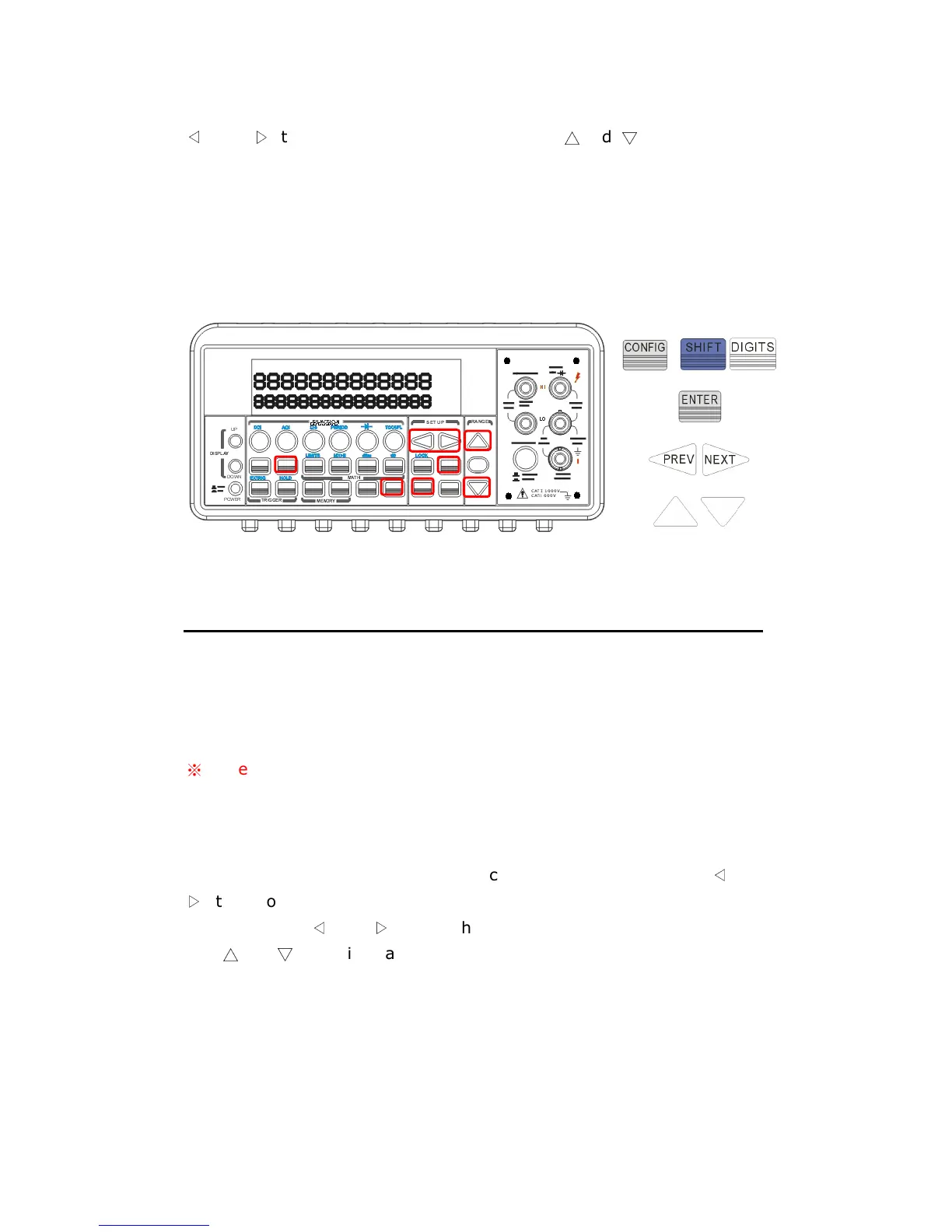
The locations of the buttons are shown with red rectangle frames in
Figure 4-31.
Figure 4-31
4.4.6 Stepping (Step)
Stepping is scanning with a specified time delay between taking input
signal through the defined channels.
※
Note: Setting range of scanner card is only limited on DCV, DCI, ACV,
ACI, Frequency, Period and Resistance functions.
How to program each channel with measurement function
Press CONFIG + SHIFT + FILTER
for scanning configuration. Use
◁
and
▷
to scroll through submenus. Press ENTER on “SET SCAN CHA”
submenu. Use
◁
and
▷
to switch from channel 1 to channel 10, and
use
△
and
▽
to switch among the measurement functions. Leave an
unused channel with a blank space (----). Press ENTER when ten
channels are all defined.
How to configure scan count, scan interval and store
measurement readings



 To Next Page