4.2.1 Trigger Mode
There are three trigger modes in M3500A: auto, immediate, and single
triggering. You can specify the trigger mode for your measurement. The
factory default is auto triggering when the meter is power-on.
A. Auto Triggering Mode (Front Panel Operation only)
Definition
Auto triggering takes continuous readings at a fastest rate possible for
the present measurement. The rate of taking readings depends on the
current settings. This function is only available through the front panel.
The auto triggering is also the default for trigger mode in M3500A.
How to use Auto Trigger
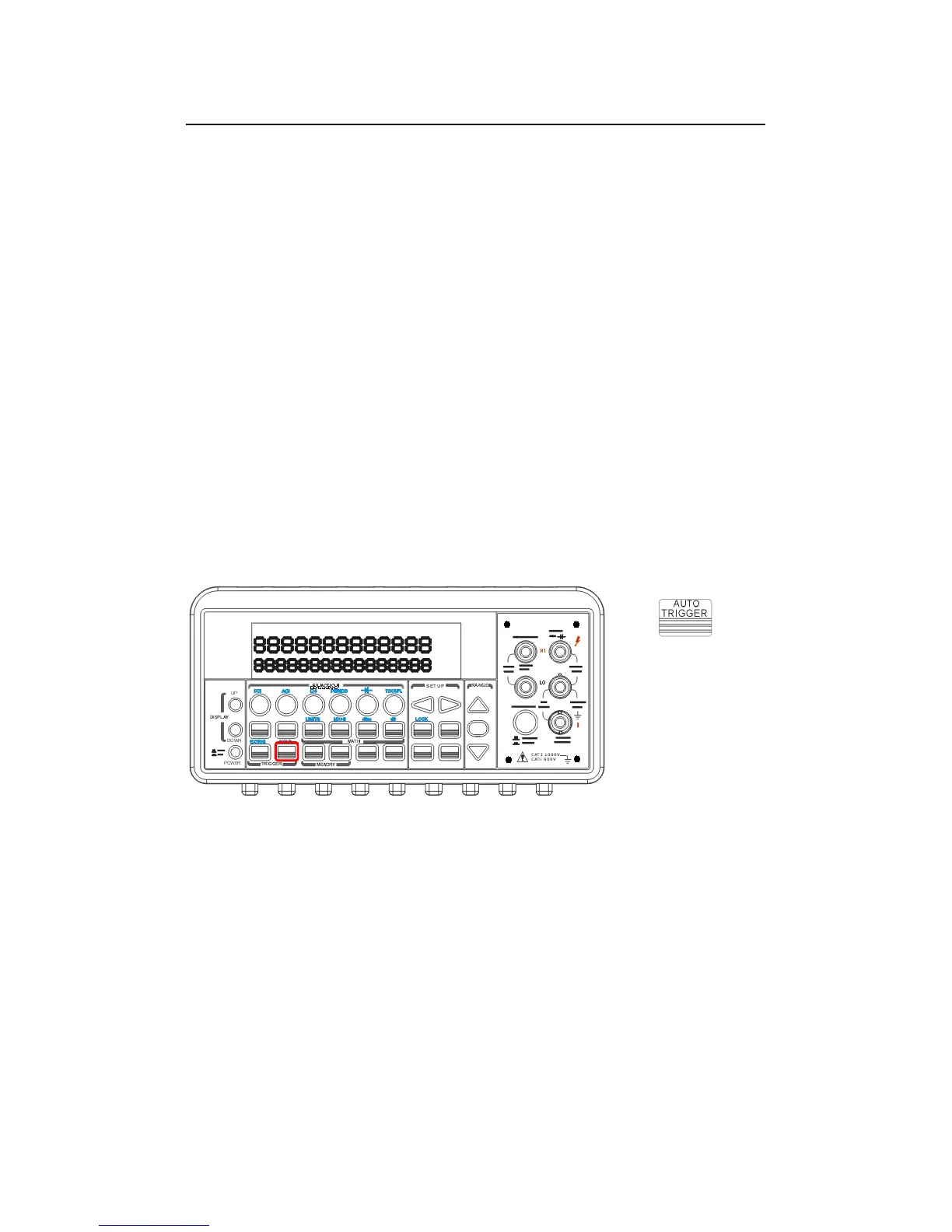
Press ATUO TRIGGER on the front panel to toggle for enabling auto
trigger mode. The location of the button is shown with a red rectangle
frame on Figure 4-9.
Figure 4-9
B. Internal Immediate Trigger Mode (Remote Interface Operation Only)
Definition
The immediate triggering mode is only available through the remote
interface operations and it is the default for the remote interface
operations. When the meter is in immediate trigger mode, a trigger will
be issued immediately as soon as the meter is in “wait for event” state.



 To Next Page