Default
The factory default for continuity threshold resistance is 10Ω. User’s
selection is stored in a volatile memory and the default value will be
restored after the meter has been turned off.
How to set the threshold resistance
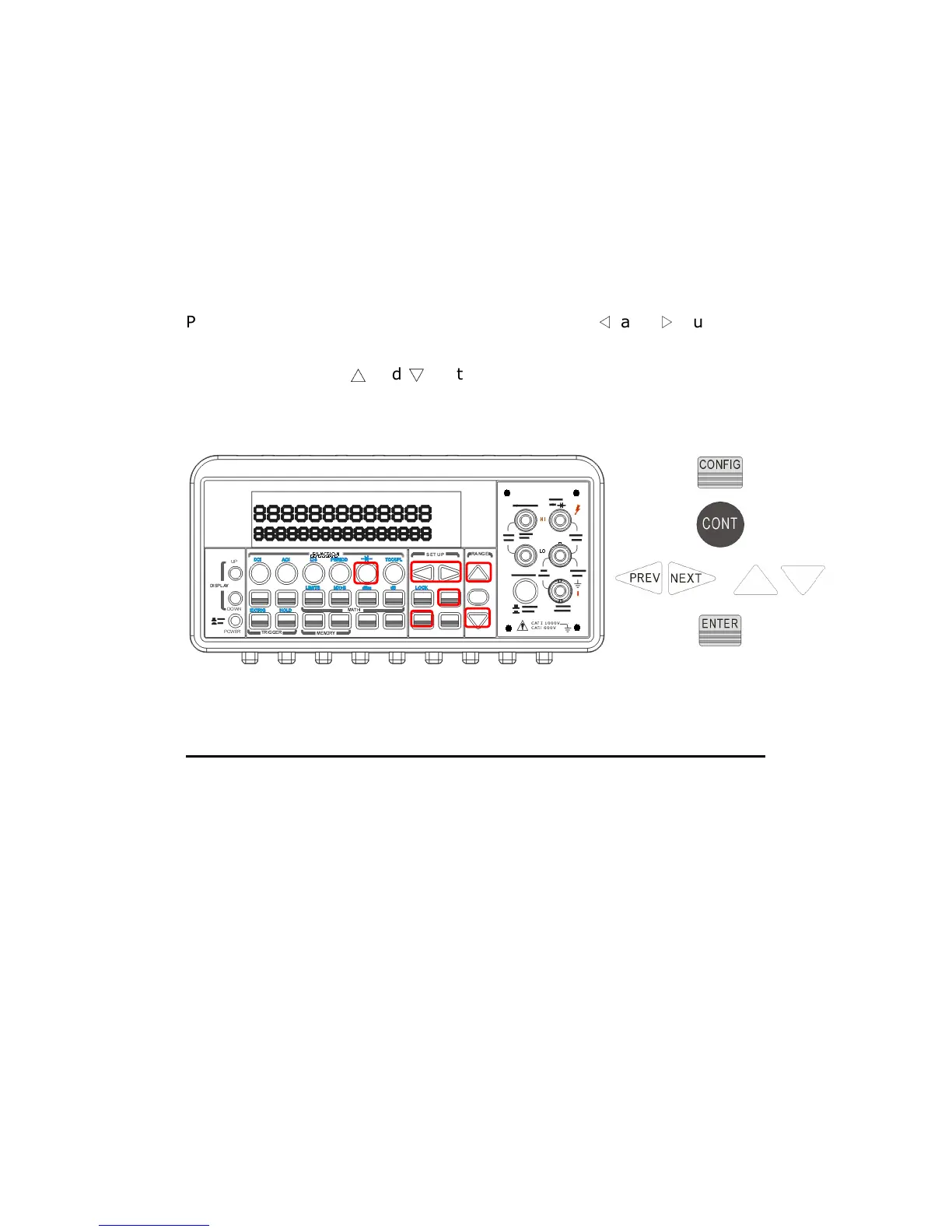
You can change the threshold resistance only through the front panel.
Press CONFIG button and then CONT button. Use
◁
and
▷
buttons to
move through the digits and lower or increase the number to your
desired value using
△
and
▽
buttons , then press ENTER button to set
the value. The locations of these buttons are shown with red rectangle
frames in Figure 4-5.
Figure 4-5
4.1.6 Range (Manual & Auto)
Definition
When making measurements except CONT, DIODE and Temperature,
you can let the machine choose ranges for you, or you can select the
appropriate ranges manually by yourself. The difference between
auto-range and manual-range is the settling time. Auto-range is a
convenient way for you, but manual-range can usually speed up the
process.
If the input signal is beyond allowed range, an “OVLD” message will be
shown on the display. The thresholds of maximum/minimum readings
+



 To Next Page