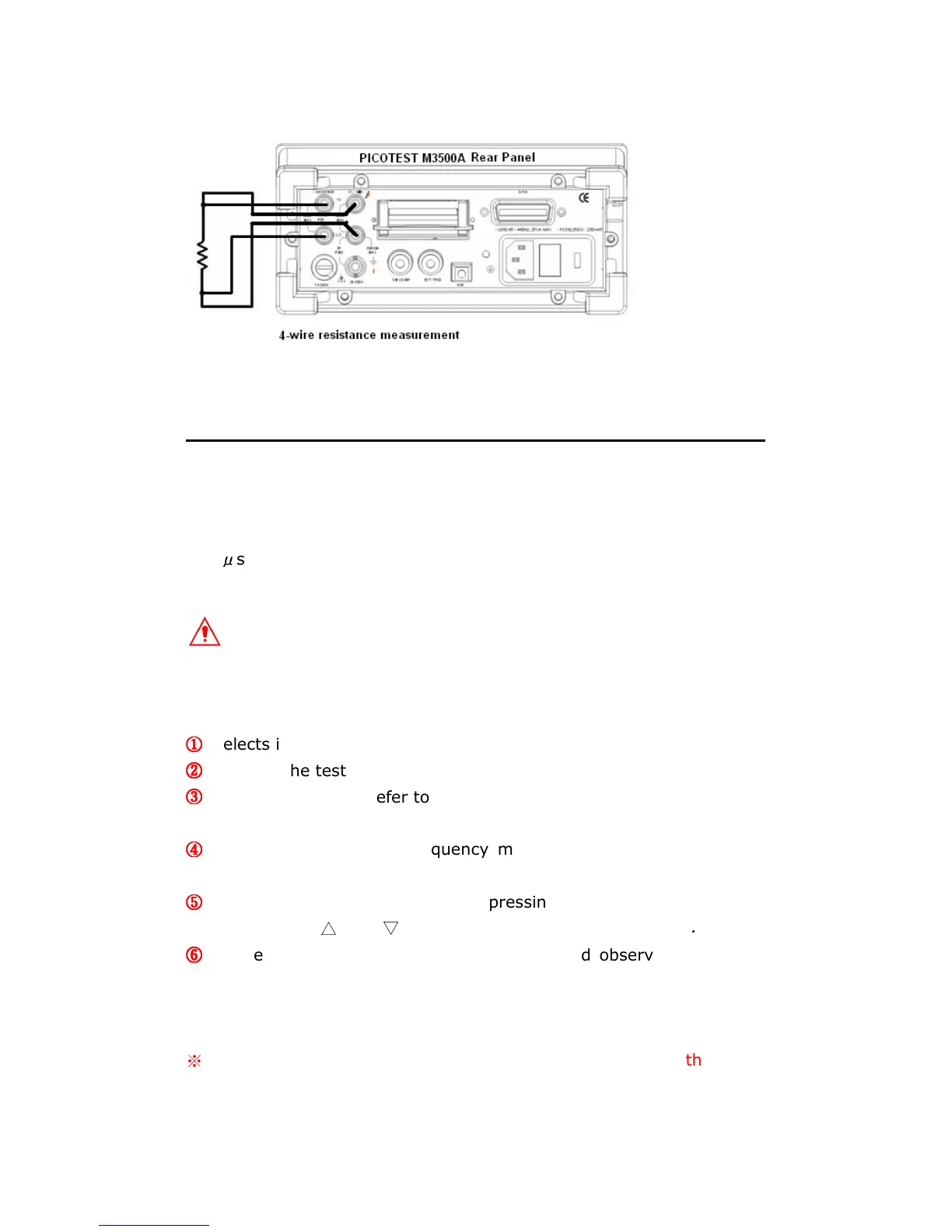
Figure 3-9
3.4 Frequency & Period Measurements
M3500A uses an on-board counter with 25MHz to measure the frequency
(period). The measurement band is from 3Hz to 300kHz (or 333 ms to
3.3
μ
s) and the measurement voltages range from 100mV to 750 V in
AC. The default for “RANGE” is auto-range.
Warning! The maximum input allowed is 1000V. Applying excess
voltage may damage your meter.
How to measure frequency and period
①
①①
①
Selects input signal connections on front or rear panel.
②
②②
②
Connect the test leads to the terminals as shown in Figure 3-2.
③
③③
③
Set RESOLUTION (Refer to 4.1.1) and INPUT JACK. Or skip this step
if default is to be used.
④
④④
④
Press FREQ button for frequency measurement or SHIFT + FREQ
buttons for period measurement.
⑤
⑤⑤
⑤
Select the auto-range function by pressing AUTO button on the front
panel or use
△
and
▽
buttons to select the desired range.
⑥
⑥⑥
⑥
Connect test leads to your source signal and observe the reading
shown on the display. If the input signal is beyond the allowed range,
an overflow message “OVLD” will be displayed.
※
Note: The rear terminal panel also can be used via the same
procedures as the front panel. (Please refer to Figure 3-3)



 To Next Page