3.7.1 Thermocouple Measurements
Connect the thermocouple adapter to the banana jacks on the front
panel. The difference between each type is subject to the patch thermal
leads.
※
Note: Only connection via the front panel can be used for temperature
measurements.
How to measure thermocouple
①
①①
①
Use terminals switch to select terminals on the front panel.
②
②②
②
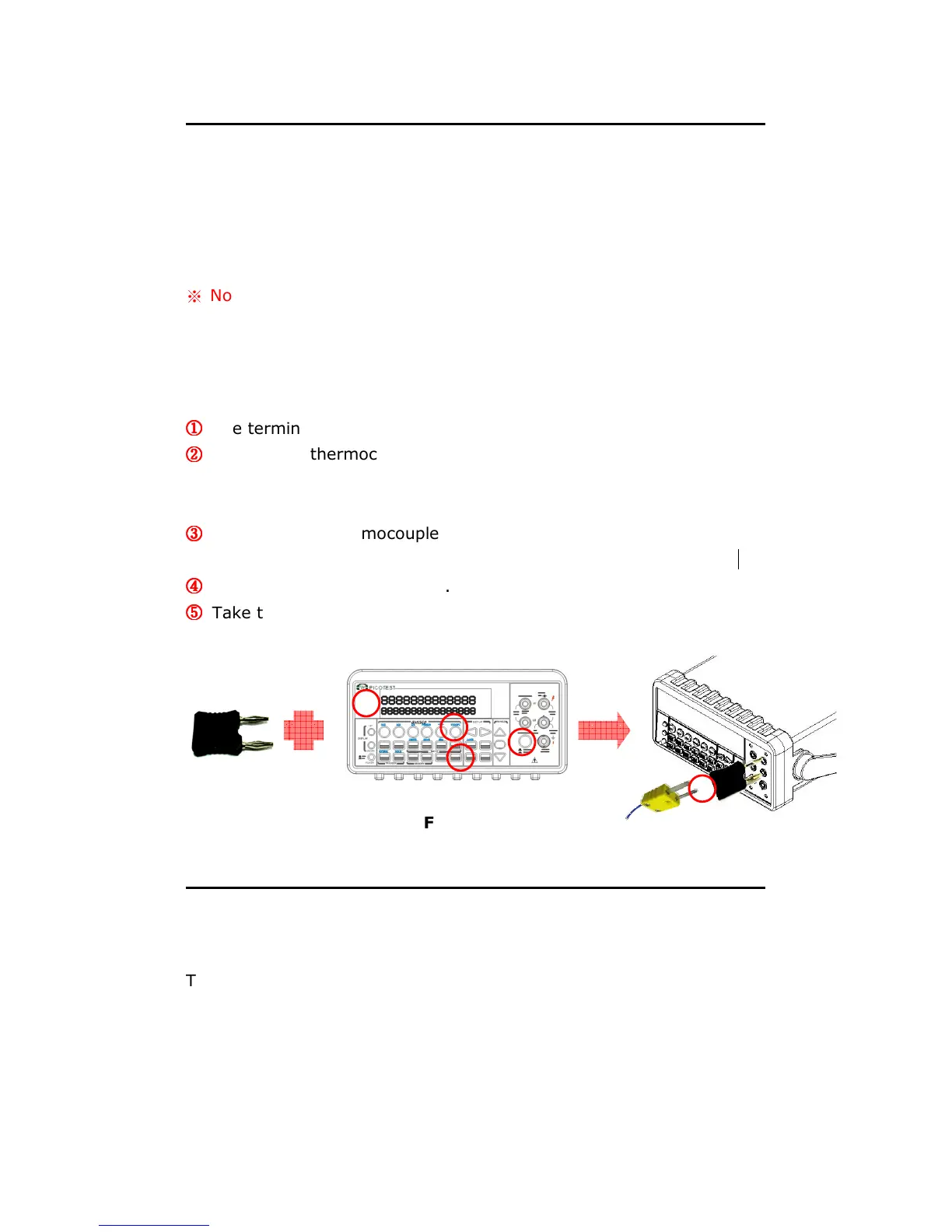
To measure thermocouple, you must use a thermocouple adapter and
a sensor, (K type for example), with the low thermal patch lead as
shown in Figure 3-12.
③
③③
③
Configure the thermocouple type and unit using CONFIG + SHIFT +
TEMP, such as K TYPE and ºC. When ready, press ENTER button.
④
④④
④
Press SHIFT + TEMP buttons.
⑤
⑤⑤
⑤
Take the reading on the display.
Figure 3-12
3.7.2 RTD Measurements
There are three kinds of temperature measurements with RTDs: 2-wire,
3-wire and 4-wire measurements. You will find connection instructions
and measuring procedures in the following sections.
3



 To Next Page